
TrimbleConnect
-
BCFLiveConnector
after comment the issue on different SMC - also connected to TrimbleConnect ->
400 Bad Request: “{“code”:“BAD_REQUEST”,“message”:” Details : {“code”:“STORAGE_ERROR”,“message”:“Not able to store the resource, probably the size limit exceeded: Item size has exceeded the maximum allowed size”}“}”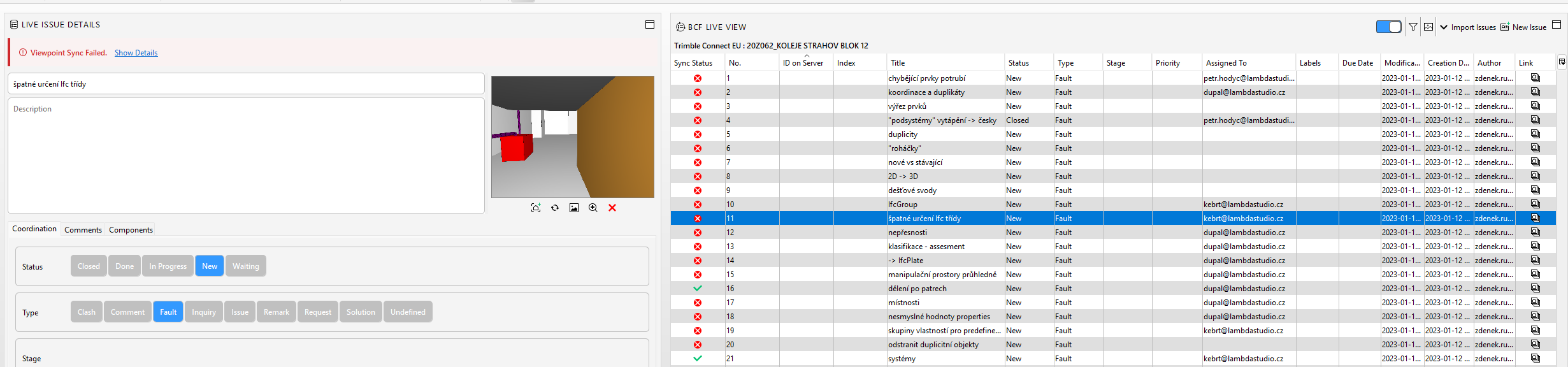
-
@Zdeněk The message is about storage size limit. Are you able to create a new issue in Trimble Connect web UI? The problem might be with this one issue. Typically viewpoints might take a lot of space. How many components are visible/hidden in the issue? If both of those numbers is large, the viewpoint takes a lot of space. You could try to limit the number of visible components to just a few relevant ones and then try again.

Copyright © 2025 Solibri Inc. | Powered by NodeBB