
How grids work in Solibri?
-
In our Solibri models we have lots of models…
We allways make a levels and grids model which contains the building storeys and grids of the project.In the beginning grids are allways projected on the correct building storeys.
But when adding a lot of models it happens that the grids are also projected at a height where no building storey is.I did some testing and came to this conclusion:
- If a model is added and this model contains building storeys (levels) with a height (Global bottom elevation) different from my levels and grids model, Solibri will also project the grids at this level.
The weird thing is… this only happens if there are Walls on this level.
If the level contains only other Entities, like Roof or Slab, Solibri will not project grids at this level.
@Pasi-Paasiala or @Matti-Kannala does this make sense?
Below picture of an exta grid line because of a model is added with a building storey with the wrong height.
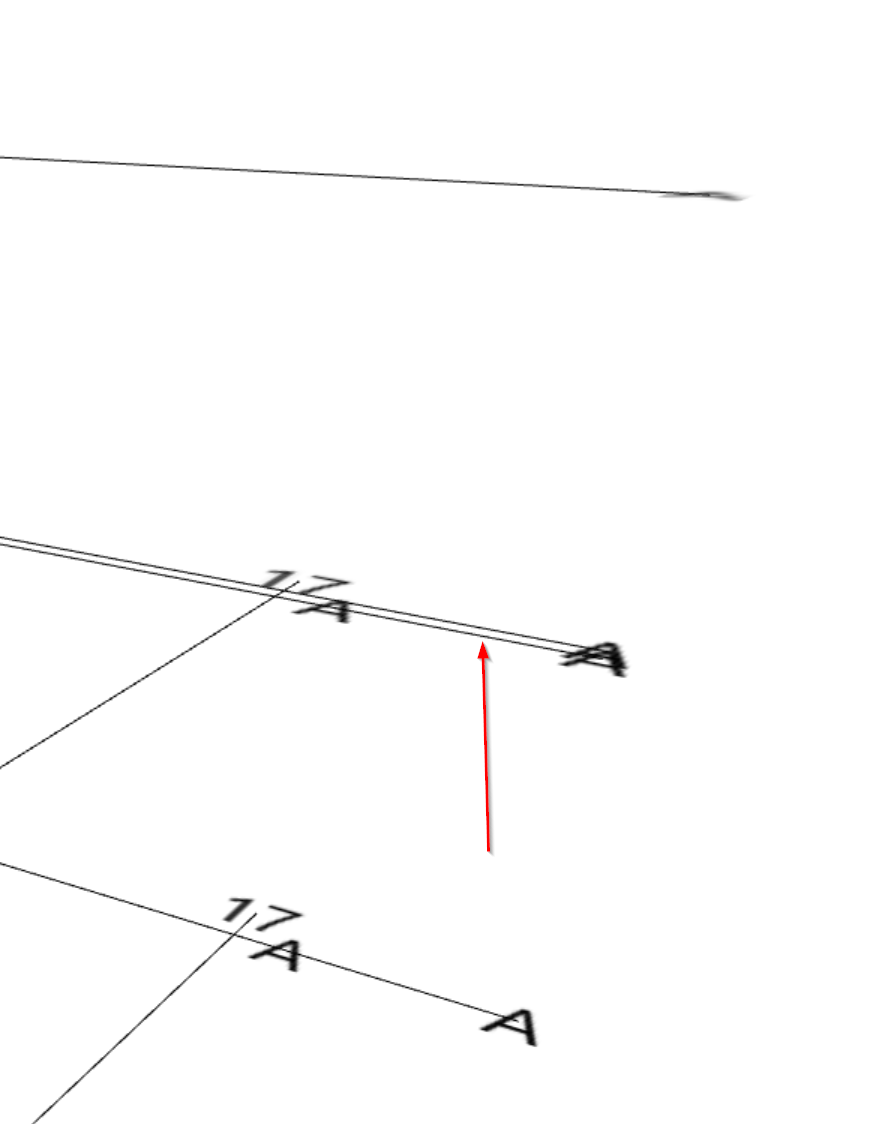
- If a model is added and this model contains building storeys (levels) with a height (Global bottom elevation) different from my levels and grids model, Solibri will also project the grids at this level.
-
We are having the same workflow with a separate grid model. This issue also appears with some of our Solibri models but couldn’t find out what went wrong. It indeed looks like the Grid lines from the Grid model are also placed on BuildingStorey from different models.
Any idea how to solve this?
Grid’s in Solibri definitely need a bit of attention.
- Grid extension lines on sectioning https://society.solibri.com/topic/236/grid-footprint/3?_=1677064189856
- Filter or check which model contains grids https://society.solibri.com/topic/985/see-which-model-s-contain-grids-and-spaces-in-my-smc/1?_=1677064189869
- Switch grids on and off from individual models https://society.solibri.com/topic/1065/switch-on-off-grids-model-per-model/1?_=1677064189866
-
I make an ITO containing all levels… and group them by Global Bottom Elevation.
Then you van see which models have levels with “wrong” elevation / height.
But asking people to change this in models is sometimes difficult…
-
@JeroenKoomen Thanks for this tip, it’s a nice workaround to find the “wrong” ones. And yes indeed not always possible to change this in the models we’ve received from a client or contractor.
-
@Matti-Kannala Can you explain when extra footprints / grids are projected?
Like i said above…not on every level with a unique z-value.
So when does solibri decide to project footprints/grids?
-
Here is some base ideas:
- Solibri shows grids, footprints, space infos on the same levels
- These levels are mainly based on floor elevations
- The grid is shown on the elevation of the IFCGRID object
- The grid is copied to each floor levels
- For the grids there is also extra rule of minimum 2000mm between copies
I’m qeuessing the reason why you see two grids very close to each others is that one grid is in original elevation and a copy of that on the floor elevation. The elevations just that happen to be very close.
I try to come back with more detail analysis. Now busy with the next release.
-
Hi @Matti-Kannala
Thanks for your answer… i understand most of what you say.
I can send you a smc file… maybe you can check it there.
Below an ITO of the levels… here you can see 2 models with different elevations but close to each other…
this is what is causing the extra footprint.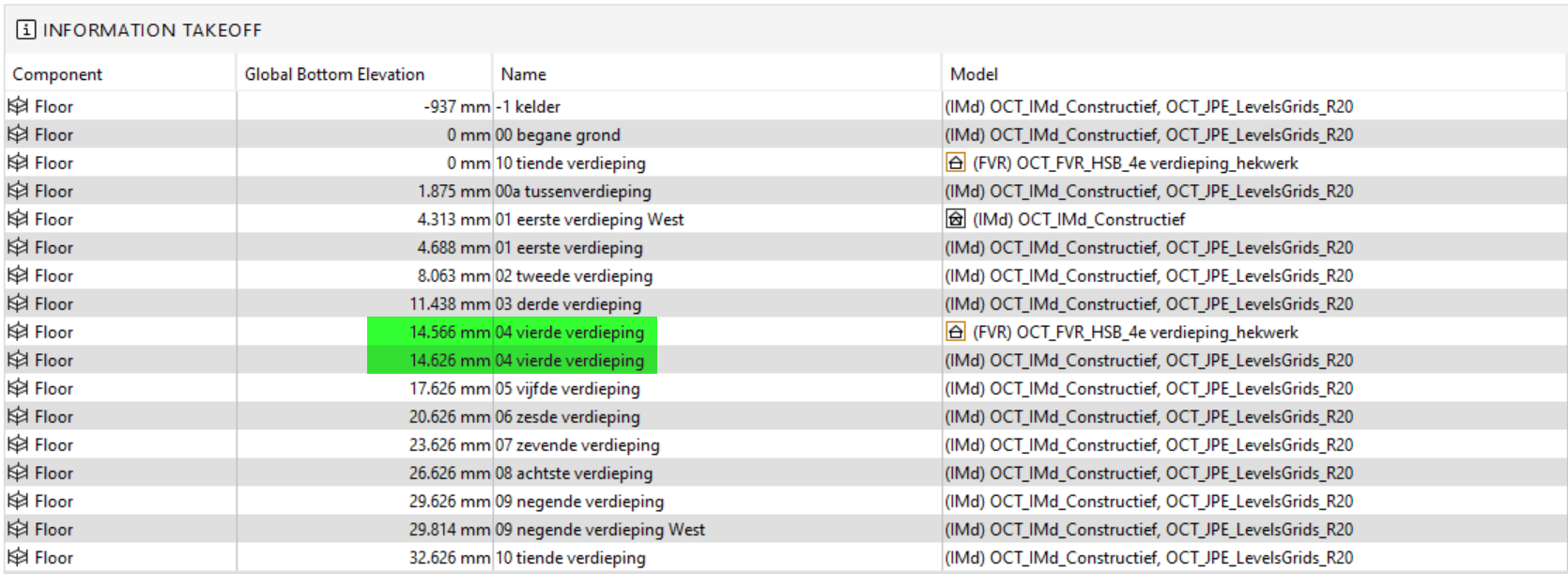
The strange thing is… that if I add another model with lots of different levels with Elevations that do not match… no footprints are added.
Good luck on the new release!
-
 J JeroenKoomen referenced this topic on
-
J JeroenKoomen referenced this topic on

Copyright © 2025 Solibri Inc. | Powered by NodeBB