Skip to content
  • Categories
Collapse
Solibri Society Forum
  1. Home
  2. General Discussion
  3. ".material" file

".material" file

Scheduled Pinned Locked Moved General Discussion
9 Posts 4 Posters 1.6k Views
  • Oldest to Newest
  • Newest to Oldest
  • Most Votes
Log in to reply
This topic has been deleted. Only users with topic management privileges can see it.
  • B Offline
    B Offline
    Bram 0
    wrote on last edited by
    #1

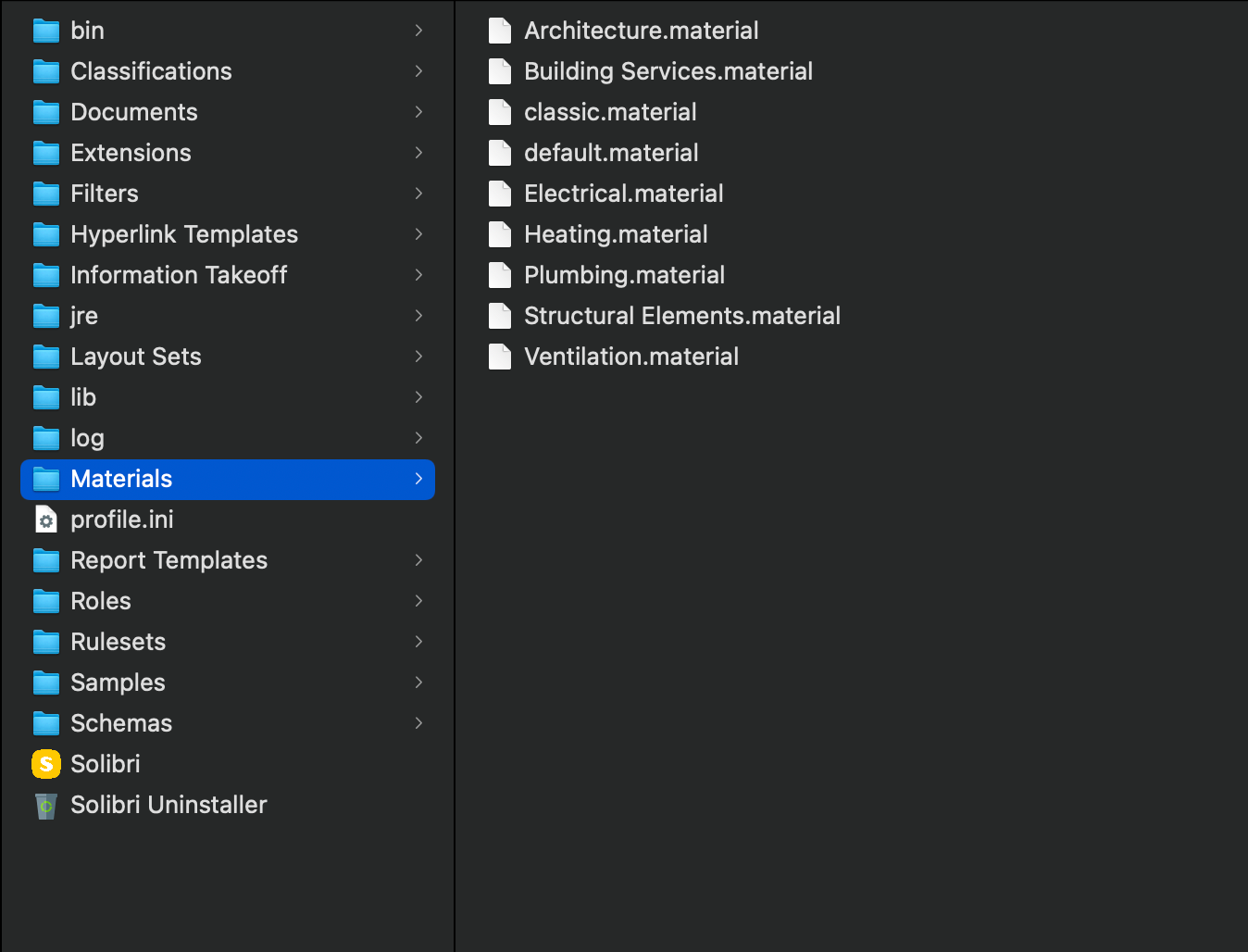
    Hi, I’m new to Solibri and I wanted to know for what circumstances within the software the “.material” files would be used.

    Thank you for your answers. Greetings

    Captura de Pantalla 2023-03-08 a la(s) 9.23.16.png

    L 1 Reply Last reply
    0
    • L Offline
      L Offline
      LariMatias
      replied to Bram 0 on last edited by
      #2

      @Bram-0

      Hi!

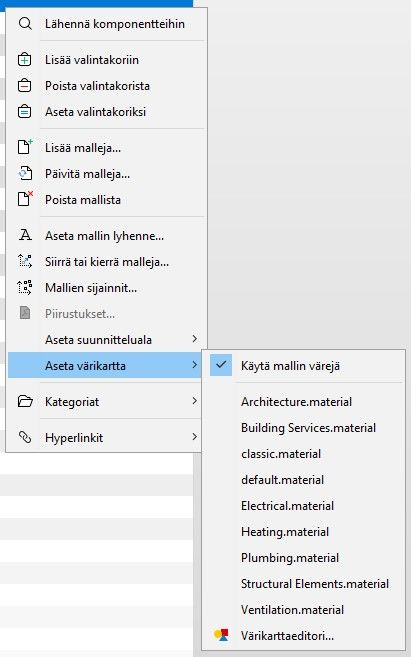
      You can set these materials or colours to individual models in the model tree (right click on model and then set colour map or so):
      Solibri.jpg

      I haven’t seen any other use cases for those materials.

      -Lari

      1 Reply Last reply
      0
      • B Offline
        B Offline
        Bram 0
        wrote on last edited by
        #3

        ooh I got it, okay!

        Then it is to manage the color of the components according to the standards that are available, for example for MEP.

        Thank you very much for the reply!

        1 Reply Last reply
        0
        • P Offline
          P Offline
          Pasi Paasiala Solibrians
          wrote on last edited by
          #4

          @Bram-0 With the material definition you can override the colors coming from IFC. It is up to you to decide if they follow some company or local standards.

          B 1 Reply Last reply
          0
          • B Offline
            B Offline
            Bram 0
            replied to Pasi Paasiala on last edited by
            #5

            @Pasi-Paasiala Thank you very much for your answer! I have already been checking, it is good that those colors can be placed in case any information provider forgets the colors by standard.

            Greetings

            MattiM 1 Reply Last reply
            0
            • MattiM Offline
              MattiM Offline
              Matti Solibrians
              replied to Bram 0 on last edited by
              #6

              @Bram-0

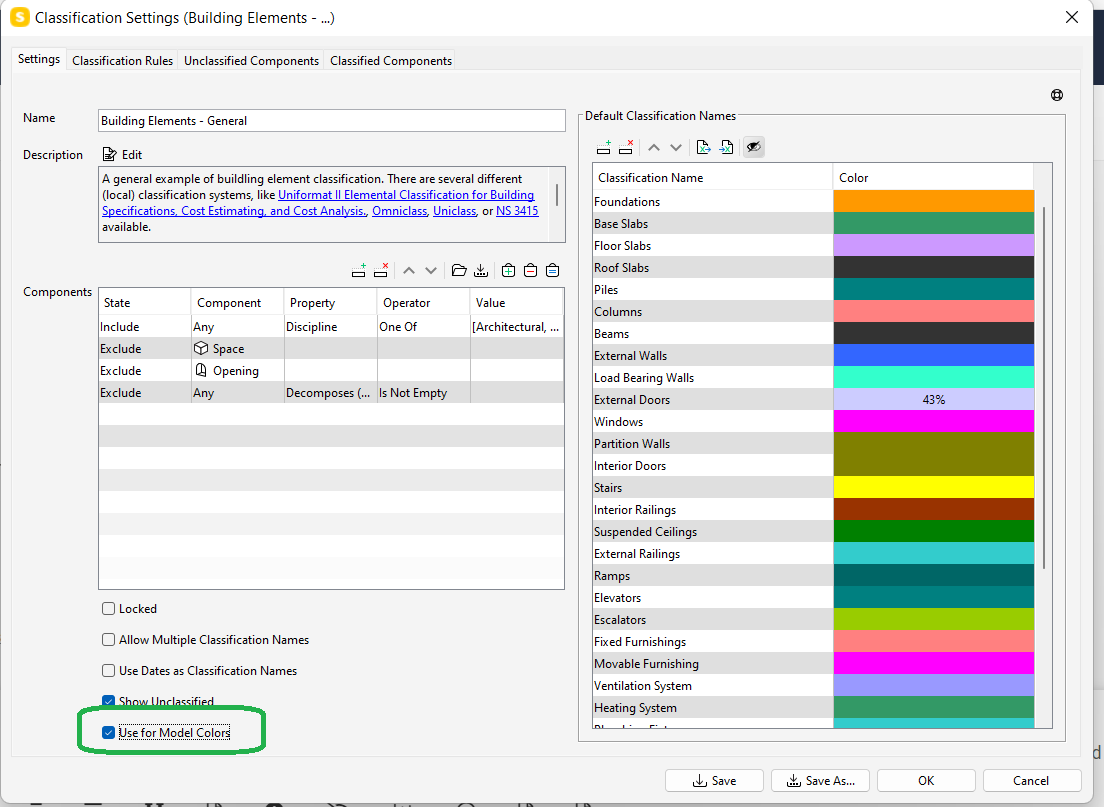
              Another way to control component colors in the model is to use classification.
              2a1273fd-252a-4a64-999d-a4ae86bd9e43-image.png

              B 1 Reply Last reply
              0
              • B Offline
                B Offline
                Bram 0
                replied to Matti on last edited by
                #7

                @Matti-Kannala Hello thank you very much for your comment! I’ve been reviewing what you mention, but I don’t understand the difference of having that box checked. Since when creating a “material” from the file it always remains active, regardless of whether it is marked in the classifications or not, maybe you can develop that workflow more to understand those differences. Greetings

                P 1 Reply Last reply
                0
                • P Offline
                  P Offline
                  Pasi Paasiala Solibrians
                  replied to Bram 0 on last edited by
                  #8

                  @Bram-0 If you turn on that box in the classification, it overrides the color definition of the material schema. This is actually the preferred way to have your custom colors, since specifying the rules how to color the components in classification gives more control than the one in material schema. So if you want to use custom colors, use coloring by classification.

                  B 1 Reply Last reply
                  0
                  • B Offline
                    B Offline
                    Bram 0
                    replied to Pasi Paasiala on last edited by
                    #9

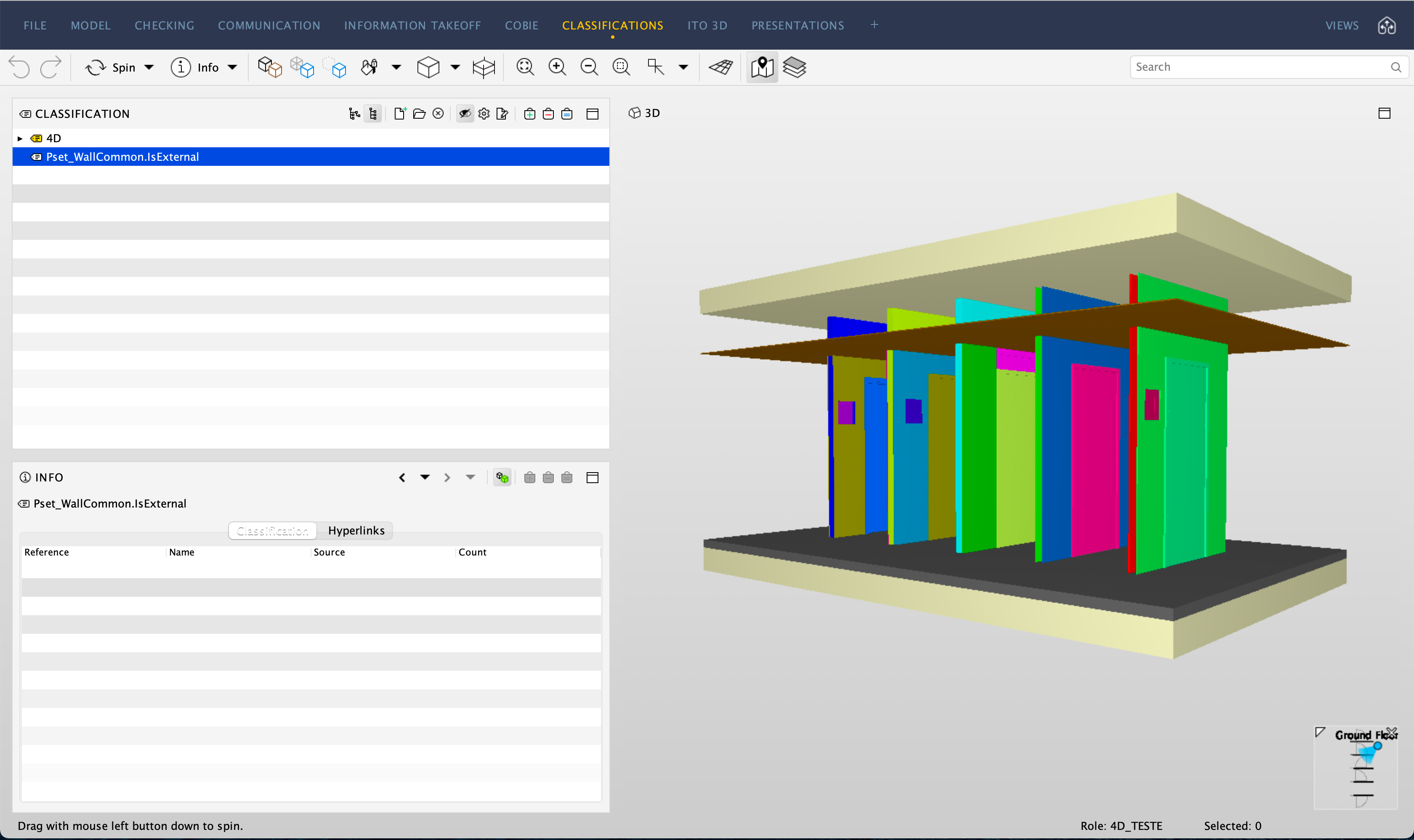
                    @Pasi-Paasiala oh I understand! it takes it as a standard to color the entire model as a base. Thanks so much for the explanation!!
                    Captura de Pantalla 2023-03-20 a la(s) 9.01.05.png

                    1 Reply Last reply
                    0

                    Copyright © 2025 Solibri Inc. | Powered by NodeBB

                    • Login

                    • Don't have an account? Register

                    • Login or register to search.
                    • First post
                      Last post
                    0
                    • Categories