
Adjusting Classifications is a challenge for my nerves
-
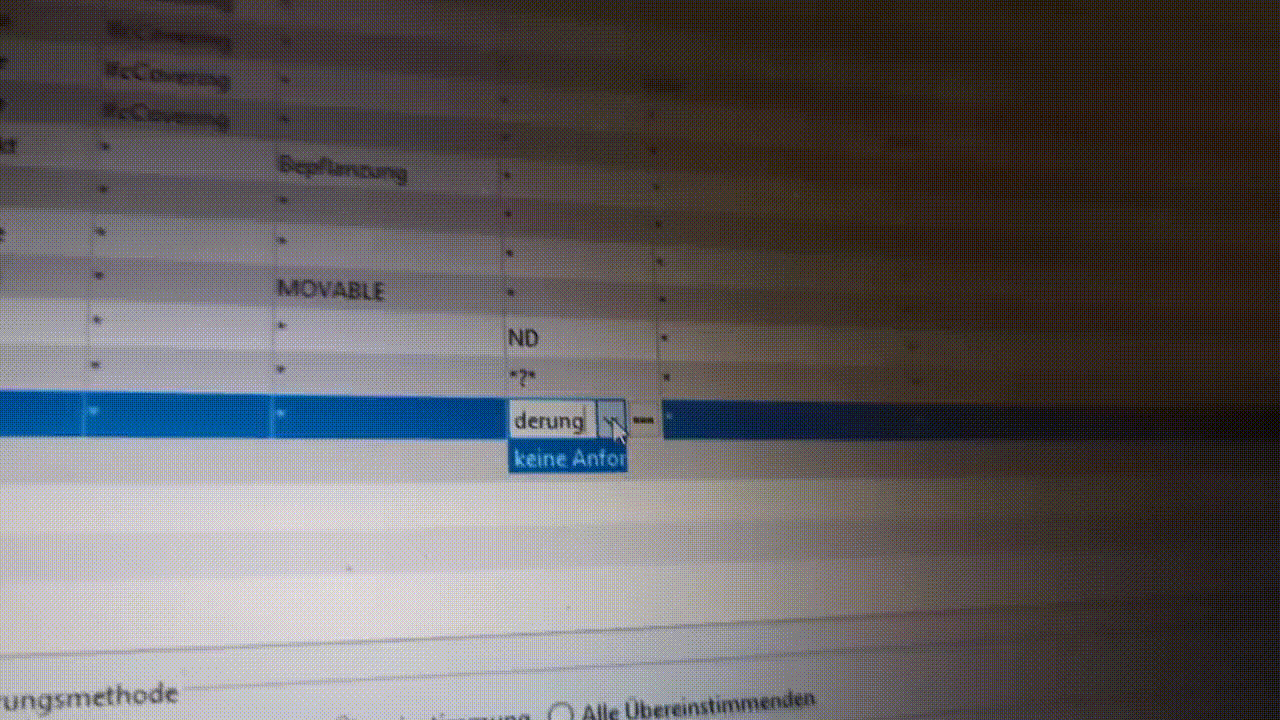
This one is a very tricky and annoying thing that seems to be around way too long. I wanted to report it so many times as it keeps teasing me but the perfidous thing is, that asap I try recording it on my screen everything seems to be normal. But today it totally got on my nerves and that’s why I decided to record it differently …
ClassificationSettingIssue.zip
-
This happens all the time, I first delete content for the cell, I accept by hitting Enter from the keyboard, and I write new content… Does not allow editing the prefilled cell…So disturbing.
-
Thanks for bringing this up. We will check if this could be avoided.
-
@JSN @bariscanpolat
I logged it in and will keep you updated about any news on this. There is no actual bug, but we may improve this in future.I know where the confusion is coming from. It has to do where exactly in cell do you click. What is important to know especially when the column width is too small for proper displaying of all the cell elements.
So when the column is narrow it is very easy to accidentally click the arrow (for the list to show), which also triggers the caret and editing of a cell (should be not the case, because we clicked only the arrow and not the textfield -> so here is place for imporovement).
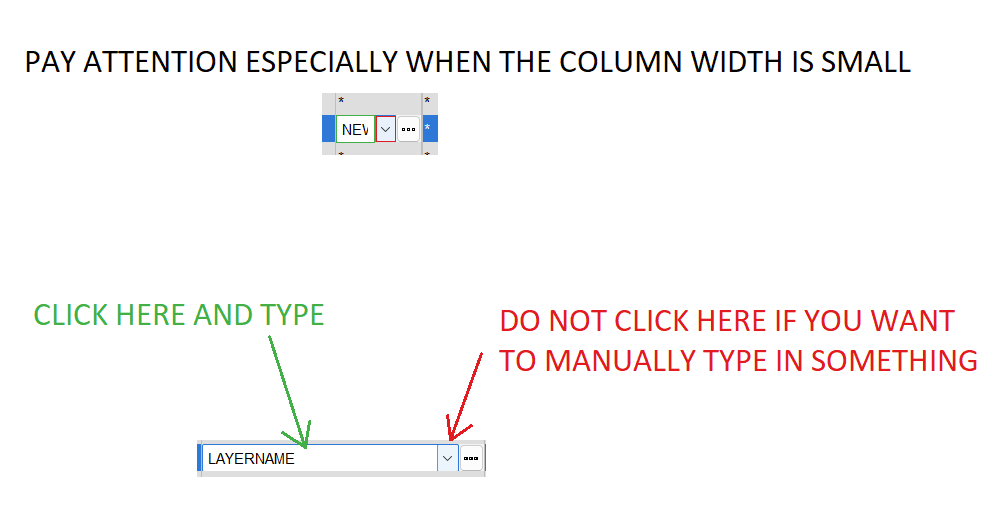
Clicking text field is for manual typing.
Clicking arrow is for choosing from the list.
Clicking three dots opens another window.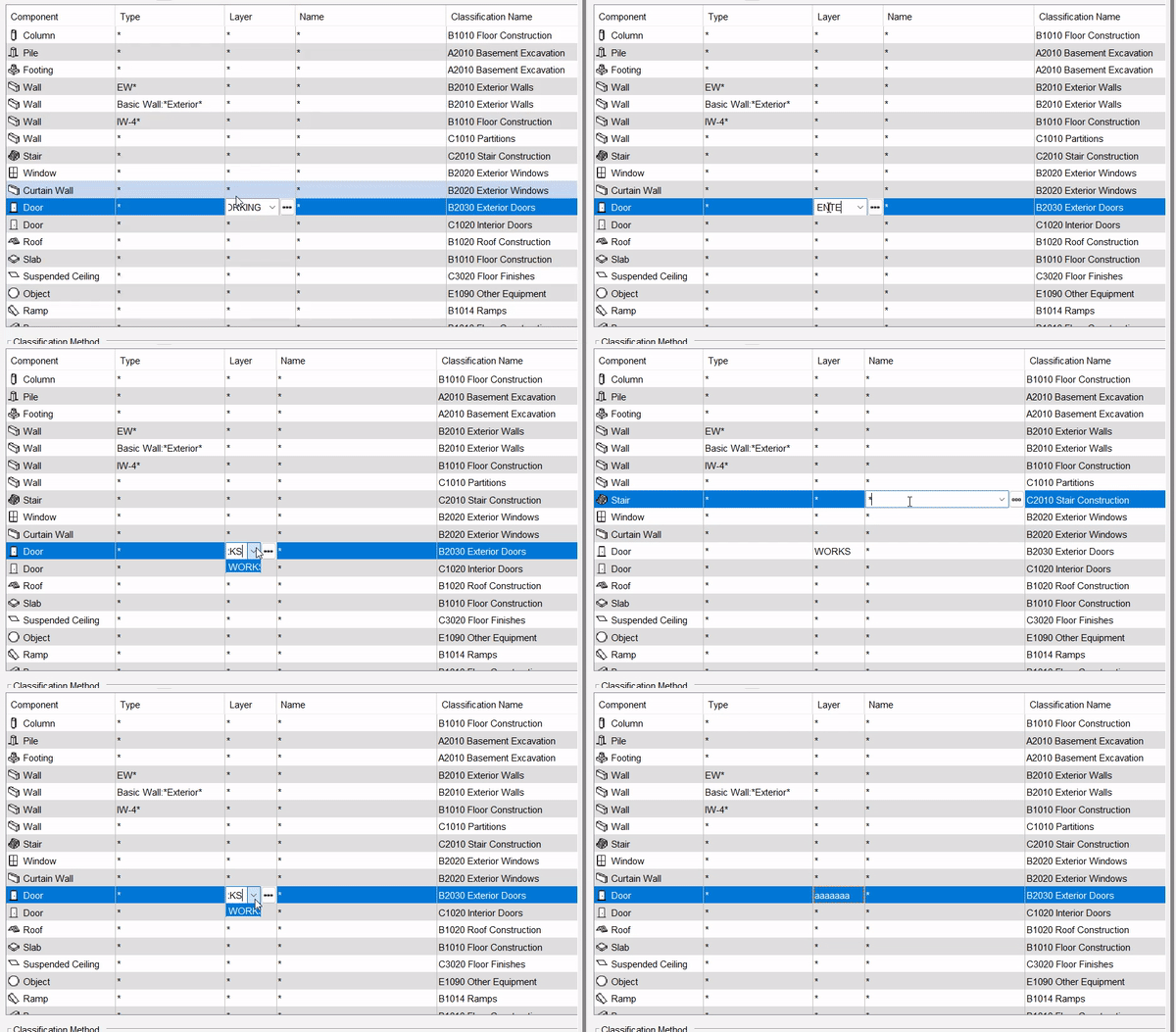
TL;DR
Widen the column and click on the texfield (not arrow) if you want to edit manually the cell.Edit:
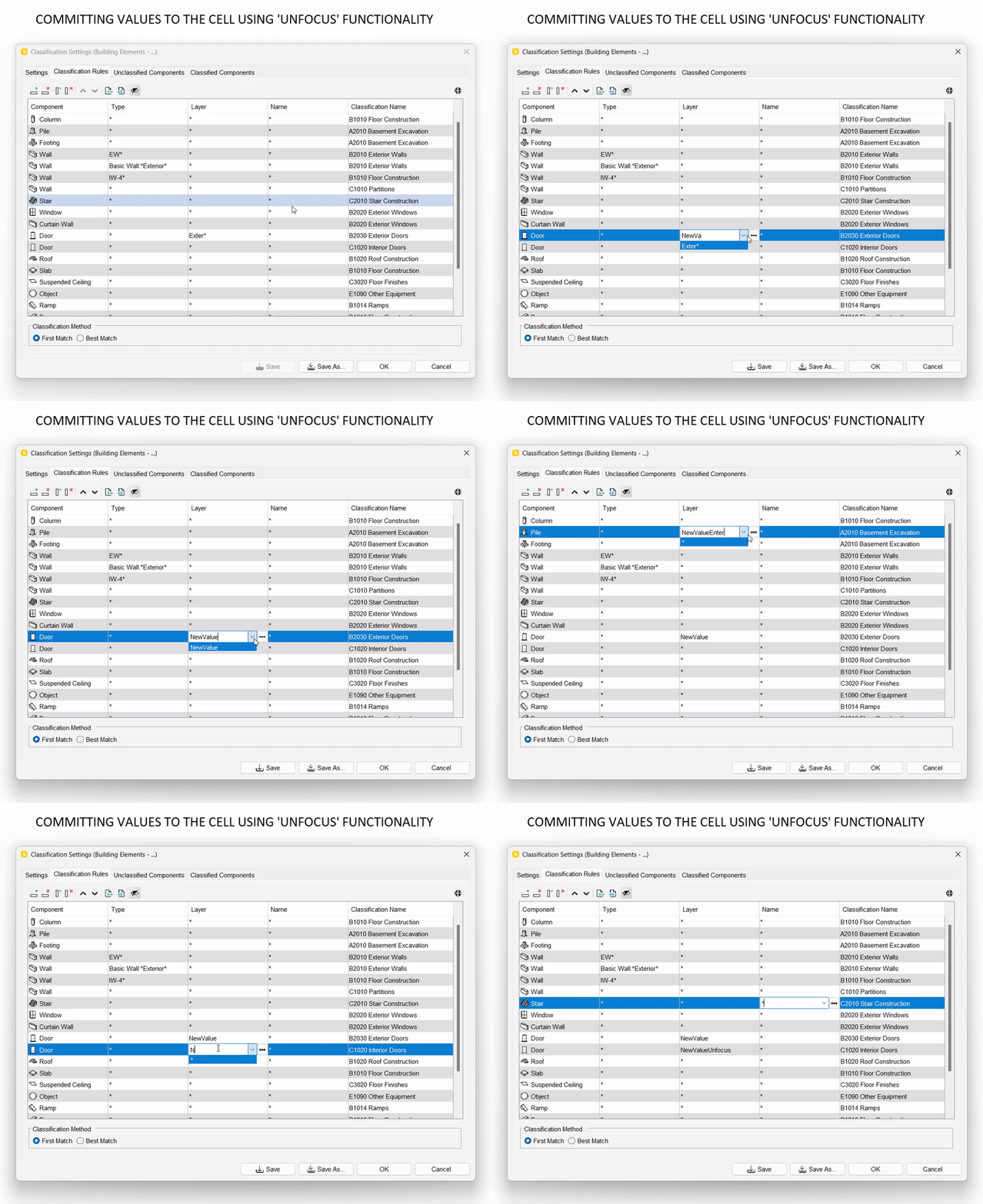
Alternatively, when you really need to have narrow columns there, and you really are not sure if you clicked arrow or textfield you can commit the value you typed in by removing the focus from the cell (eg. “unclicking” the cell, clicking somewhere else, some other cell, etc).But if you clicked the cell and a list appeared (even with only one item) it means you clicked the arrow. So if now you wanted to edit the cell, do it and commit with “unfocusing”:
-
@jakub-rusin said in Adjusting Classifications is a challenge for my nerves:
TL;DR
Widen the column and click on the texfield (not arrow) if you want to edit manually the cell.Thx for clarifying that. Indeed when the column is narrow the invisible arrow takes up most of the space and unintentionally clicking it happens very easily. Will from now on always click left and check if this is the solution for now.
-
@JSN
Not sure if post edits trigger notifications for you. Anyway I added small edit about the “unfocusing value commitment”.
-
It’s not that I need to have narrow columns, it’s more that the width is not stored and resizing them becomes a pain when working on classifications where you usually open and close multiple times. Anyhow, will also keep the unfocusing in mind as well and try it out the next time I observe this behaviour. Many thanks again for the detailed investigation.



Copyright © 2025 Solibri Inc. | Powered by NodeBB