
filter several classifications at once
-
Dear fellow Solibri users,
I have stumbled upon a problem that I cannot solve myself.
I want to filter by multiple classifications that I created, but it does not work.
As you can see, each classification works by itself, but not when I want to filter both at the same time.
Then simply nothing is added to my selection basket when I select the equal sign.
The classifications by themselves point to different models. But everything is set correctly, otherwise I wouldn’t be able to select each classification by itself, I think.
Thank you very much for reading my message.
I will be very grateful for any kind of help,
Best wishes,
Oliver
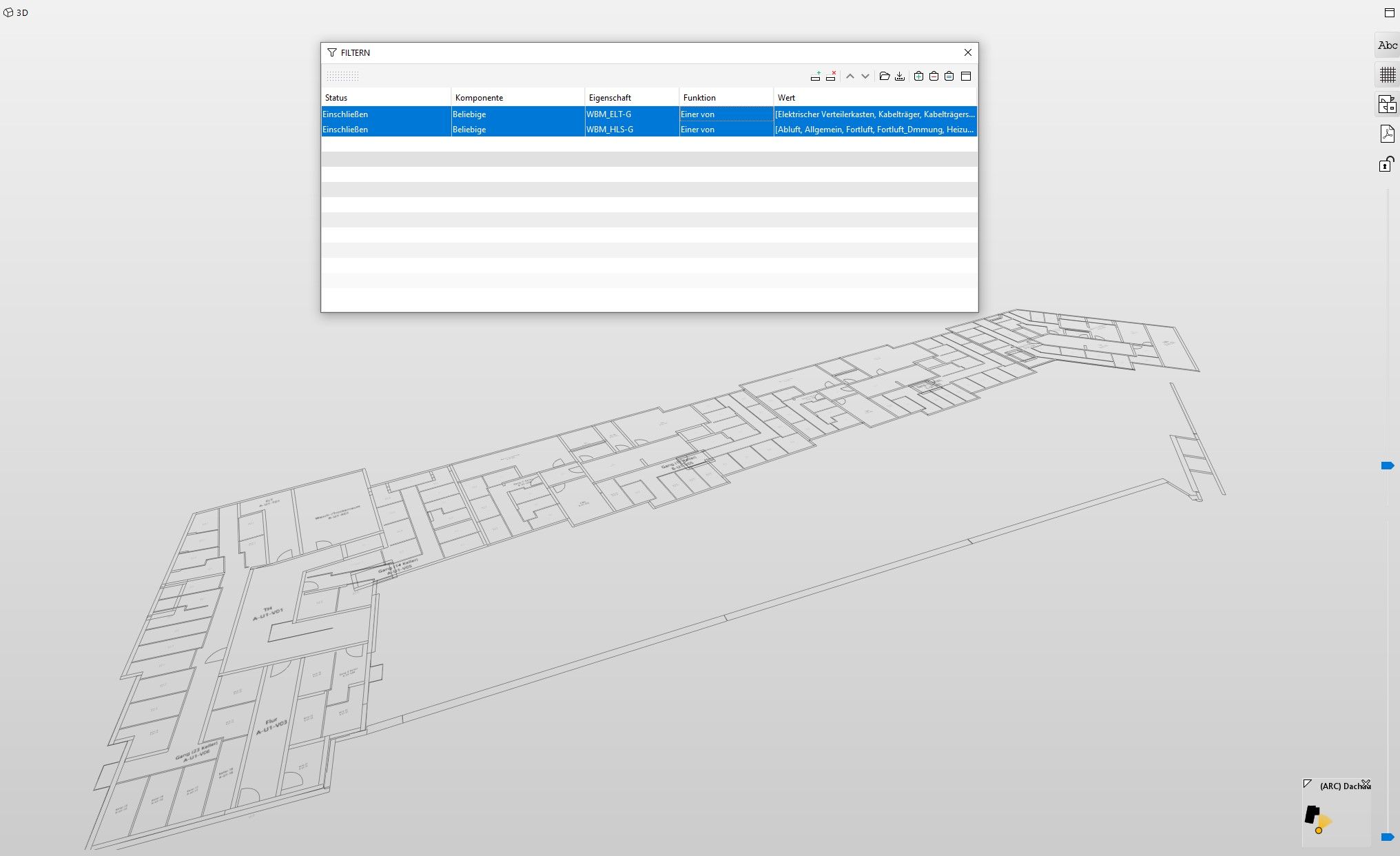
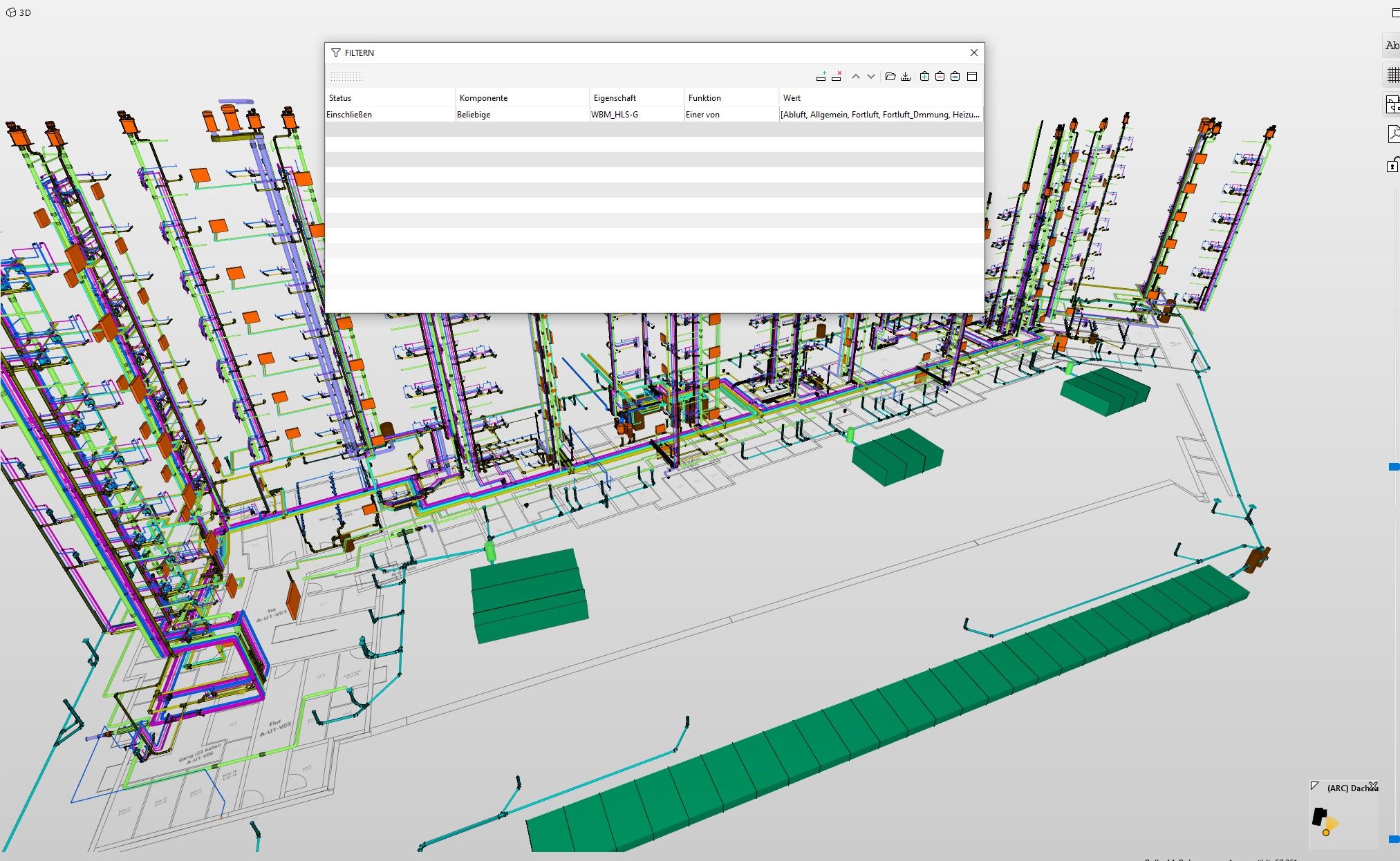
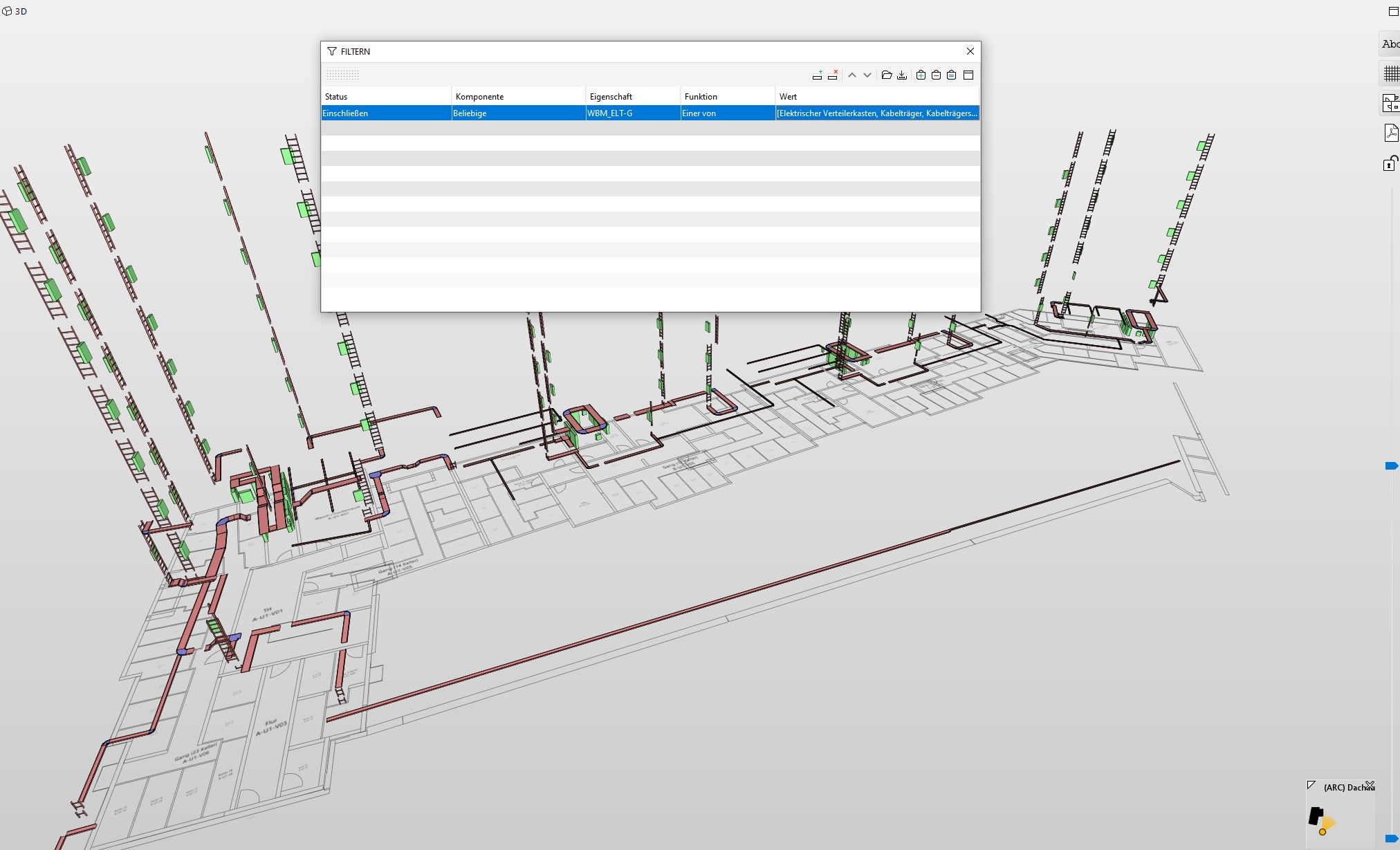
-
Hello JSN,
thank you very much. If anybodys knows how to add several classifications, I would be grateful, but I do not think it is possible.
Best wishes,
Oliver -
Hi Oliver,
I don’t know how to use several classifications. We have a type-naming convention in the office which allows us to filter elements based on mutliple fields defined in the type name. This allows us to filter based on one “parameter” instead of grabbing from multiple parameters, which is always a problem in the Authoring Software we use. (Revit.)
If the Kostengruppen are available in the model, I would suggest using those. I assume the filter you are applying is also going to be the classification?
What platform is the model authored in?
-
Do you need this filter? Can’t you just clasify the elements and not display items which are not captured?
-
If you are using the Any value for both lines then components can’t be classified in both as stated the two lines with the same Solibri Component will behave as an And not a Or operator. What you can do if the Classifications are not too large is to create an additional single classification which classifies these values into one classification, you can then use the single line in the filter that accesses this new classification.

Copyright © 2025 Solibri Inc. | Powered by NodeBB