
Check gross area of a clash between components
-
I’m looking for a solution to identify every IFC space (Model 1) that is close to a wall in an external IFC model (Model 2).
Is it possible to generate a report on the total gross area of clashes and export the results in an Item Takeoff (ITO) format?
-
“Is it possible to generate a report on the total gross area of clashes and export the results in an Item Takeoff (ITO) format?” is not possible.
Relating to this topic you can do much:
- With ITO you can list nearest walls of the spaces using relation column. This is a bit advanced. Please ask if you need help.
- Discpline, Shortname or Model name can be used in filters to find components spaces or walls from some specific models.
- Rule 202 is good for validating spaces that should go along the walls
- Rule 222 can be used for checking the distance to the wall.
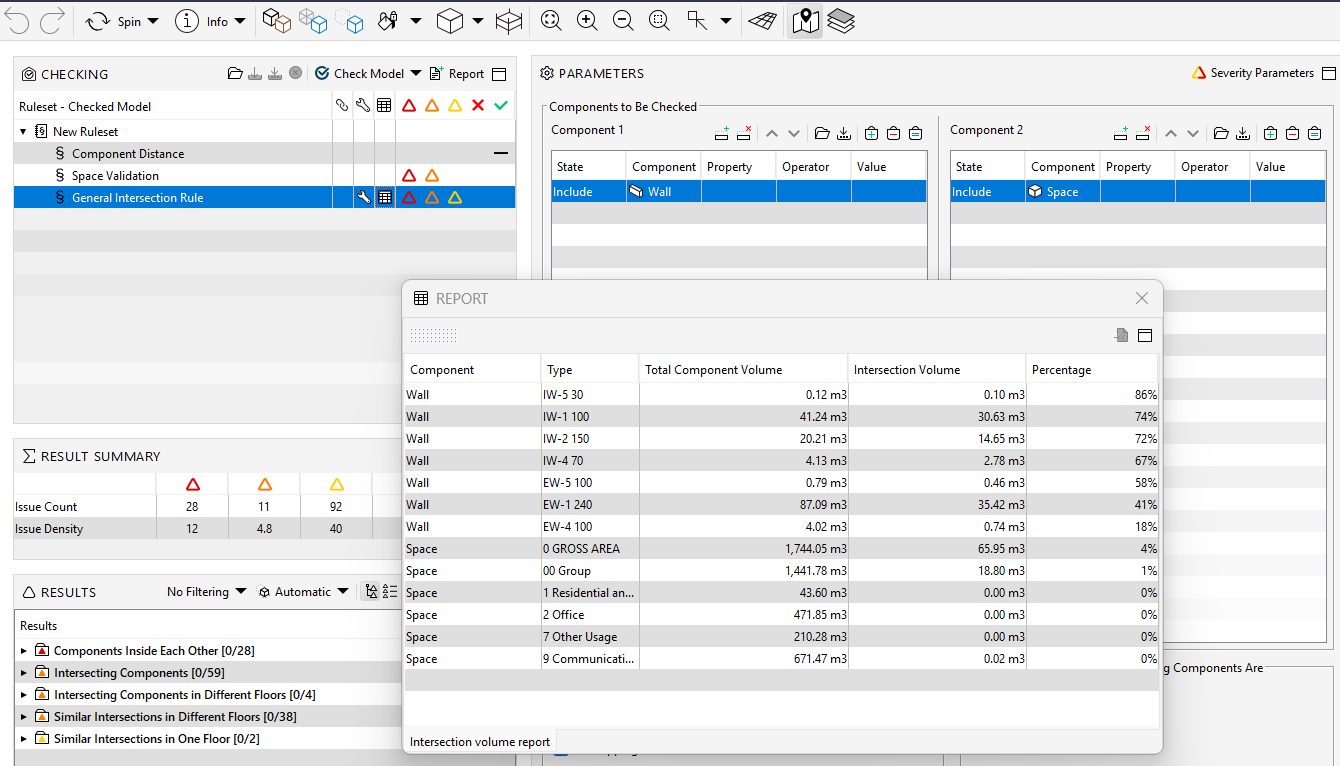
- Rule 1 can be used for checking the clashes. This rule generates a report of total clash volumes.

Copyright © 2025 Solibri Inc. | Powered by NodeBB