
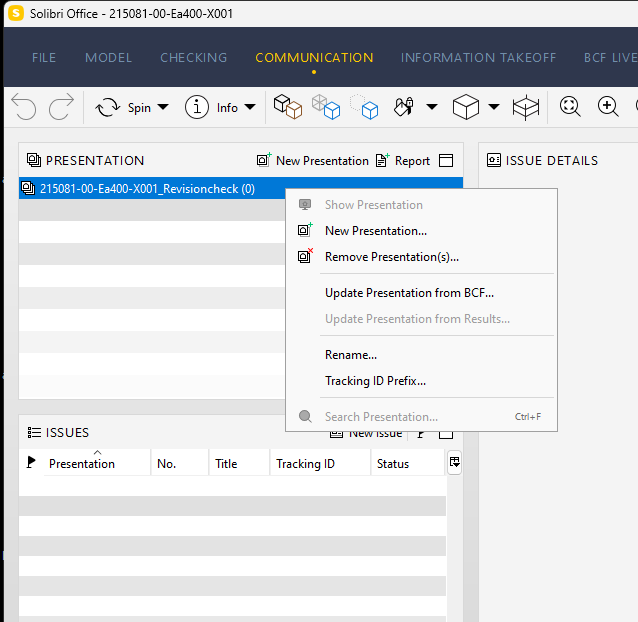
Unable to update presentation from checking results.
-
 J jakub.rusin marked this topic as a question on
-
Hey @enoreger
You probably do not have the link between Presentation/Slides and the Checking Results.
In order to have the link (and thus be able to update the Presentation from Checking Results) first you need make the Presentation From Checking Results. There are couple of ways to do it. First you need to do the Checking and add slides in Checking Results. After that you can:
- rightclick in the Checking View row and Click “Make Presentation”.
or - Create New Presentation From Checking Results in Presentation View
After all that you should now have the link between Presentation and Checking Results and be able to update.
Note: Removing Rulesets is also removing the link to Presentation.
Here is out article on Presentations From Checking Results and Creating Issue Slides from Checking Results.
Let me know if that works.
Kinds regards,
Jakub - rightclick in the Checking View row and Click “Make Presentation”.
-
Hi @jakub-rusin
That worked! Thank you so much for your help

-
 M Matti has marked this topic as solved on
-
M Matti unlocked this topic on
Copyright © 2025 Solibri Inc. | Powered by NodeBB