
Markups&dims remove/edit individual
-
Hi,
Trying to get the grips of the Markups and Dimensions.- Firstly I can’t figure out how to delete individual items? I can delete all or nothing!?
- SOLVED! Secondly is about the stamps. Why is there no possibility to save different filters? For example I’d like to show TypeID for interior but TypeID+Width+Height for doorr and windows. Surely the idea is not to go in the markup settings every time I want to change!?
/Mats
-
@Mats_Knutsson said in Markups&dims remove/edit individual:
- Secondly is about the stamps. Why is there no possibility to save different filters? For example I’d like to show TypeID for interior but TypeID+Width+Height for doorr and windows. Surely the idea is not to go in the markup settings every time I want to change!?
There is possibility to save filters. In Filtering View create these filters:
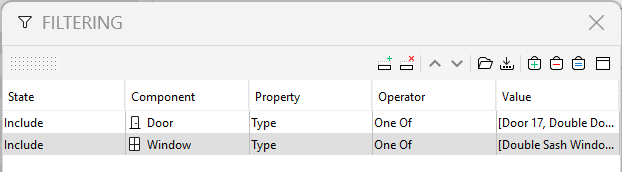
and for interior (I assume interior walls?):
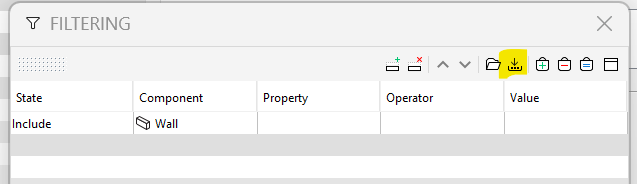
and save the with “Save Filter As” button.
Then use settings with these saved filters.
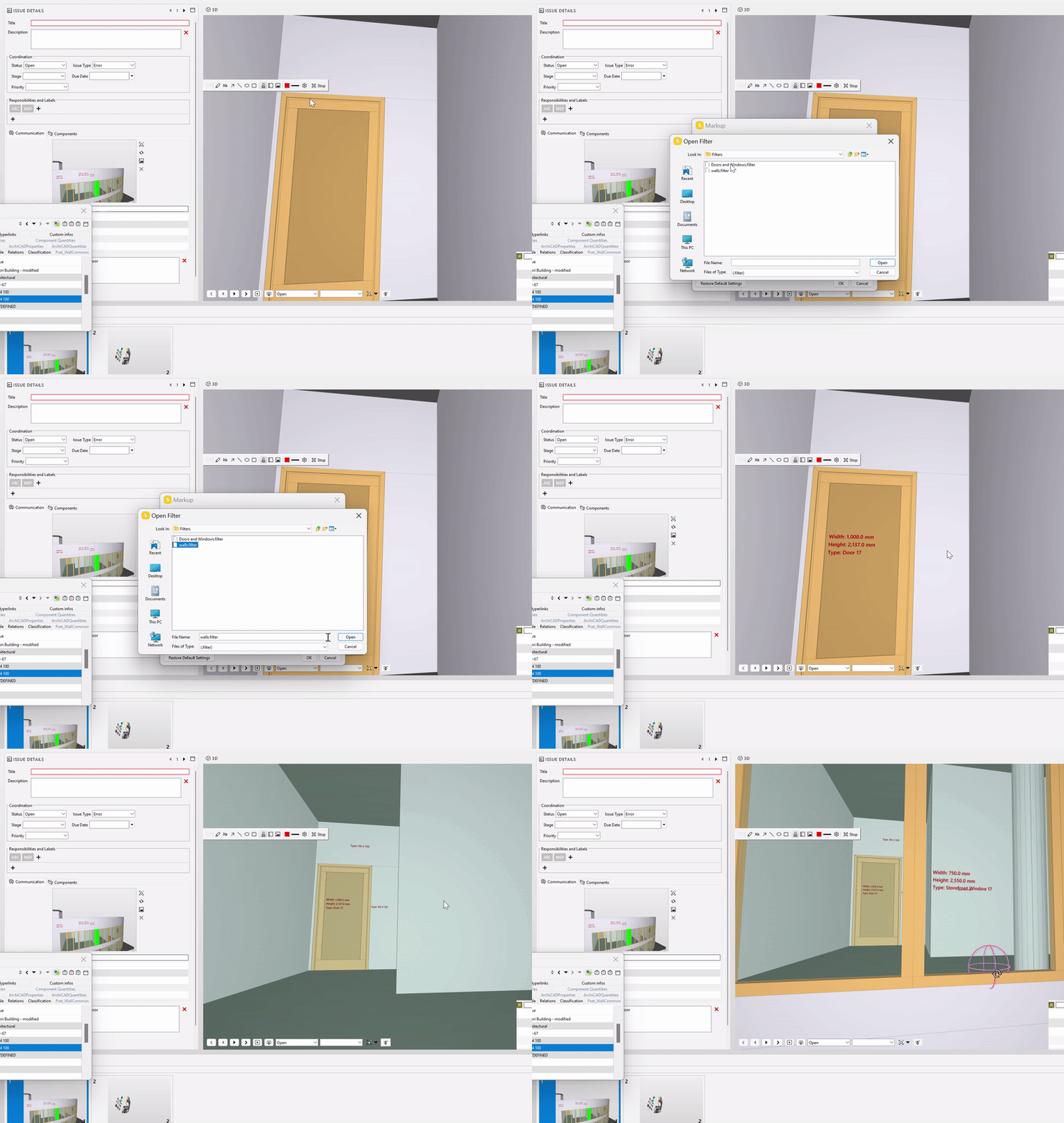
-
@jakub-rusin said in Markups&dims remove/edit individual:
@Mats_Knutsson said in Markups&dims remove/edit individual:
- Secondly is about the stamps. Why is there no possibility to save different filters? For example I’d like to show TypeID for interior but TypeID+Width+Height for doorr and windows. Surely the idea is not to go in the markup settings every time I want to change!?
There is possibility to save filters. In Filtering View create these filters:
and save the with “Save Filter As” button.Then use settings with these saved filters.
![ezgif.com-video-to-gif(6).gif]
Aha…learned a new thing there. Thanks! I’ve done regular filters for QTO and rules but didn’t know about this one. I was expecting a local “Save as” and “Open” within the markup filter dialog as with the other tools but this works great.
-
@Mats_Knutsson said in Markups&dims remove/edit individual:
- Firstly I can’t figure out how to delete individual items? I can delete all or nothing!?
You could use Hide Tool. Unfortunately it does not work on stamps.
https://help.solibri.com/hc/en-us/articles/1500003836641-The-Markup-Tool
https://help.solibri.com/hc/en-us/articles/1500004096641-Markup-Settings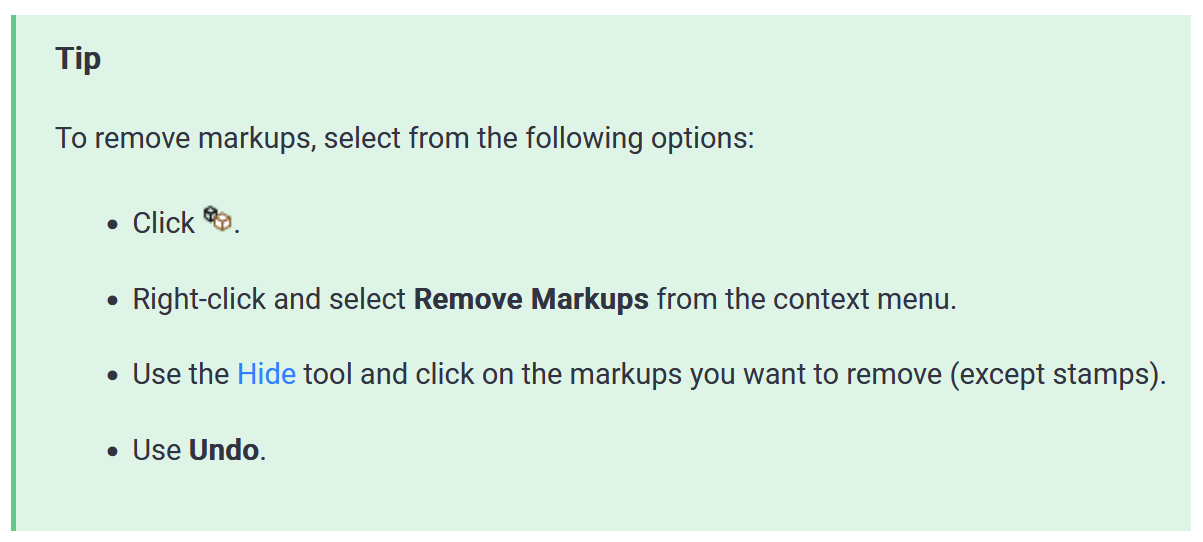
Hope that helps at least somewhat

-
 J jakub.rusin marked this topic as a question on
-
@jakub-rusin said
Hope that helps at least somewhat
Haha yes at least I know how it works (or not works…)
-
J jakub.rusin has marked this topic as solved on
-
J jakub.rusin unlocked this topic on

Copyright © 2025 Solibri Inc. | Powered by NodeBB