
BCF in ITO?
-
You can create an Excel template with the information from a coordination report.
-
I was wondering something similar.
I haven’t found a way yet to join Issue information with ITO information:- in ITOs, you can’t export information about Problems (list of issues which you could see in the Info view of the component)
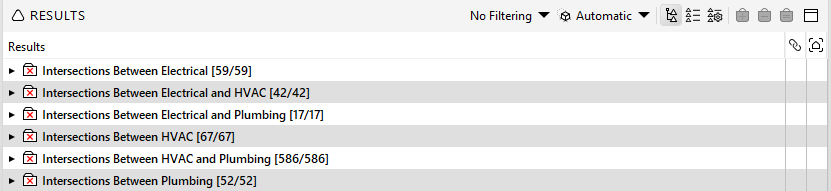
- in the rule reports, you have numbers of affected components but not their ID
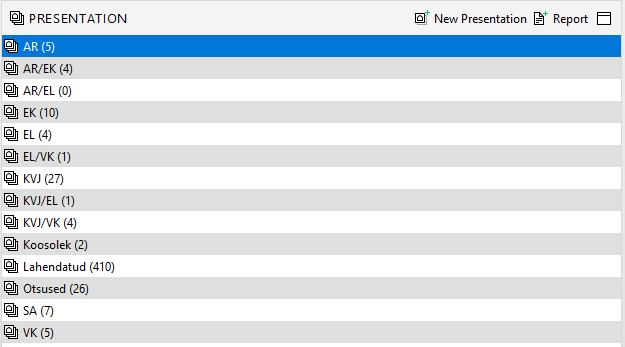
- in presentation reports, you can extract information from comments, although I never checked if you can get the GUIDs of relating components.
@lucasmello do you have some insights on this?
@Solibrians how can we obtain a consolidated export of issues, comments and ITO (component properties)? Could this be a feature request?
-
@Alex-J I’ve been researching a lot about it because many engineers were complaining about the lack of ID. I don’t know if there’s a better method, but what I did was extract an ITO with the component names and any other relevant information I could need, like ID for example, and a report of the presentations (coordination report) also with the component name, then cross-referenced the data using formulas in Excel.
-
they idea is that when i filter issue, (for instance all with the label “office”) i can then see all the objects related (attached) to those selected issues.
Right now i can do this only 1 issue at the time.
Perhaps the fact that different issues have different camera position might block this, but the camera can go to “home” when multiple issues are selected…Does this make sense?
-
@Matti-Kannala
There’s a lot to say there
Ideally, we’d like to report the full model data (all IFCs as received) as well as all relating Solibri data, in a combined file.
In my case, my goal is to send this data to snowflake and be able to build some Power BI dashboards that will cross reference this data with other project data from other sources (such as the CDE, planning, QA/QC plan…).A few “light” improvements that would go a long way:
- export of TOPIC IDs in issue report (I want to have a link between rule result ID and BCF ID as sent to CDE)
- export of component GUIDs related to rule results and later on to BCF
- combined report template for ITOs, issues. checking summary and presentations in a combined file
xlsx format instead of xls(EDIT: not an issue)
We want to follow up on our checking progress, in 2 steps :
- issues (automaticaly generated rule results)
- comments/BCF (slides created manually, and their possible relation to the rules and issues)
Basically, if I can access BCF on my CDE through an API, I should be able to cross-reference this info and trace it back to the Solibri issue, Solibri rule and the relating components.
-
@Alex-J Acouple of questions:
- What do you mean by xlsx instead of xls? Solibri can create xlsx files. Is there a problem?
- Which CDE are you using? If the CDE supports BCF-API, the linking between the CDE topics, and topics in results or issues are linked.
-
We use mostly Dalux for BCF. Until now, I had the feeling that the link between issue (rule result) and BCF gets lost with time, although I was never able to find out the cause.
What is certain is that an Issue ID cannot be a BCF ID since a BCF could group multiple issues. Maybe somewhere in this grouping process the link tends to get lost.About the XLSX you are right, I made a quick test before commenting the other day and had the feeling that presentation reports only allowed for XLS. This was due to the first templates using XLS. Sorry about that, please dismiss this comment.
-
@lucasmello said in BCF in ITO?:
@Alex-J I’ve been researching a lot about it because many engineers were complaining about the lack of ID. I don’t know if there’s a better method, but what I did was extract an ITO with the component names and any other relevant information I could need, like ID for example, and a report of the presentations (coordination report) also with the component name, then cross-referenced the data using formulas in Excel.
Thanks for the idea, I just learned that you can actually have the component GUIDs in the presentation report. This should make a better link with ITOs.
https://help.solibri.com/hc/en-us/articles/1500004219082-Presentation-Settings#UUID-f242df05-7856-1224-ccfd-bb85b9da2844_UUID-d988ad05-a5ff-2292-ae57-70d4d49a217f
Though I wonder if report templates would use it correctly if the user hasn’t added GUID through settings. -
@Alex-J said in BCF in ITO?:
Thanks for the idea, I just learned that you can actually have the component GUIDs in the presentation report. This should make a better link with ITOs.
https://help.solibri.com/hc/en-us/articles/1500004219082-Presentation-Settings#UUID-f242df05-7856-1224-ccfd-bb85b9da2844_UUID-d988ad05-a5ff-2292-ae57-70d4d49a217f
Though I wonder if report templates would use it correctly if the user hasn’t added GUID through settings.No it’s not, this has to be specified in the settings and be aware that here is a 32k cell limit in excel when you add lots of component details …
Plus I also bring this up once more:
Also have a look here if you missed it. It may help you in another way to achieve what you want when you do some further customization … https://society.solibri.com/topic/2752/has-failed-checking-api/3?_=1708615689579



Copyright © 2025 Solibri Inc. | Powered by NodeBB