
Troubles setting up SOL 203 from Revit
-
Hey Solibri Gang,
I keep running into issues properly setting up rule 203 / Required Property Sets.
In order to enforce modelling quality, we need to make sure all entities are assigned their respective information (e.g. room number and name etc.)
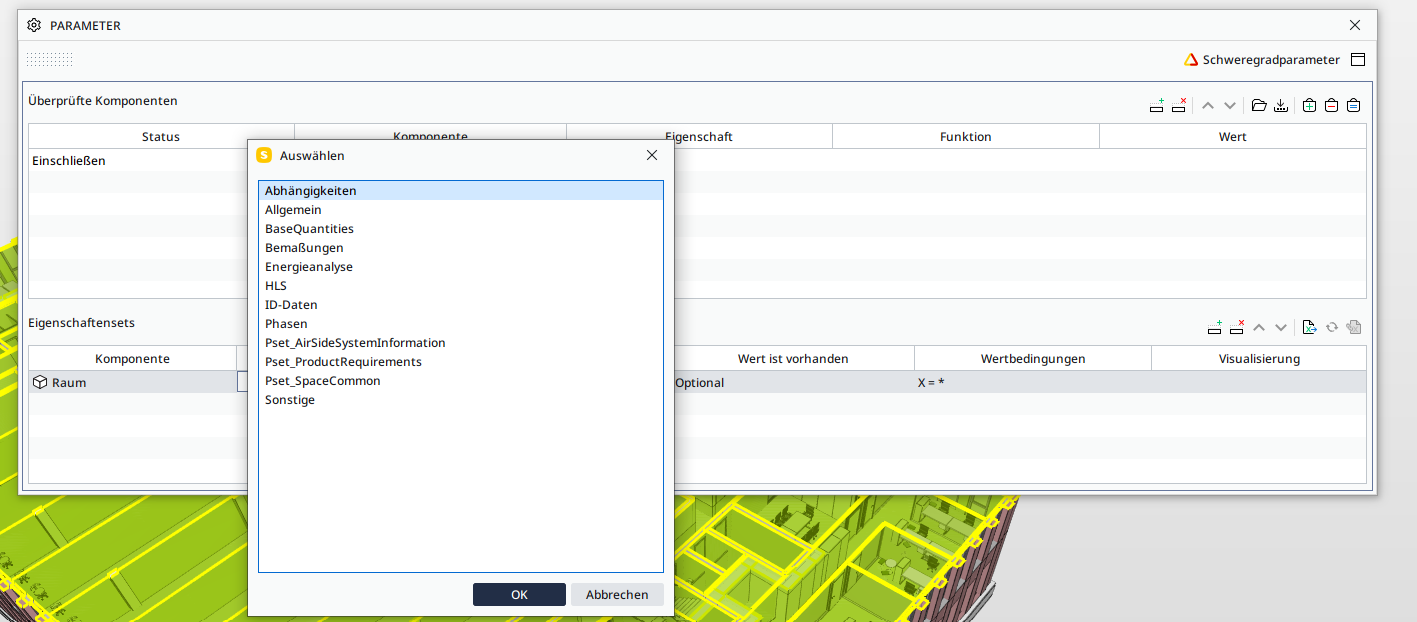
Here is the issue: my available property sets in my rule parameters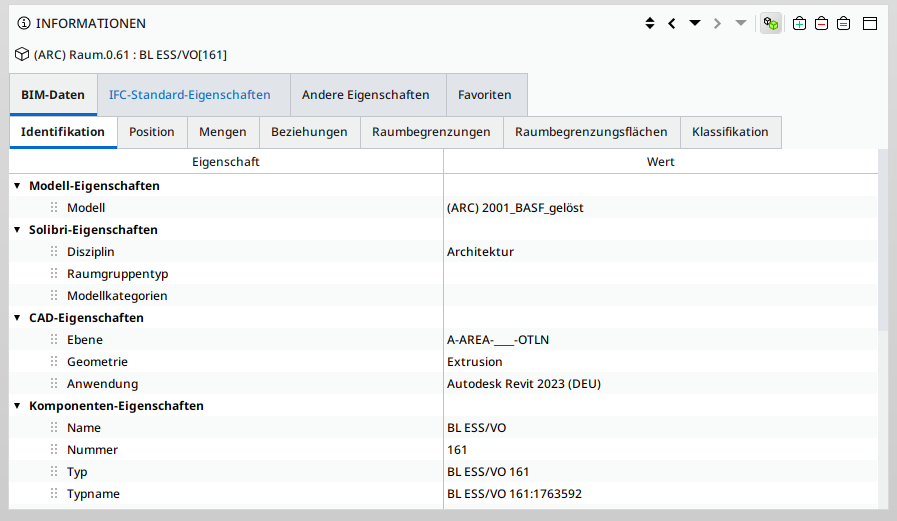
do not match the information given by my entities (in this case, again, rooms):
Weirdly, this does not pose a problem when I try to access this info when I use them for an ITO.
All necessary information is already attached to the entities, I just cannot find a way to access them via the ruleset manager.Anyone encountered something similar?
I use version 24.5.0.31 -
This rule 203 is only for property sets.
Use rule 230 for checking room number and name.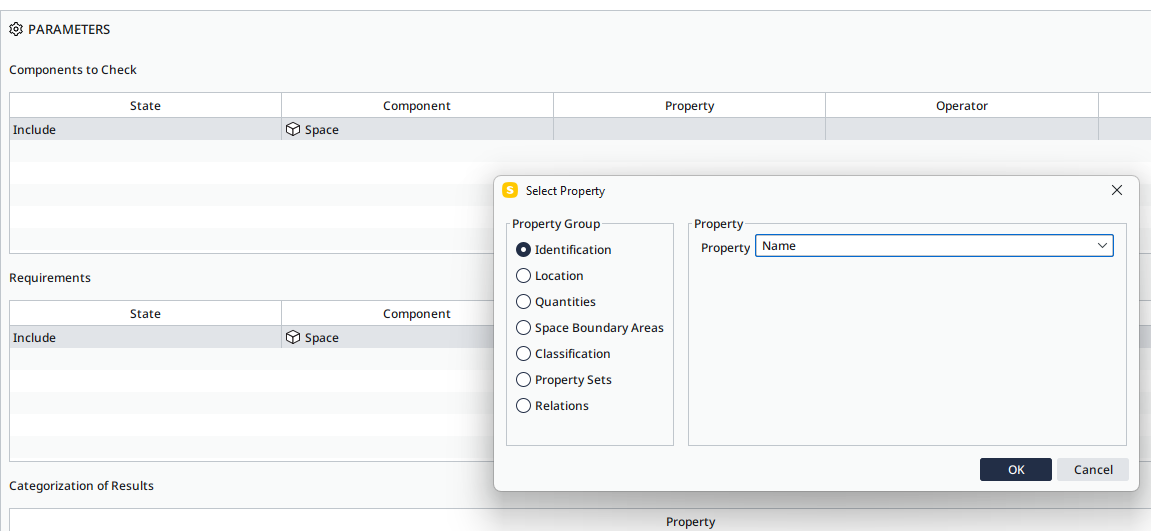
-
230 works like a charm. Thanks for helping out!
-
 J jakub.rusin has marked this topic as solved on
-
J jakub.rusin unlocked this topic on

Copyright © 2025 Solibri Inc. | Powered by NodeBB