
Model Update - Last File Path is not stored and lots of clicking is required
-
I find it really annoying that the file explorer from the model update dialogue is not remembering the path last set but the path of the current modells.
Meaning, for each model I have to again navigate to the same redundant location … in this case 8x instead of just once.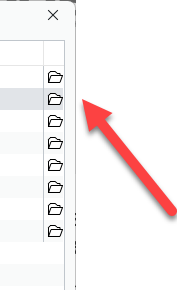
-
@Matti-Kannala
True, I know and sometimes I wish they were, but they are not. Still I guess this would not be the solution to this issue:
- Sometimes we have no impact on that due to naming conventions of contractors
- Sometimes downloaded data from CDEs automatically gets an added suffix based on their revision to their names
- Sometimes it is necessary to do a modell comparision (where models need to be named differently anyhow)
- Even if the name would persist we still archive than locally in revisions resulting in different save locations
- Different save locations would probably be the case for most users I gues as I doubt that anyone just dumps new files in one single folder
Therefore I dare to say that the current functionality is not really fitting the needs of most users, but I might be wrong.
And in fact it’s not just that, we already have a similiar topic here where the limitation of the file browser was already elaborated.
https://society.solibri.com/topic/1538/quick-access?_=1724832349476 -
 J JSN referenced this topic on

Copyright © 2025 Solibri Inc. | Powered by NodeBB