
Managing Nearest Space data
-
Does anyone have a case where they managed to control which line, or which space, will be listed in a takeoff when the information pulled is a space name from the nearest space parameter?
-
Are you using Location.Nearest Space or a Relation and the value by column.
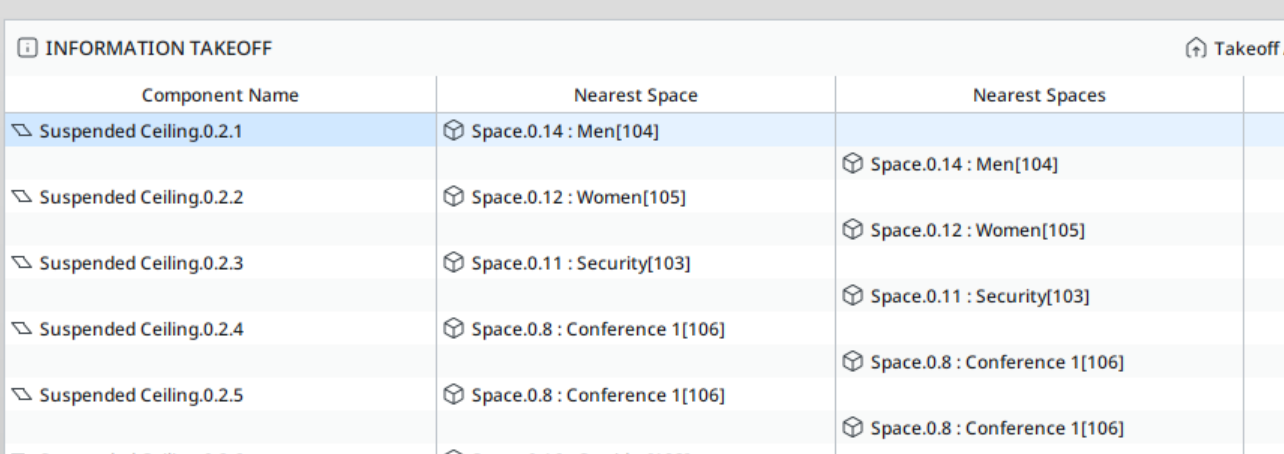
Here is a screenshot of the example solibri building after creating an ITO that displays the Location.Nearest space and the Relation Nearest Space.
You can use the custom relation view to override the nearest space relation if things are incorrect.
See: https://www.solibri.com/articles/the-custom-relations-view-in-smc-v9-7However, it won’t fix the Location.Nearest Space which is hardcoded…
see: https://society.solibri.com/topic/1982/ito-location-nearest-spaceThese incorrect location.nearest space values are actually space groups (Areas). If you simply load that space group classification, it then leaves the correct Room space:
-
It would be great having some ways of drilling down the nearest spaces.
examples :
A) for walls, doors, etc. only take spaces left and right
B) for slabs, only take spaces above (usually equivalent to say in the same floor)
C) for slabs, only take spaces below (usually equivalent to say in a different floor)



Copyright © 2025 Solibri Inc. | Powered by NodeBB