
IFC4 problems with transparancy
-
For several weeks now, we have been exporting ifc4 files.
We are now running into and number of problems.
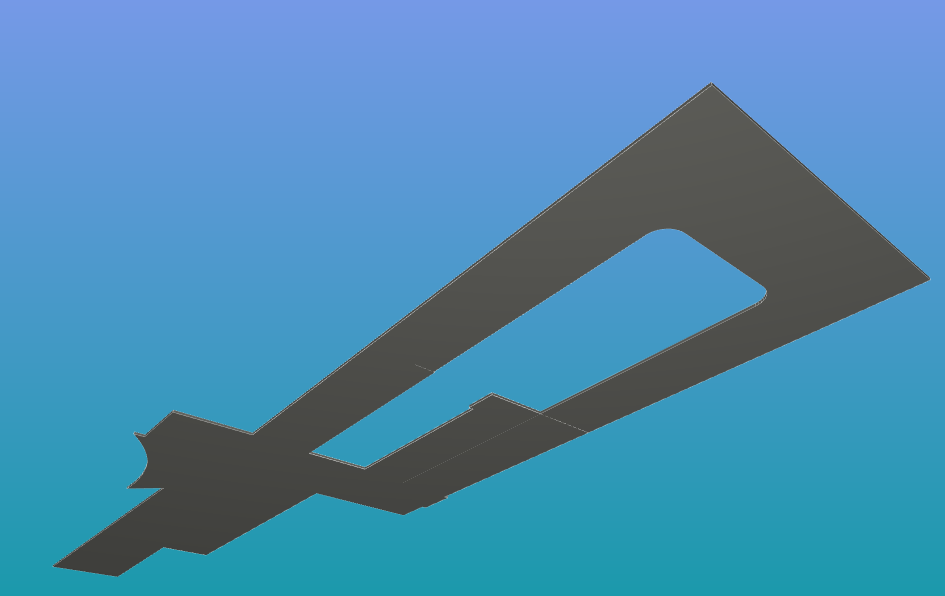
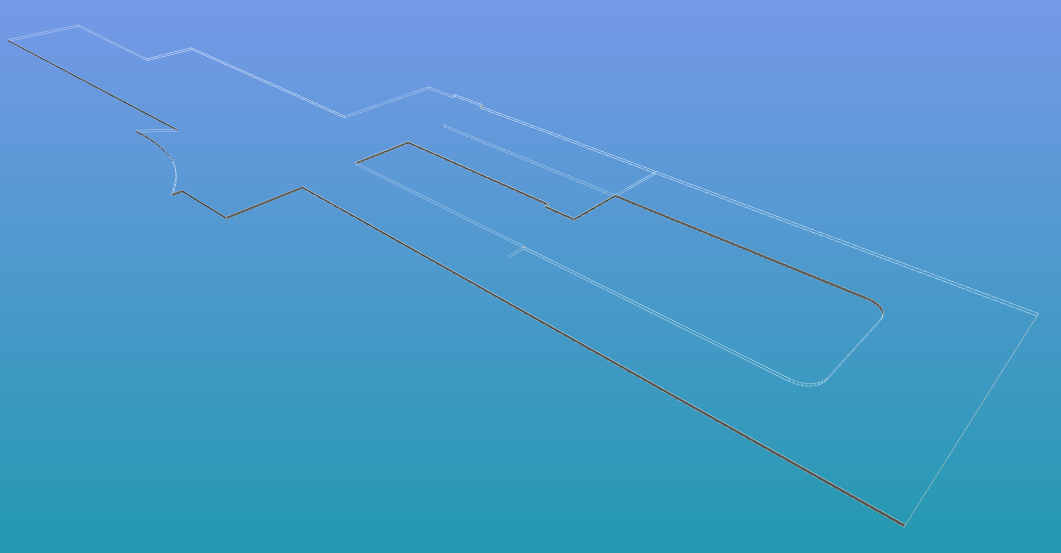
the view of some elements seem transparent while they are not, just from which angle you look at it.
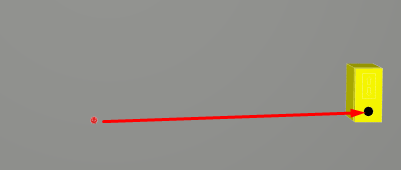
And some elements are no longer in the same position.
Here are some screenshots-
here the Slab is clearly visible
-
from this angle the slab is transparent
-
the button should be on the control box
-
-
Hi, are you using Revit? and is the button a nested family in the box family?
-
@bariscanpolat yes it is a nested family in Revit
-
if the nested family has some mechanical or electrical connections, the location of the nested family explodes. Although I don’t know if this is the case in this
-
@BvanDalsum said in IFC4 problems with transparancy:
from this angle the slab is transparent
This slab seems to have inverted faces. Might be problem of the IFC file or Solibri IFC importing.
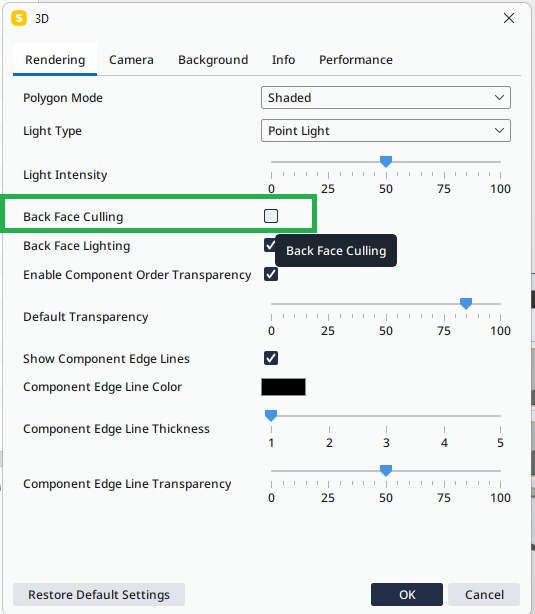
Make this setting OFF to see both sides
For misplaced button
- check that you have the latest version Solibri 24.9.0
- If it is still misplaced, could you send a small IFC having this problem to Solibri support.
-
@Matti-Kannala , thnx.
it was back face culling indeed.
Normaly i leave the box unchecked but this time it wasn’t.Fortunately, it was something simple I overlooked


Copyright © 2025 Solibri Inc. | Powered by NodeBB