
Properties and Values not shown in Solibri
-
Hi @agroni
Are you really sure of it?
You should cross-check with the same GUID. Your screenshots are not sufficient to compare, but it looks like you are not looking at the same object (Systemname is different).Anyways, if you do make sure of it, maybe look out for the data type or else if it’s related to TypeObject data vs object data (everything that is shown in italic is coming from the typeobject, not sure how the rules will behave in this case).
-
hi @Alex-J
the problem has been solved after our consultant check the GUIDs for this property and did some cleaning in revit.
In my experience, solibri is more sensitive to such data compared to other viewers. I had checked it in Zoom and Bonsai, and the properties where there.I am curious, if I am the only one experiencing problems with properties with models arriving from Revit?
TriPoint GmbH
www.tri-point.at -
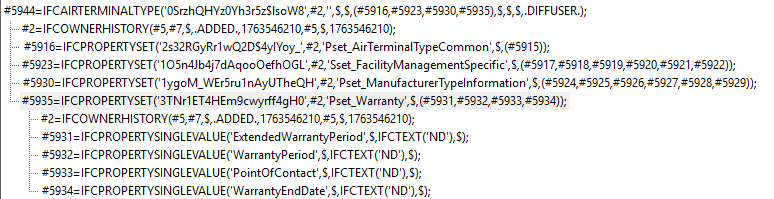
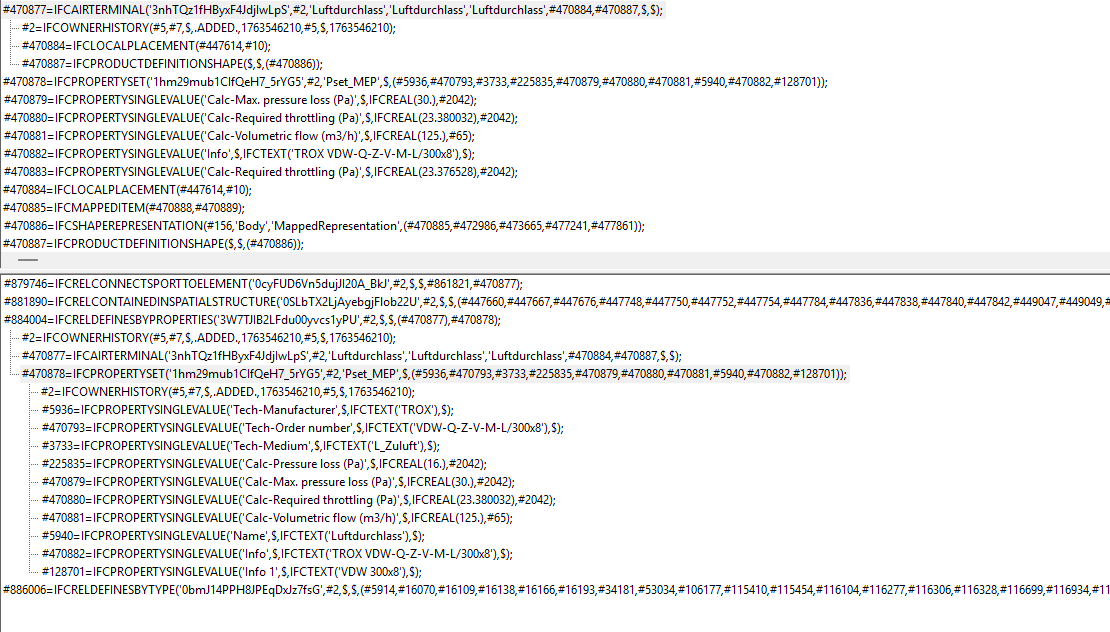
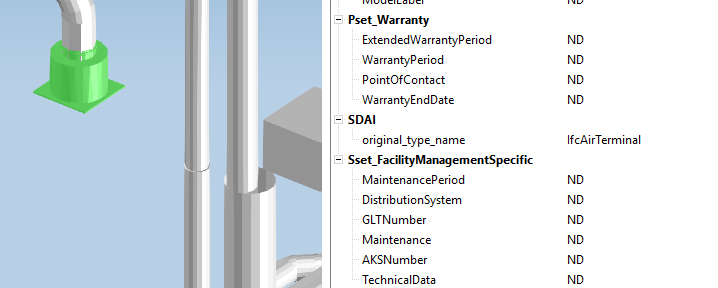
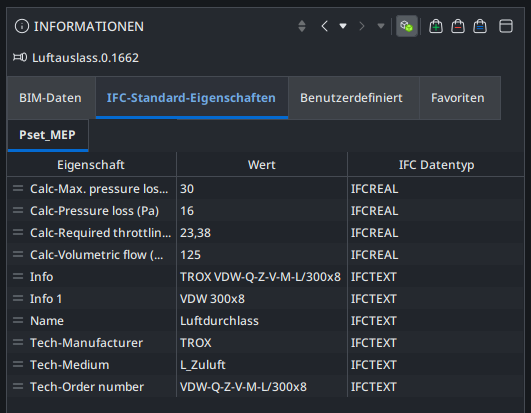
I have a similiar situation where a model from Trimble Nova (Build 18.2.2.11) has some AirTerminals where properties have been assigned on the Type Level and they are showing fine in every IFC-viewer I have tried … except Solibri.
Type Definition
Element
Other Viewers
Solibri (only showing Properties defined directly within the Element
Surprised Pikachu Face

-
Hi @JSN,
Please send the IFC model to [email protected] for closer look at the issue. Thanks.
Br,
Anil -
This is now resolved with 26.4.0 release.
-
 M Matti marked this topic as a question on
-
M Matti has marked this topic as solved on
-
M Matti unlocked this topic on
-
great to hear @tonigyllenberg
thank you







Copyright © 2025 Solibri Inc. | Powered by NodeBB