
Old errors still active
-
Since I have updated Solibri to ver. 9.10.1.137 I have been experiencing strange things after performing a check of an updated model.
The process is as follows:- Load model
- Perform check
- Report error with connected components
- Rework IFC model and update it in Solibri
- Perform check
In the list from my first check there are still some components that are marked as an error (triangle) even though these specific linked components do not show an error in the model. Logically if a RuleSet does not recognize an error for a component (or a group), the triangle should disappear. This is not the case!
In this scenario the old wall “Wand.4.112” is still documented faulty even though the geometry is correct
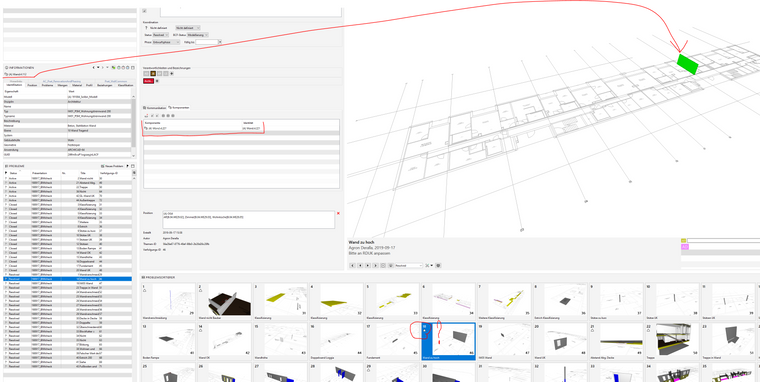
In the checking results the old wall still remains listed even though the problem has been repaired. The error is only at the top of the folder tree.
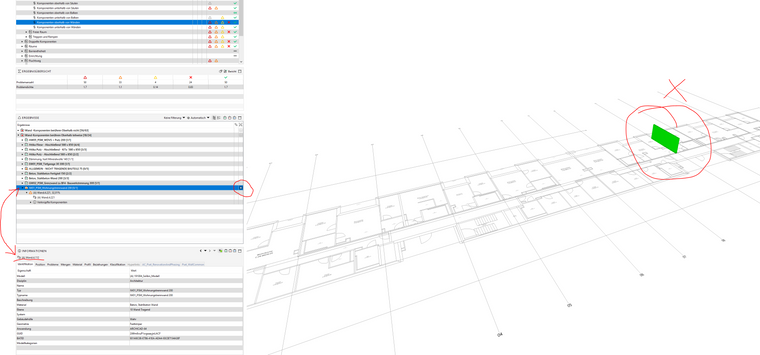
In the tree structure there are other valid errors which are correctly reported. In this case “Wand.4.221”,
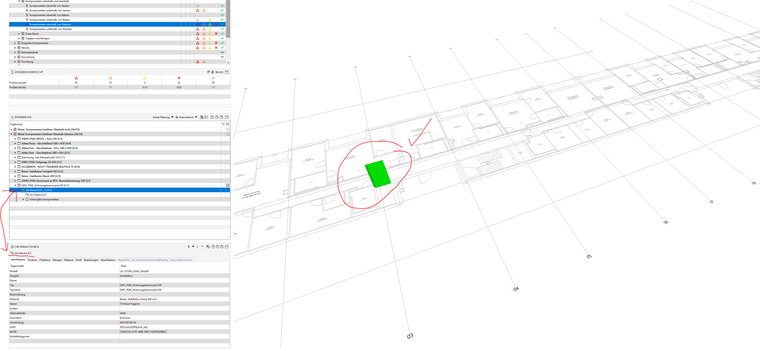
Strangely the upper level of the protocol (SOL/23/5.1) has the old slide and defines it as a fault, whereas the content of this folder has other, respectively new correctly documented faulty components.
Why does the old report does not disappear from the list after the new repaired model has been loaded and checked?
Anyone experiencing this problem? Solution? -
The topic is quite old (said Solibri) but still active until today.
While I was performing a check on my model came up with the same problemt that was facing in October. In the meantime I got an advice from @marchi to create Slides not on the category of the problem but directly on the problem, meaning the triangle (underneath the category). Sadly this did not help, since problems are still somehow connected to old components that should not be there anymore.In my newest example I demonstrate you the case with the height between two components. On the left is the old file where I had created the slide, whereas on the right is the todays check.
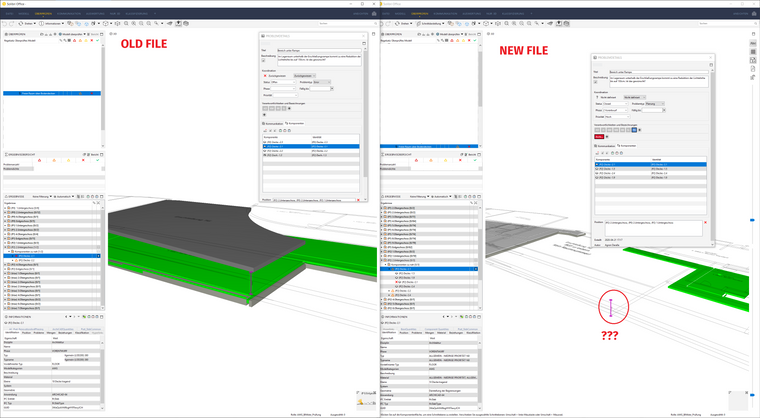
In the old case, the Decke2.1 and Decke 1.3 where in conflict. In todays model this conflict does not exist anymore but Solibri tends to see a problem here, hence identifying the old slide as a problem (triangle). If you look closely, the Decke1.3 does not exist anymore in the components list, but other slabs are there which do not pose a threat to Decke2.1. I have also checked, the GUIDs for the other slabs is not the same as the old slabs.
In my opinion, Solibri is not able to sort problems here. If a slab has new problems, then the old ones should not be documented. This showcases that old problems still remain active, even though newer components are causing problems with the old ones.
Is this a bug I am facing since the last year, or am I doing something wrong in my workflow?
@Solibrians any thoughts on this?

Copyright © 2025 Solibri Inc. | Powered by NodeBB