Skip to content
  • Categories
Collapse
Solibri Society Forum
  1. Home
  2. General Discussion
  3. Drag and drop properties into ITO

Drag and drop properties into ITO

Scheduled Pinned Locked Moved General Discussion
3 Posts 2 Posters 429 Views
  • Oldest to Newest
  • Newest to Oldest
  • Most Votes
Log in to reply
This topic has been deleted. Only users with topic management privileges can see it.
  • A Offline
    A Offline
    Andreaswinum
    wrote on last edited by
    #1

    Hi!
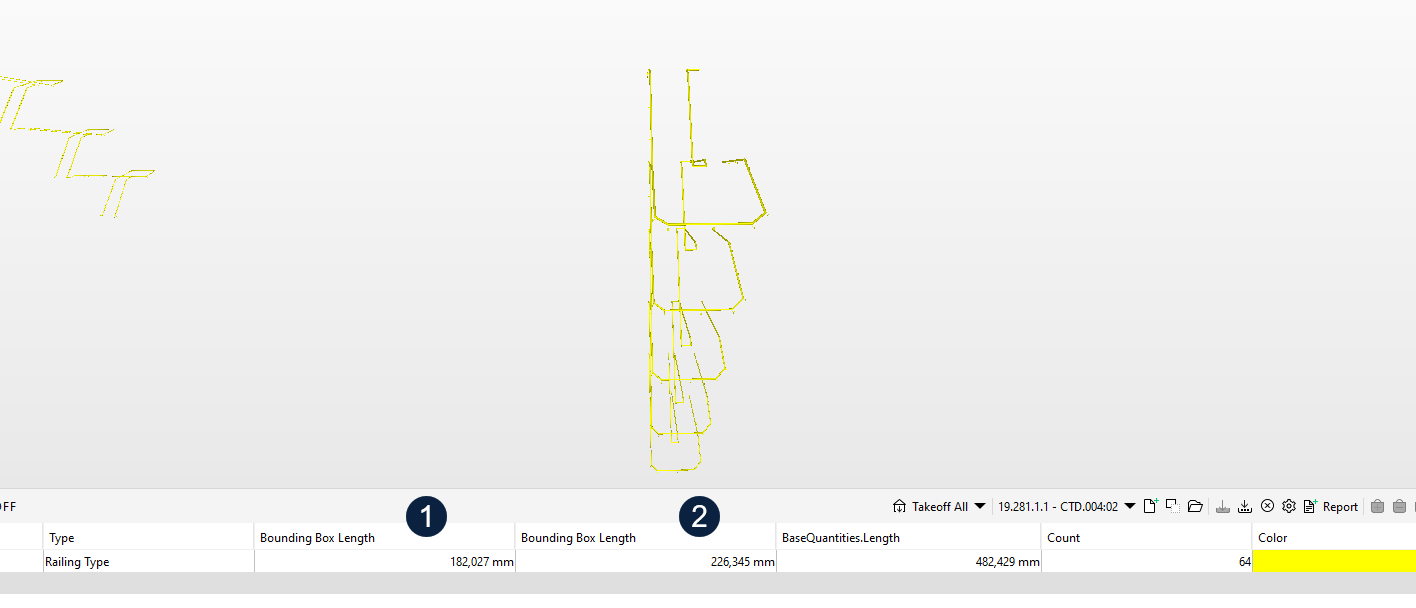
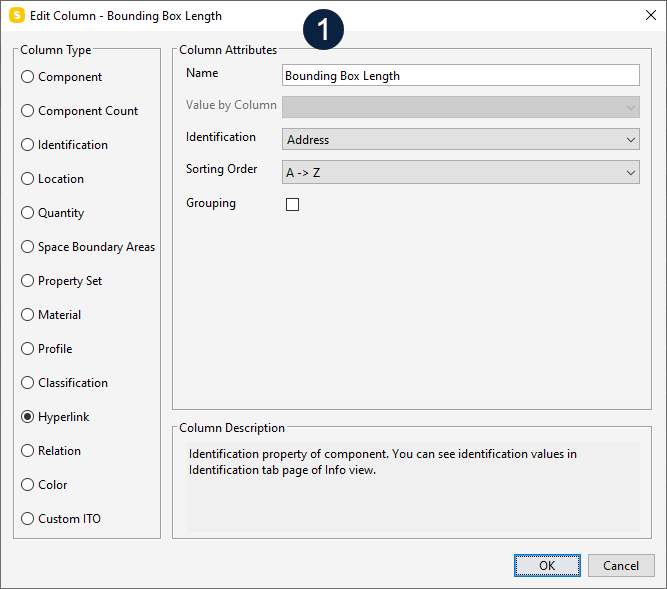
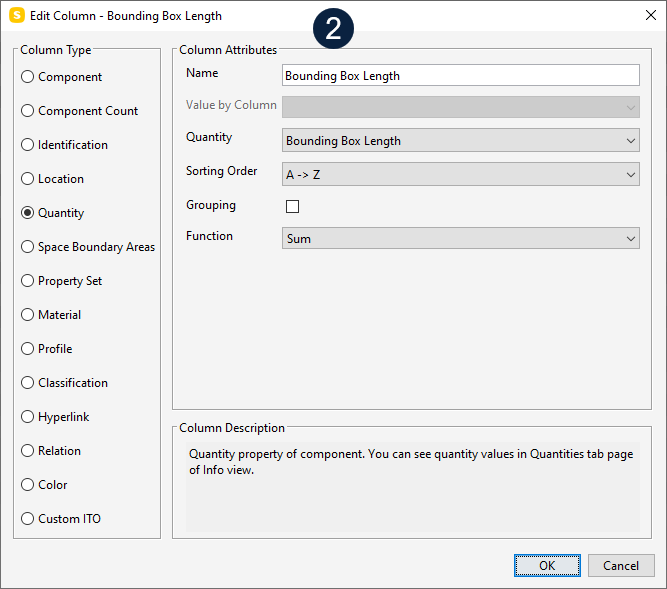
    When I drag and drop the property “Bounding Box Length” in to my ITO, it seems like its connected to “Hyperlinks” and not to the correct property. So when I drag and drop it, it shows me a value different from if I am manualy adding it into my ITO.

    Number 1 in the picture is drag and drop
    Number 2 in the picture is manualy added

    Why is it like this?
    Is it other here with the same problem? Is it a problem with other properties when we drag and drop them into ITO?
    2024-12-13_11-56-11.png

    2024-12-13_11-56-23.png

    2024-12-13_12-05-14.png

    1 Reply Last reply
    1
    • MattiM Offline
      MattiM Offline
      Matti Solibrians
      wrote on last edited by Matti
      #2

      Which version of Solibri you have? I think this is fixed. I could not get this with the latest version.

      1 Reply Last reply
      0
      • A Offline
        A Offline
        Andreaswinum
        wrote on last edited by Andreaswinum
        #3

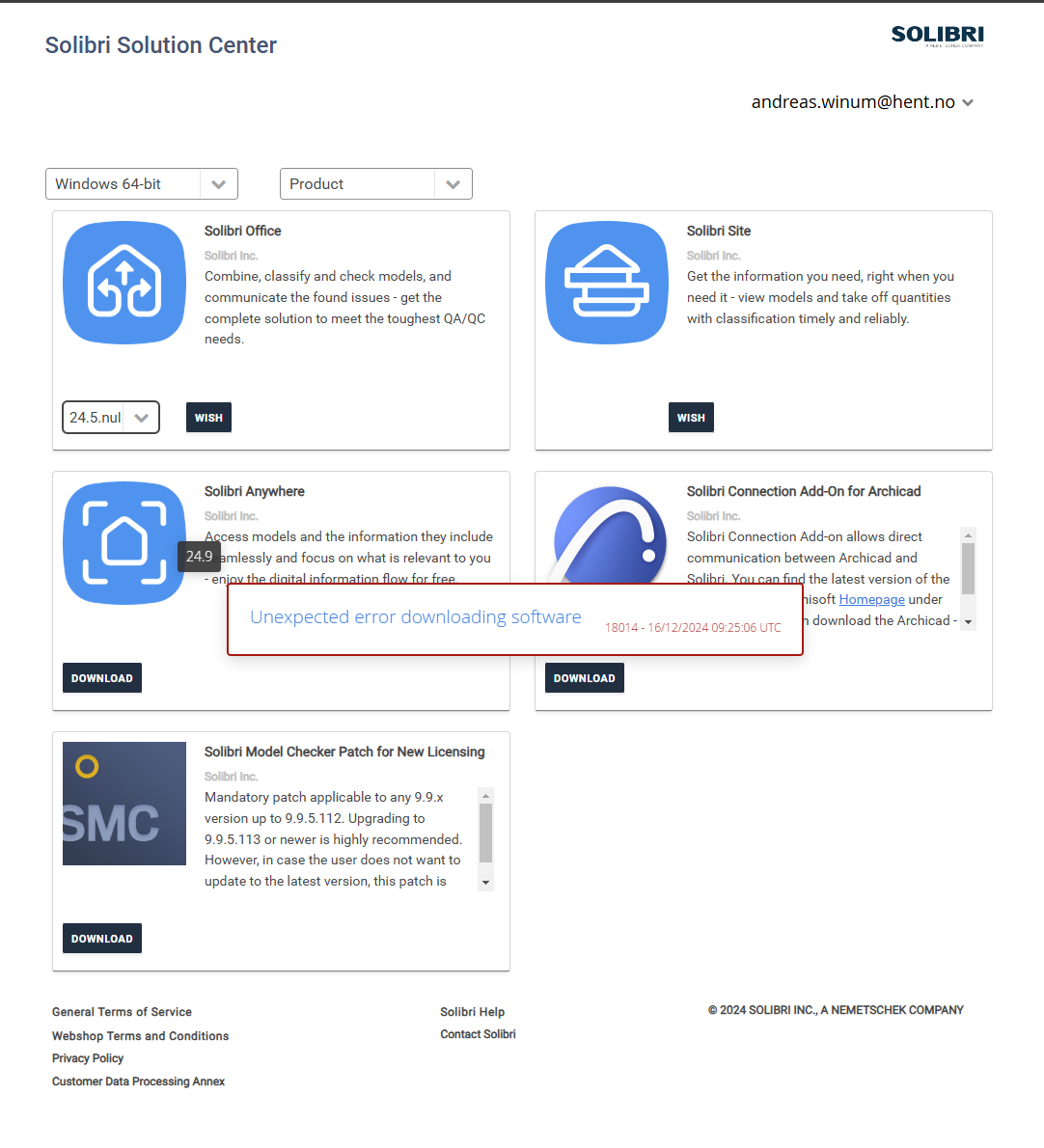
        I do have 9.13.6.15, but when i go to Solibri Solution Center i get this pop-up
        01.png

        1 Reply Last reply
        0

        Copyright © 2025 Solibri Inc. | Powered by NodeBB

        • Login

        • Don't have an account? Register

        • Login or register to search.
        • First post
          Last post
        0
        • Categories