
BCF Live Connector - Server list empty
-
Hello All,
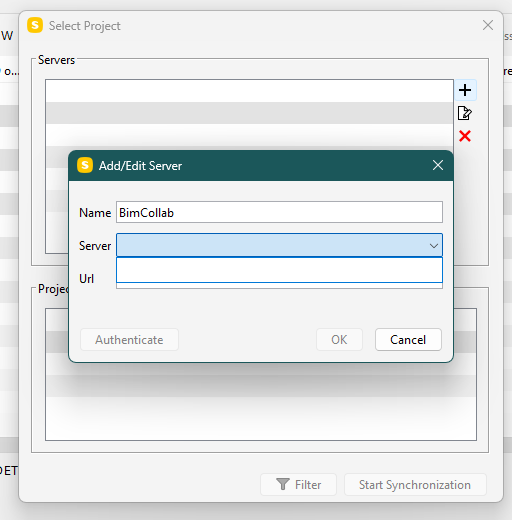
I’m trying to add a BIMCollab project to Solibri, but when trying to select a server the list seems to be empty.
I’ve searched the webs, but everywhere i look this seems like everyone just already has a full list to choose from.Please help, as i have no idea where to start looking for the solution!
Also see the picture attached.
-
Hi @ddkruijf ,
From experience, this is generally the case if the Poxy settings is enabled (but not used): https://helpcenter.bimcollab.com/portal/en/kb/articles/solibri-bcf-live-connector-tips-and-troubleshooting#No_projects_available_for_BIMcollab -
Thanks for thinking with me @hkringsKUBUS
I’ve checked, but according to the Proxy Server Settings it is not enabled…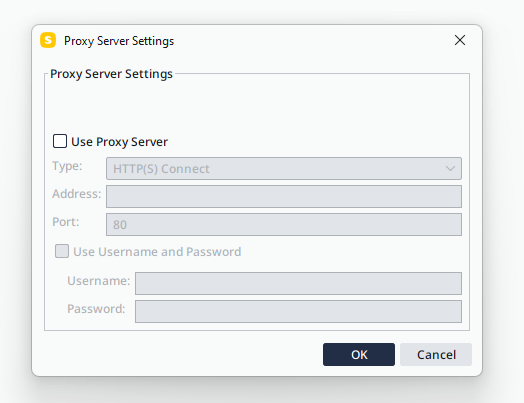
So that shouldn’t be the problem
-
Please contact Solibri support, you could include the log file in the email: “C:\Program Files\Solibri\SOLIBRI\log\runtime.log”
I also expect this is a proxy related problem. -
Suddenly: I’ve fixed it.
Here’s how:
After confirming the Admin role (of the troubleshooting page @hkringsKUBUS send) to see if any options were visible confirming this in Solibri itself.
I didn’t see this, but than i saw the “remember me” option, and i was immidiately triggered that it could help to relog (in the end it couldn’t hurt to try).
After restarting and logging back in I tried it again, and when i clicked the ‘+’ to add a server now immidiately a pop-up window appeared saying “collecting server data” (or something similar). After like 10-15 sec all server are now loaded and available as options.
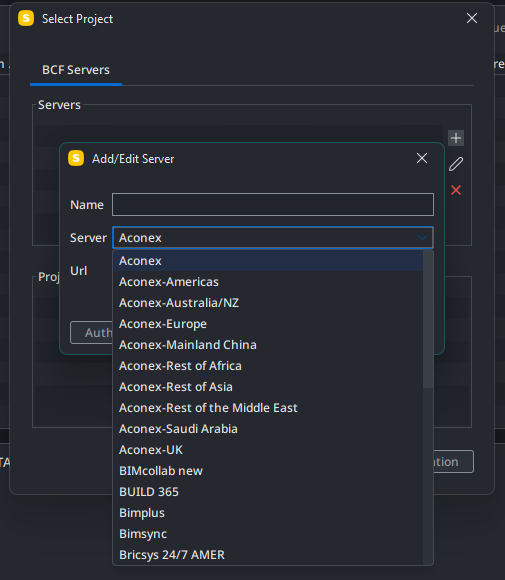
(yes, I’ve also found the dark mode theme option and enabled that as well)I guess a previous build had corrupted some user data and blocked the search for servers step, or something like that. Might be good to Report this as a bug, so it could be fixed for others with a upcoming update!


Copyright © 2025 Solibri Inc. | Powered by NodeBB