
BCF Live Connector - Components lost - Issue Managment
-
Thanks for the post, we are investigating the second point related to links being lost. @ces if you have not done so yet, would you be able to provide a simple example model and log files to our [email protected] for further investigation?
Kind regards,
Toni
-
The fix I was referring to is listed under the Checking section of the Solibri 24.12.0 release notes:
https://www.solibri.com/articles/solibri-24-12-0-release-notes
“Fixed an issue where the link from slide to multiple results got broken when some results were removed.”
To summarize that fix: when a presentation slide was created from multiple results, it would link to a specific result. If that result was later resolved, re-running the check caused the presentation slide to lose its link to the remaining unresolved results. That fix addresses the link between a presentation issue slides and results.
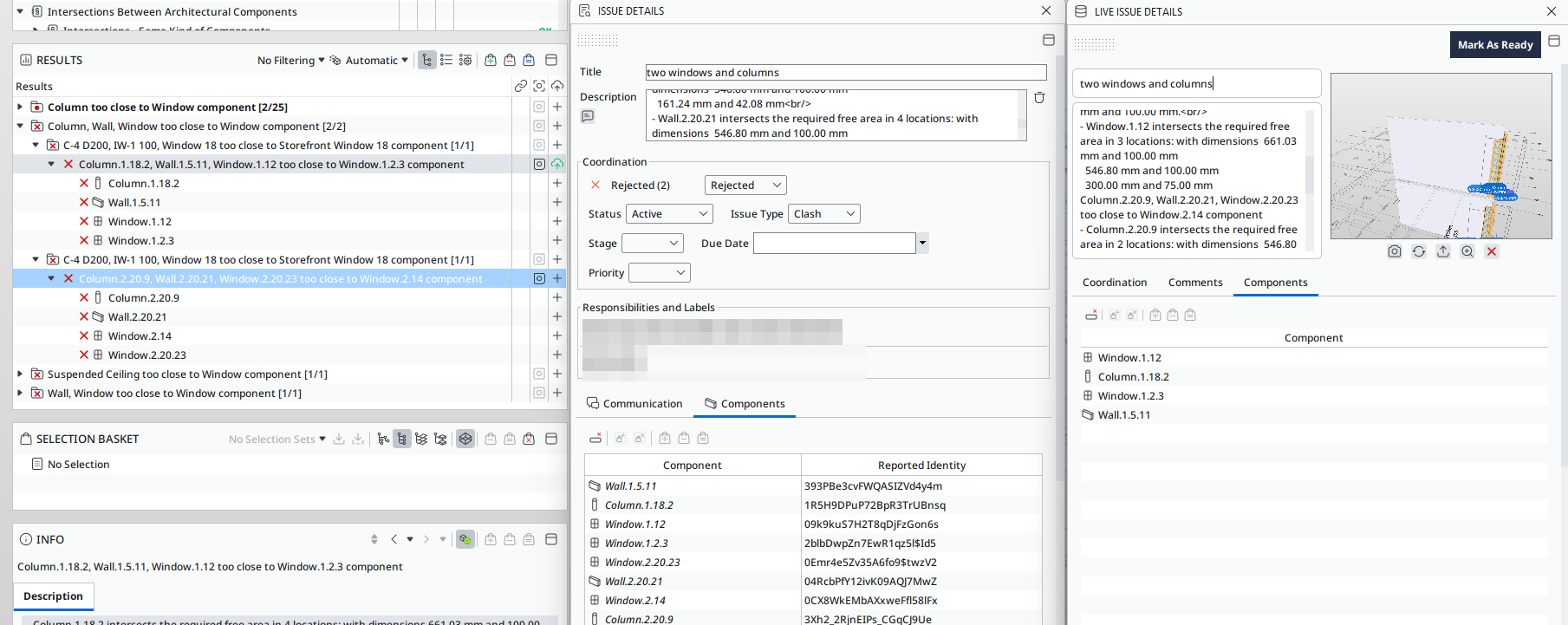
Upon further inspection, it seems that when importing a presentation slide associated with multiple results into BCF-Live, the resulting BCF Live issue is only linked to the first result, as you mentioned. This process only imports the components from the first result. Although the presentation slide remains linked to the other results, the BCF Live issue that is linked to the first result no longer maintains its connection to the other results. Therefore, if the first result gets resolved, the BCF-Live issue doesn’t have a presentation slide to link to.
-
@tonigyllenberg I have already sent a recording to support with the described issues and have also received a response stating that the problem could be reproduced and should be addressed by the Solibri team.
-
We are currently working on BCF live improvements in this iteration, and are aiming to have also this issue resolved for the upcoming Beta in 2 weeks.
-
@ces , @YasmineD As an update on this, the main issue here is related to the nature of Slides (checking result and presentation Issues) vs. BCF topics (Issues in BCF Live). The logic of slides in checking and presentation is different from the logic of topics in BCF:
- In Checking/presentation slides there’s one list of components per Issue
- In BCF topics there’s a list of components per viewpoint
Solibri converts presentation/checking Issues to BCF topics so that the components which are visible in a viewpoint are associated with that viewpoint. If the user adds components that are not visible in any viewpoint, they are not added to any viewpoint.
Currently the options to change this behaviour would be:
- A. Keep the current behaviour and document it properly
- B. Add all user-added components to one viewpoint (maybe the first one) in the BCF topic
- C. Add all user-added components to all viewpoints in that BCF topic
In both options B and C, the components coming from Checking result issues (Slides) would no longer be lost from the BCF Topic level, however they might not really make sense on a viewpoint level. What would feel the most natural?
Kind regards,
Toni
-
@tonigyllenberg @ces @YasmineD
Here is our workflow with the ruleset and BIM Collab.
We made a test IFC file.
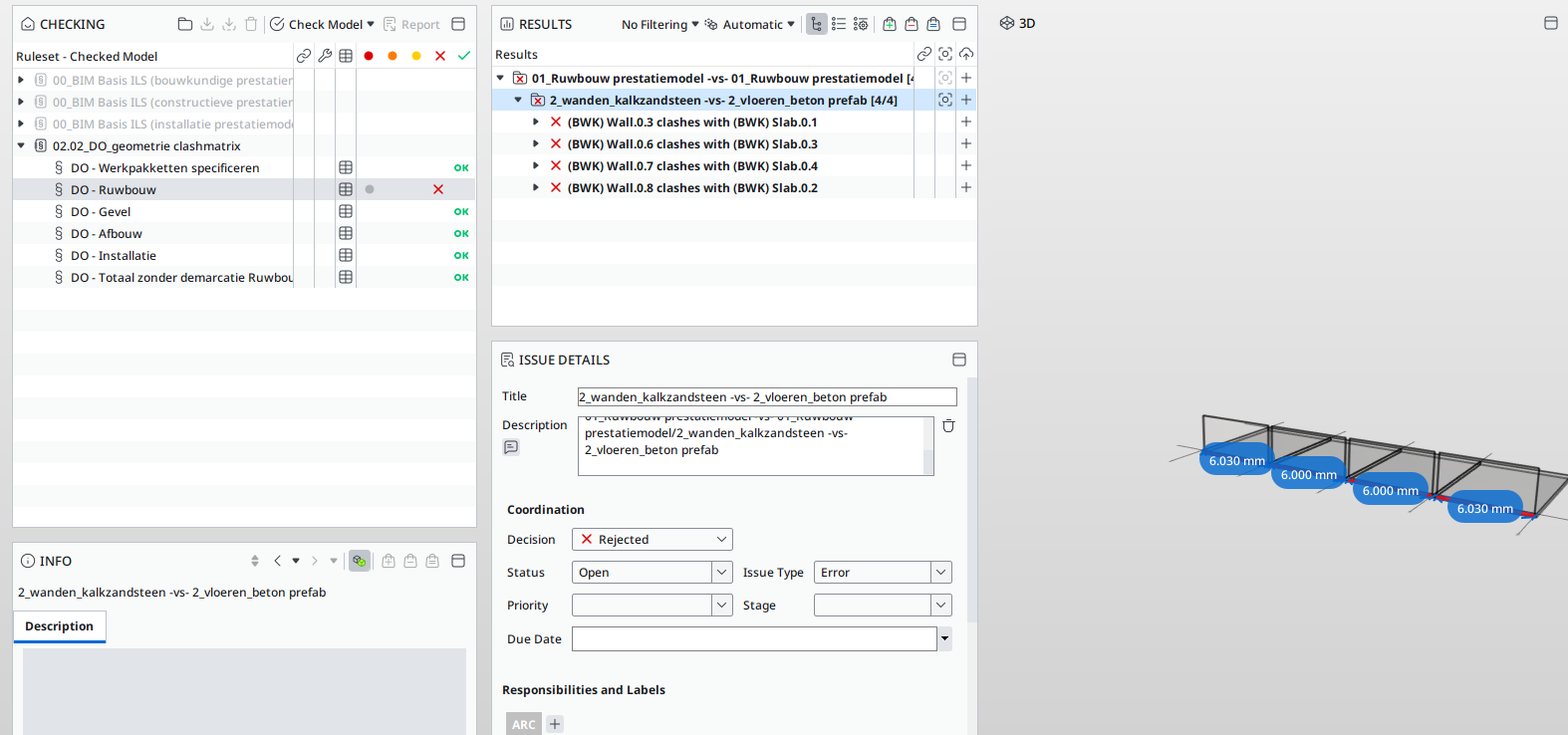
In the first there are 4 clashes, the second IFC with 1 clash.We create the issue on the second level of the results.
With creating this issues the 4 clashen and the 8 componenta are in the issue.
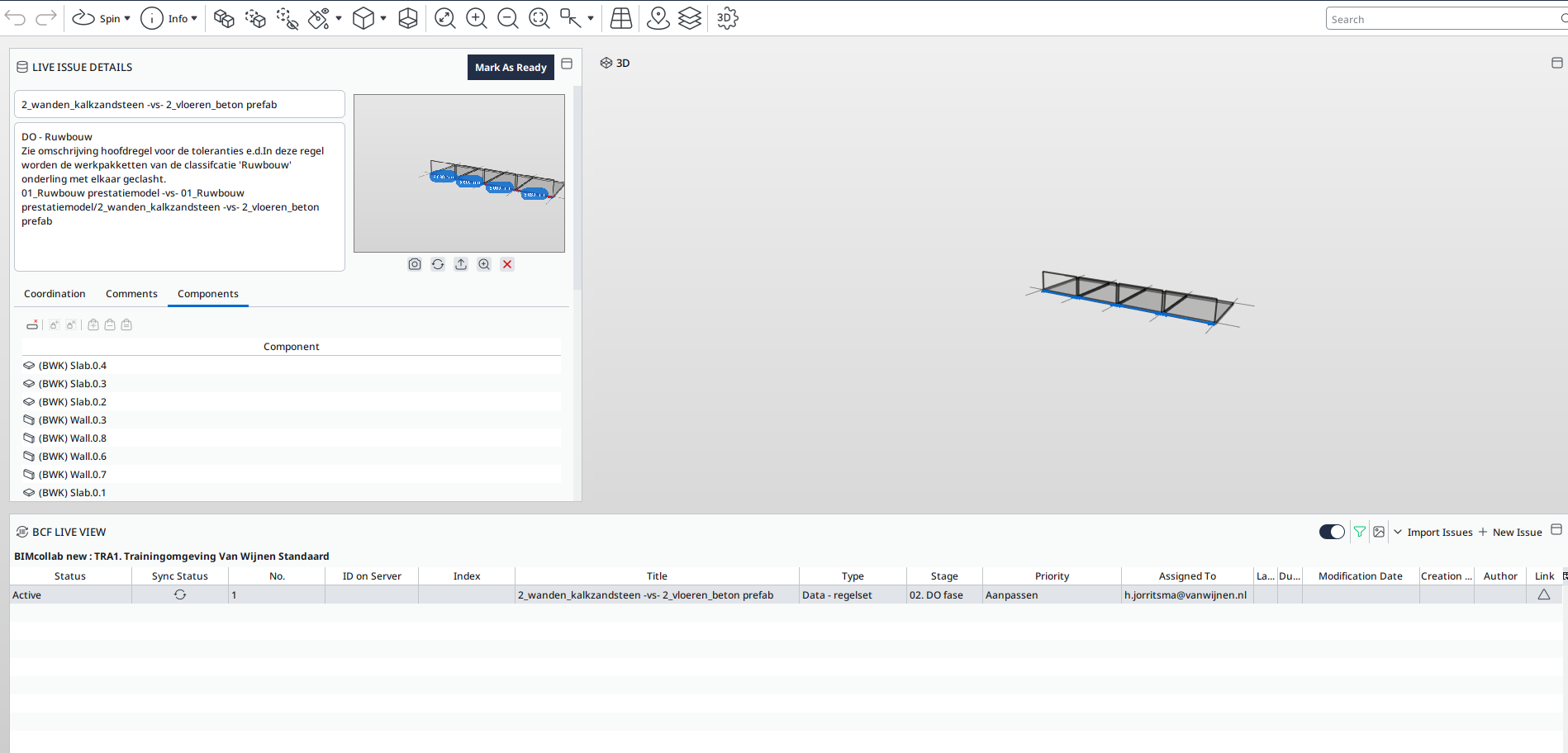
You can see those componets also in the BCF live vieuw
Then i update de IFC. In the new IFC there is just 1 clash over, 3 are resolved.
Under the second level where the issue is created, there is 1 clash over with 2 components.
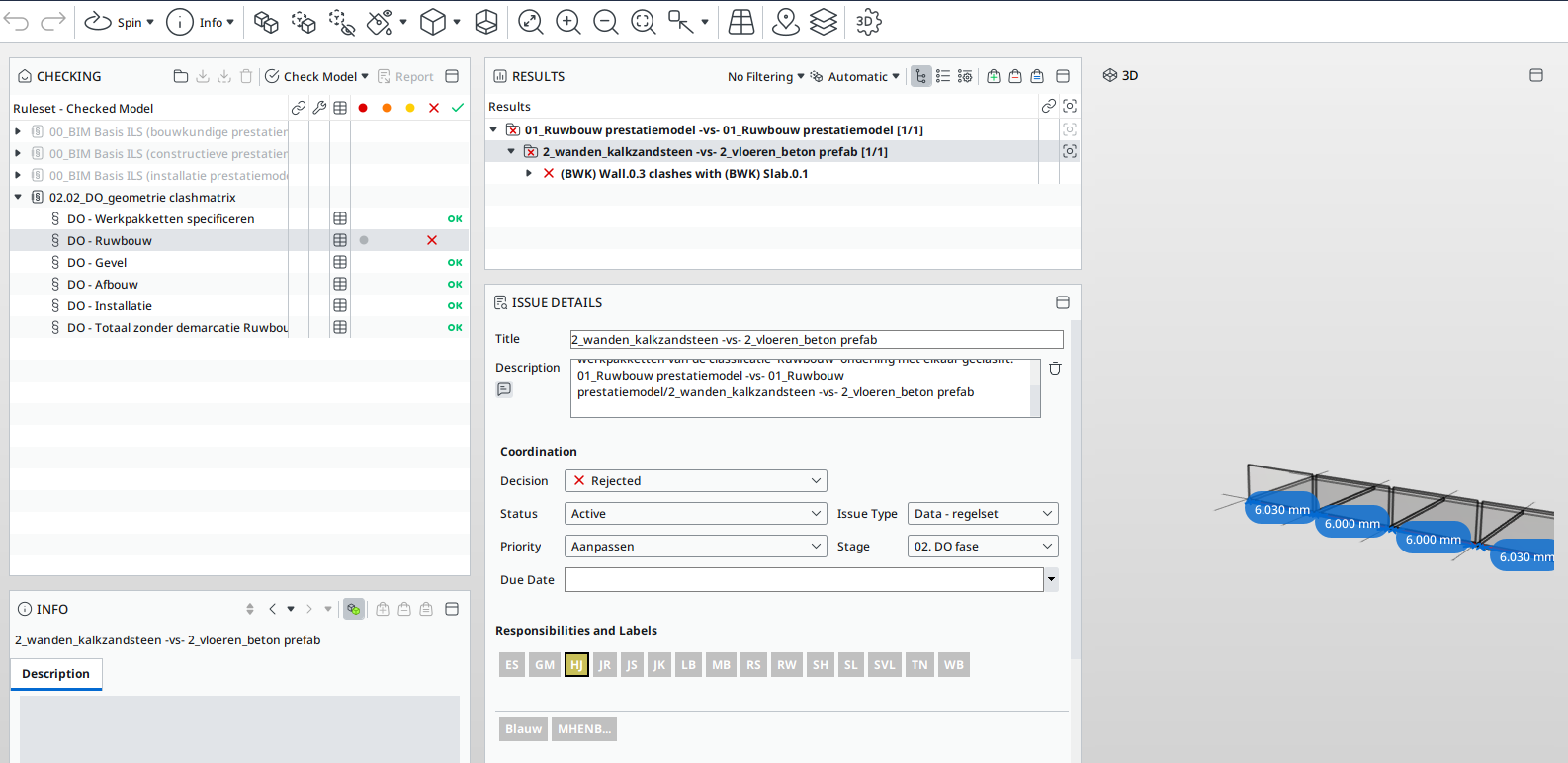
Only those 2 compontes are now in de issues in the ruleset
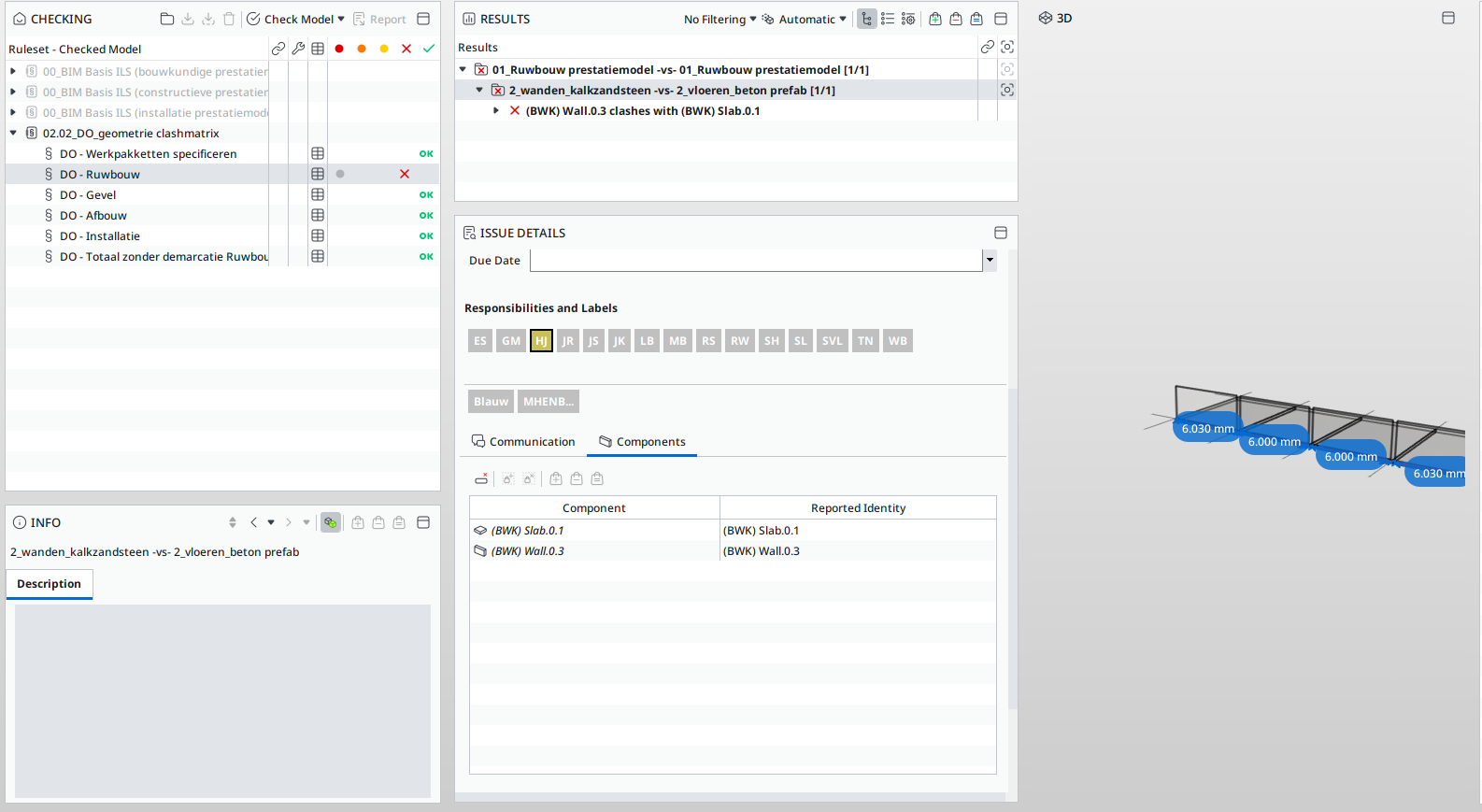
Select those 2 components and put them in the selection basket
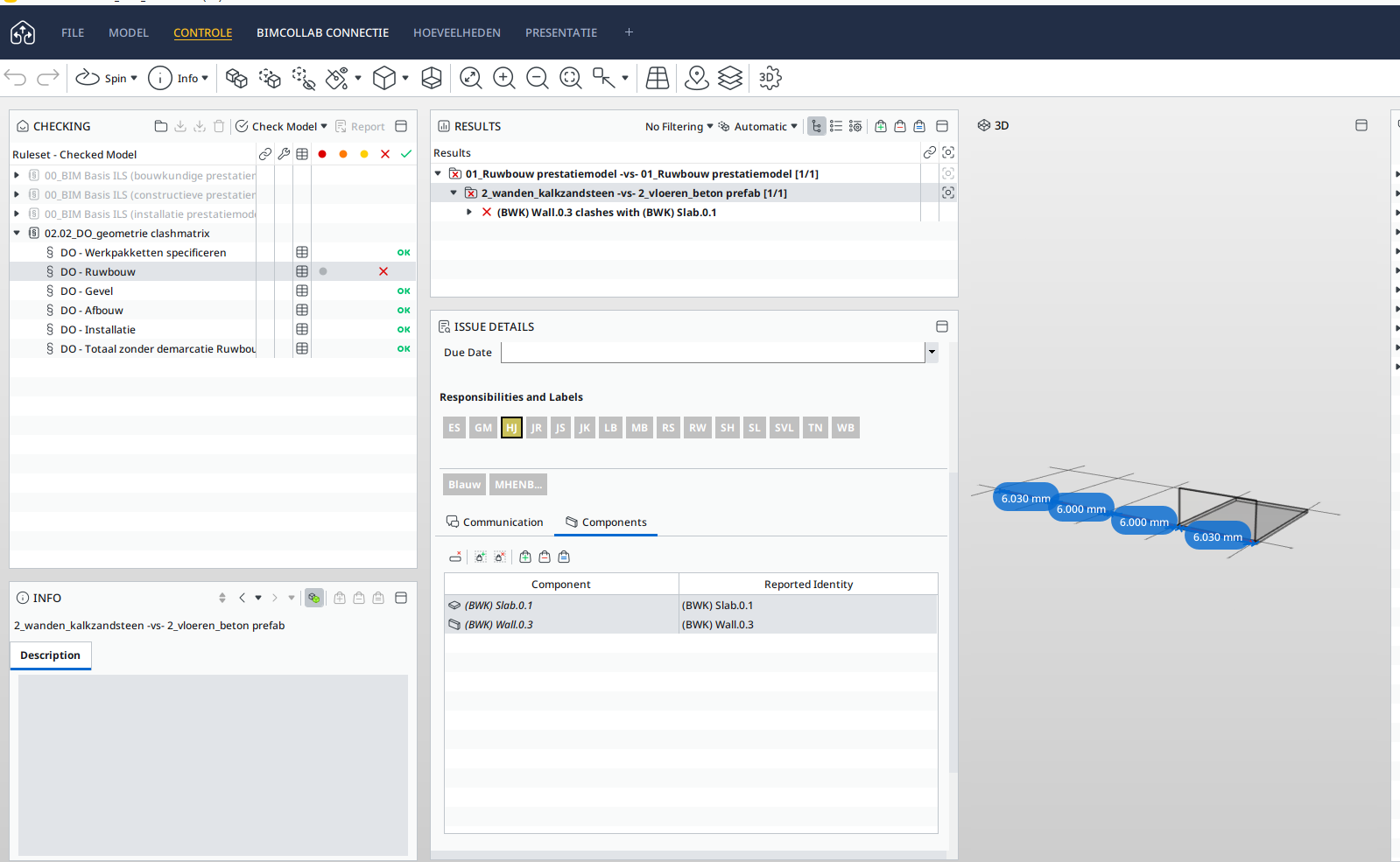
Create a second slide, now the 2 components are visable in the issue.
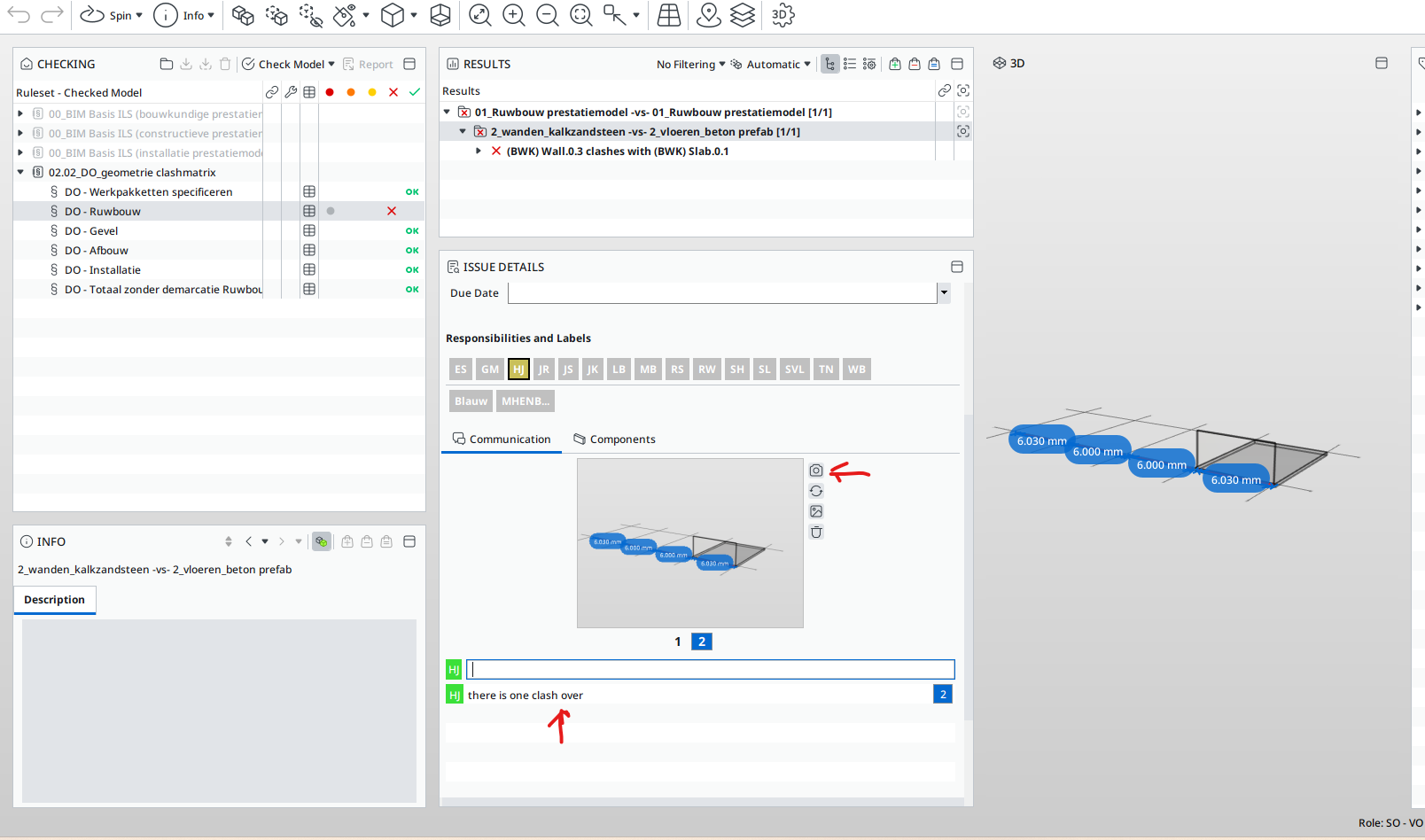
And type text to make your point. Also need for a good sync to BIM collab.
By importing the issue, the 2 compontens coming with the adjusted issue tot BIM Collab.
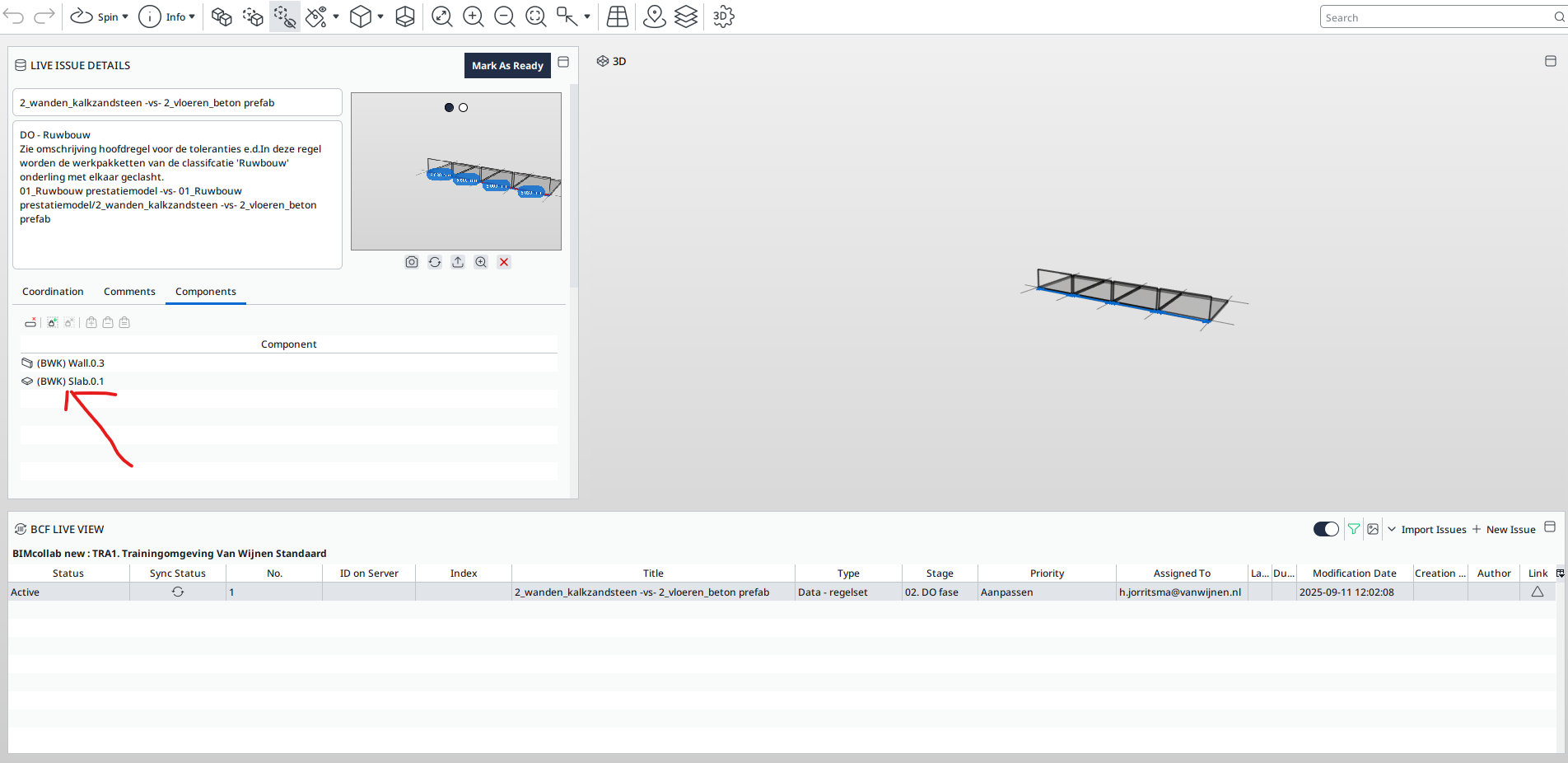
Also the new slide
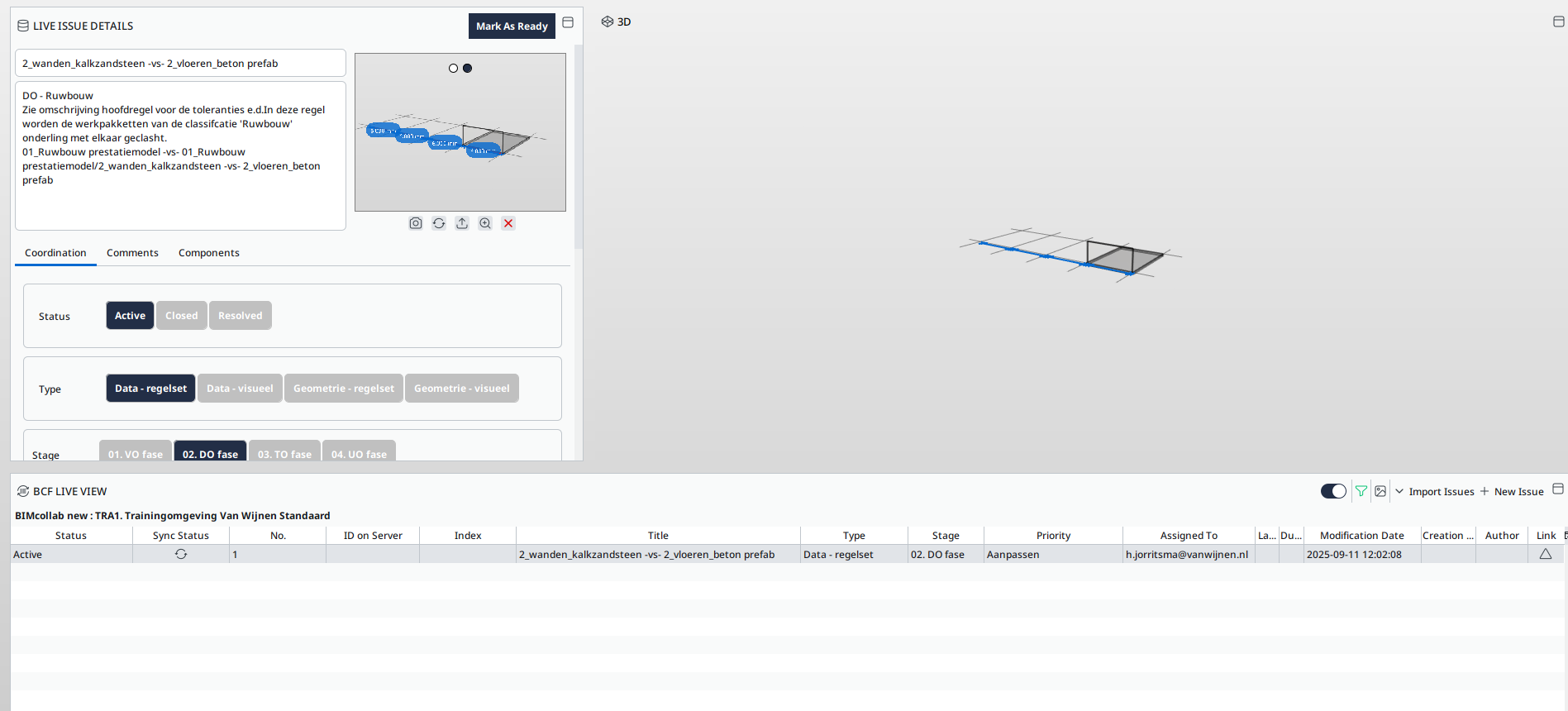
In BIM collab you can see the issue is updated
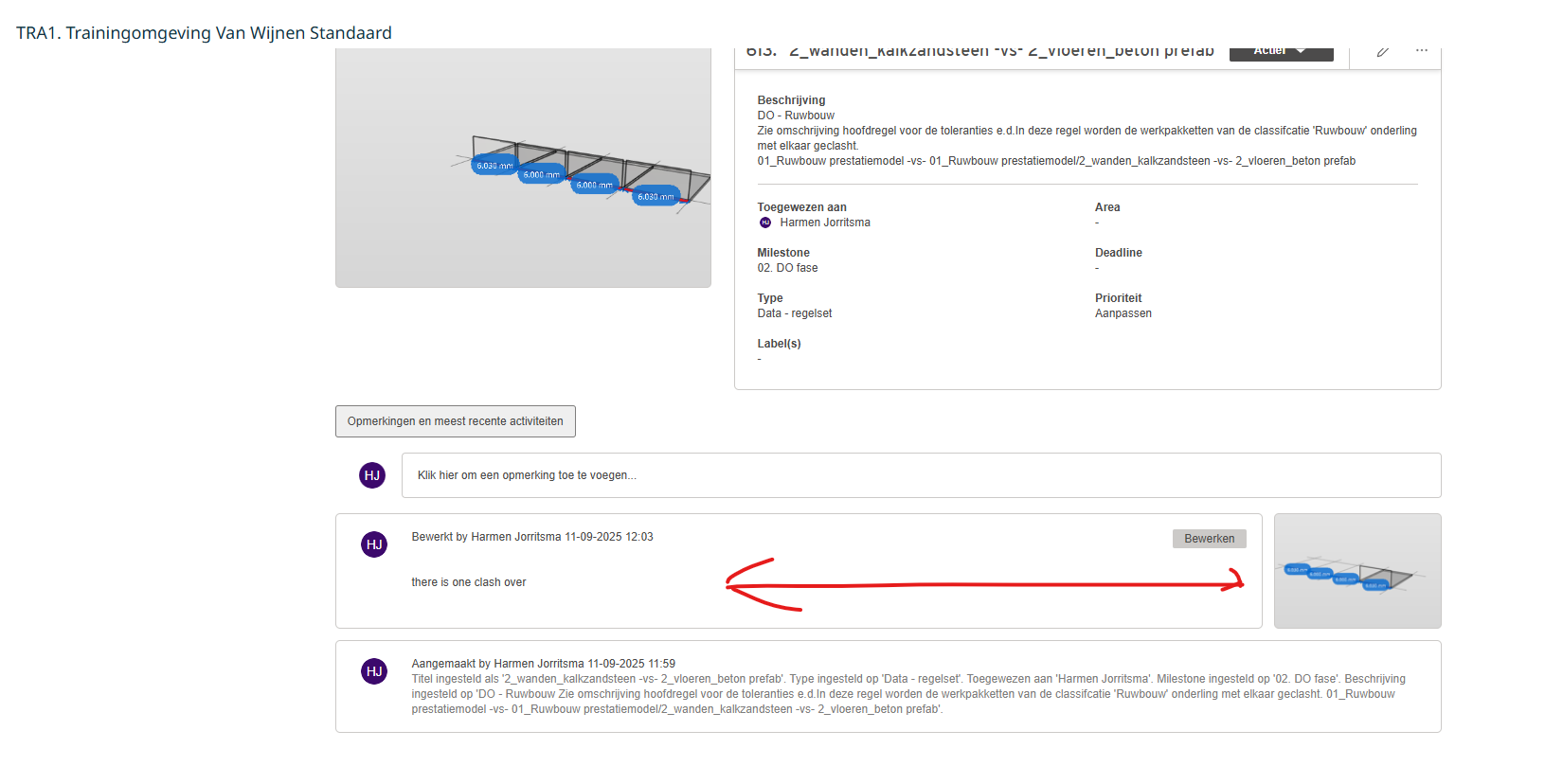
Issues send to BIM Collab, the first in de singel source of truth. So you can’t adjust the vieuw/picture with a new when you check the new IFC. Therfore you always need to make a new slide in the existing issue foor the changes of that issue.
A other options is closing the issue on the second level, and create a new on the third level -
@tonigyllenberg said in BCF Live Connector - Components lost - Issue Managment:
@ces , @YasmineD As an update on this, the main issue here is related to the nature of Slides (checking result and presentation Issues) vs. BCF topics (Issues in BCF Live). The logic of slides in checking and presentation is different from the logic of topics in BCF:
- In Checking/presentation slides there’s one list of components per Issue
- In BCF topics there’s a list of components per viewpoint
Solibri converts presentation/checking Issues to BCF topics so that the components which are visible in a viewpoint are associated with that viewpoint. If the user adds components that are not visible in any viewpoint, they are not added to any viewpoint.
Currently the options to change this behaviour would be:
- A. Keep the current behaviour and document it properly
- B. Add all user-added components to one viewpoint (maybe the first one) in the BCF topic
- C. Add all user-added components to all viewpoints in that BCF topic
In both options B and C, the components coming from Checking result issues (Slides) would no longer be lost from the BCF Topic level, however they might not really make sense on a viewpoint level. What would feel the most natural?
Kind regards,
Toni
This is not a solution, both options are a workaround. Normally we provide in the first slide an overview and in the next ones provide specific topics/locations. I want to connect multiple checking results and there connected components to ONE BCF topic, and not add them manually.
-
@YasmineD said in BCF Live Connector - Components lost - Issue Managment:
I want to connect multiple checking results and there connected components to ONE BCF topic, and not add them manually.
Hello @YasmineD,
In both of the suggested changes (B and C), the components would all be attached to one BCF Topic. The problem comes with the next level down, the Viewpoints; Do we add all components to all viewpoints (which doesn’t really make sense), or do we add them all to the first viewpoint only?
Any input on this?
-
@tonigyllenberg
To add all components to all viewpoints would be preferable in my opinion!
I’m really looking forward to getting this feature sorted
-
I am now using Solibri version 26.6.1. In further tests, I found that components within a grouping are now transferred via the BCF Live Connector. However, it is still the case that components added to an existing grouping by subsequently adding a new slide to the issue are not transferred via the Live Connector. Furthermore, it is still not possible to make subsequent changes to the components of the same issue after synchronization. It is therefore not possible to add new clashes to the same situation or make similar changes. I had already tested @Harmen-Jorritsma s workaround as well; however, this would require all rules to be structured so perfectly that there would always be an option for the issues to be grouped to exist as a group on a single level. I consider this to be unrealistic.




Copyright © 2025 Solibri Inc. | Powered by NodeBB