
Solibri used polygonal area instead of IfcElementQuantity
-
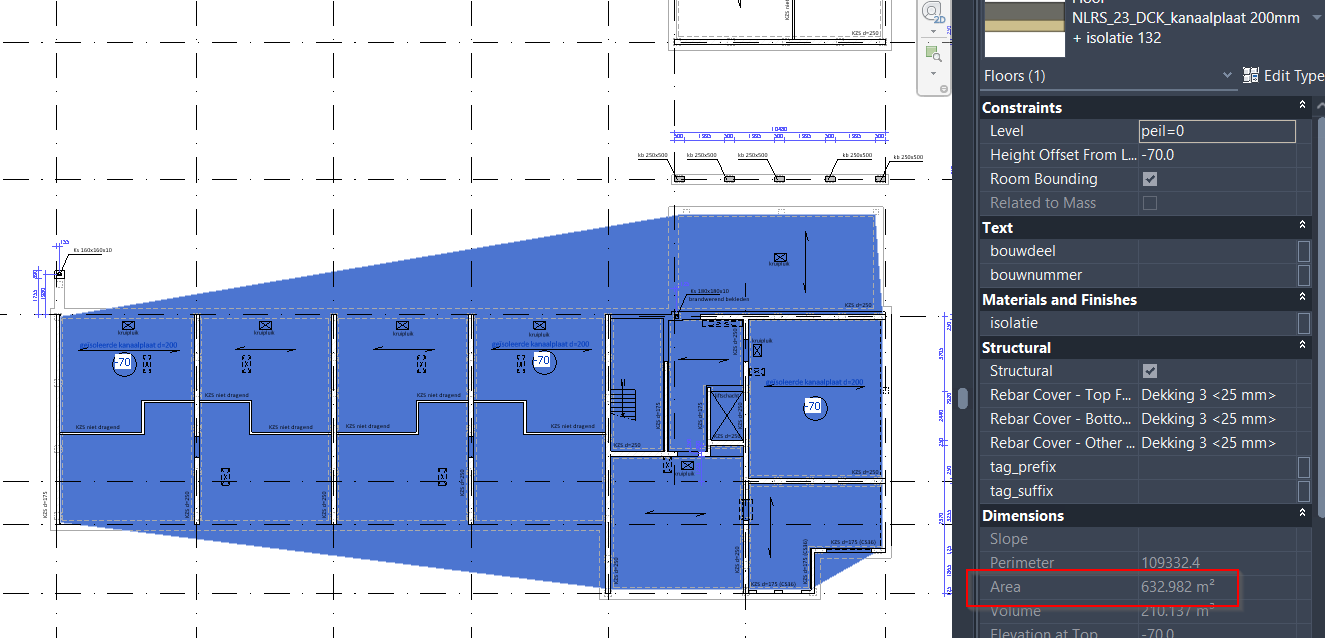
When checking the model from the structural designer, I found that the area shown at the quantities is not the same as the area shown in Revit. There is about 160 m2 difference, where the area in Solibri is 632 m2 and in Revit (real area) is 472 m2.
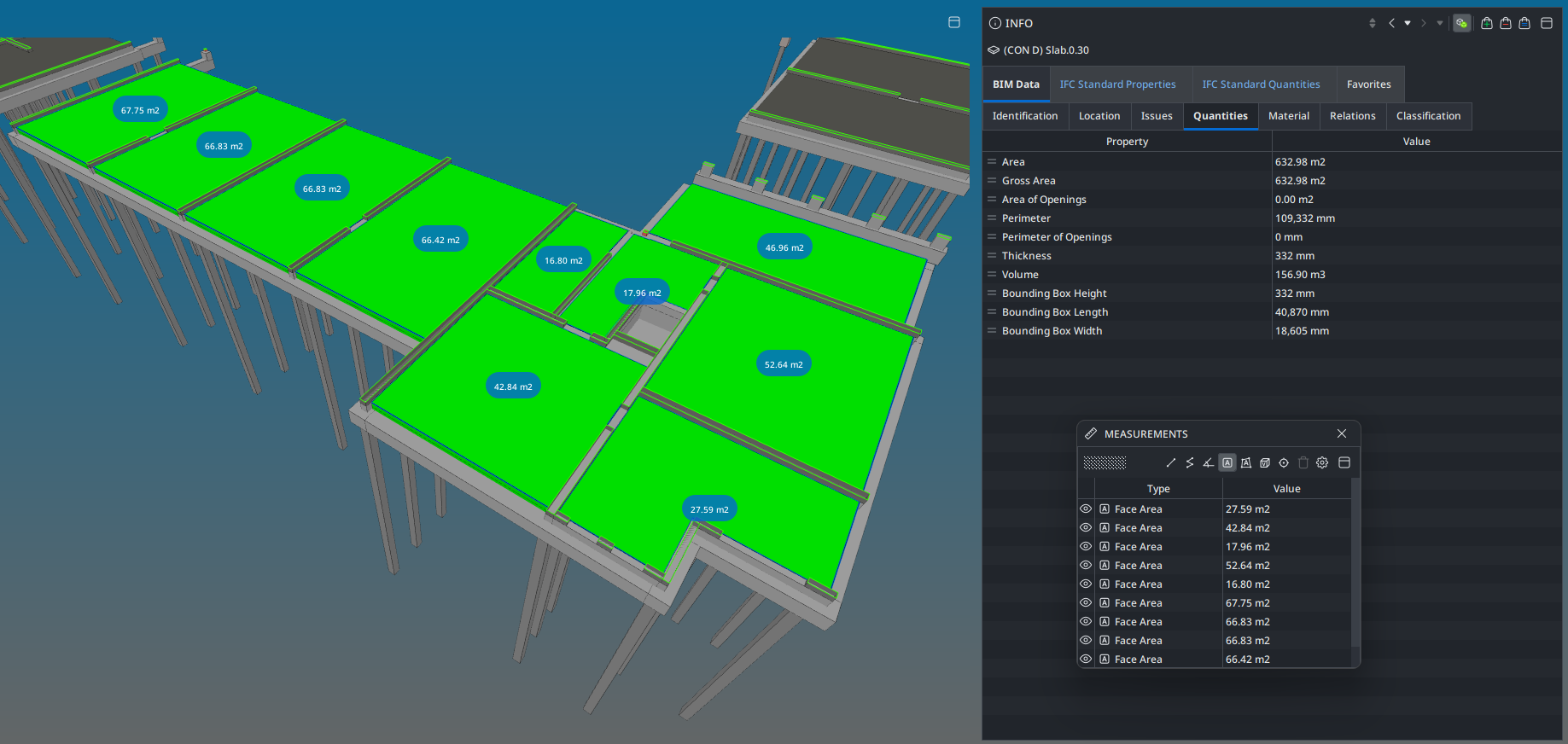
The floor elements are drawn separately in Revit (but exported as one for some reason, when redrawn or copy pasted with a different family, they are separate), but as a whole, it shows 472 m2. When this model is opened in Solibri, the general quantity tab shows 632 m2 and the Qto_SlabBaseQuantities shows 472 m2. After some brainstorming, we found out that Solibri uses the polygonal area of this (accidentily combined) element instead of the Qto_SlabBaseQuantities (as shown in picture). Now we found that is redrawn or copy pasted, this problem may be solved, but we were wondering why this happened in the first place. May this have happened because of “convex hull” (quoting our BIM engineer here)?
Copyright © 2025 Solibri Inc. | Powered by NodeBB