
Sync issues between Solibri/ACC
-
@s-helfer said in Sync issues between Solibri/ACC:
Could you please investigate whether the coordinates and location data are being handled correctly, and whether there are any known limitations or special considerations related to georeferenced models?
Thank you in advance.
Hello!
Thanks for your feedback. Does this occur often with many issues?
For some background, the AutoDesk connection is not BCF compliant, and while we’ve worked to implement support as close to BCF as possible there are still some differences, like:
- Camera angle and overall 3D view: In BCF this relies directly on camera angle, components, etc. With the Forma connection, we try to mimic the pushpin location this by shooting a ray directly to where the camera is pointing. This means that in some cases, the pushpin will unfortunately not be exactly where intended. The workaround is to make sure the view is zoomed in enough to create the pushpin in the best possible location.
Kind regards,
Toni
-
Hello,
thank you for the explanation.
We were able to confirm that the issue placement works correctly when we are very close to the affected elements before creating the issue. If we create issues while being further away, the offset occurs consistently.
So far, we have only tested manually created issues. We have not yet had the opportunity to test automatically generated issues from clash detection.
Do you have any recommendation regarding the maximum distance from an object when creating an issue to ensure accurate placement?
In addition, we have identified another topic that appears to require follow-up on the Autodesk side, specifically regarding the Issues Add-in.
With Revit 2025, we can currently only load issues that originate from a Revit model. Issues created in Solibri and associated with an IFC model cannot be loaded in Revit through the add-in.
Could you please confirm whether this is a known limitation or if there is a workaround available?
-
@s-helfer said in Sync issues between Solibri/ACC:
Hello,
Do you have any recommendation regarding the maximum distance from an object when creating an issue to ensure accurate placement?
The most important thing is that the area or components in quesiton would be close enough that the camera angle (or ray shot from the agle) ends at the components. I know it’s not ideal, but this is currently the way to identify a pushpin through Solibri. Once the next BCF standard is complete, pushpins will be supported there as well, but that will take some time as the standard is not yet complete.
In addition, we have identified another topic that appears to require follow-up on the Autodesk side, specifically regarding the Issues Add-in.
With Revit 2025, we can currently only load issues that originate from a Revit model. Issues created in Solibri and associated with an IFC model cannot be loaded in Revit through the add-in.
Could you please confirm whether this is a known limitation or if there is a workaround available?
I will check with the AutoDesk colleagues and get back to you on this one.
-
Hi @tonigyllenberg,
I am also experiencing some difficulties with pushpins in the latest beta, especially when saving issues directly from Solibri checking results to Forma.
The issue is uploaded correctly, but it is not placed on any IFC model. If I then try to manually add the reference IFC model in Forma, I also need to add the pushpin manually. When doing so, the main image attached to the issue is replaced by the new pushpin view.
This makes the workflow quite difficult, especially when many issues are created from checking results and sent to Forma in bulk. Each issue then needs to be placed manually, and the original Solibri snapshot is no longer kept as the main image.
I have also noticed another behaviour: in Solibri, before saving the issue, the Issue Details window correctly shows the related components in the component table. However, after the issue is uploaded to Forma, the linked components section is mostly empty.
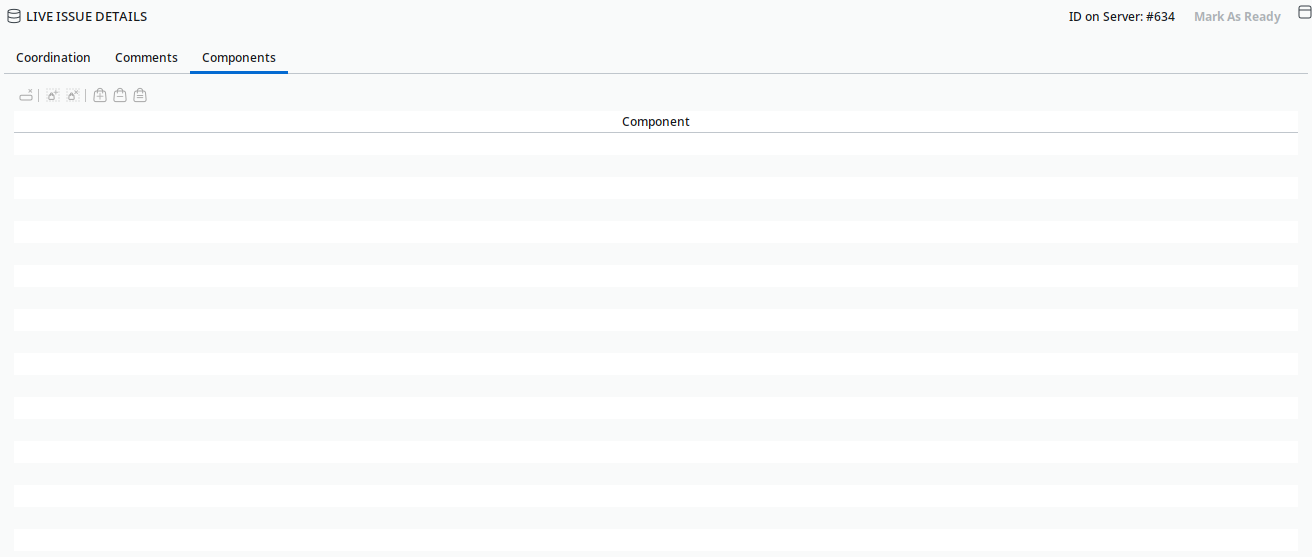
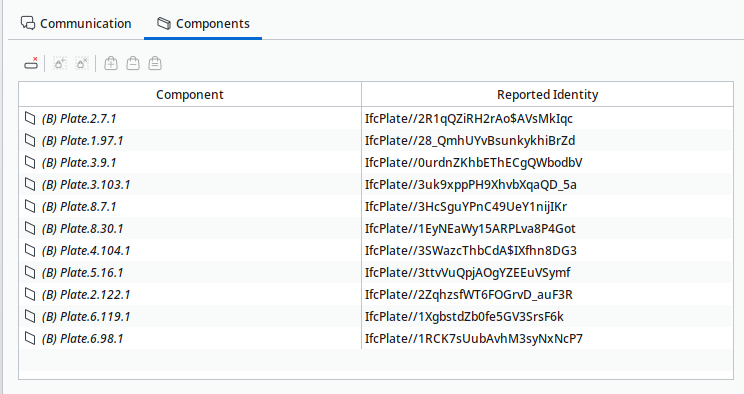
I have already checked the all the setups in Forma as project folders, and the required configuration before uploading the issues, and everything seems to be correctly set up.Do you have any suggestion on how this workflow could be improved?
-
@Pegah said in Sync issues between Solibri/ACC:
Do you have any suggestion on how this workflow could be improved?
Hello!
A few things to check:
- Are you using Model Coordination views in Forma? If so, remember to select the correct Model Coordination view when making the connection in Solibri. Of course naturally, the Solibri projects files (IFC models included in the SMC) should correspond to the models available in each Model Coordination view.
- Make sure that in Solibri the camera is pointed (and ends) at a component. This is the essential creation of the pushpin.
These things need to be correct from the start, because viewpoints are immutable (i.e. they cannot be modified once saved).
So start out with just one issue and after checking the list above and synchronizing:
- Is the snapshot (thumbnail) stored in Forma correctly in the issue? Does the same snapshot appear in Solibri on the issue?
- Does the pushpin location get stored in Forma? Is it also available in Solibri (as a red cross)?
- Are the camera angles and view related aspects respected in both cases?
If possible, could you record a short video of what is happening?
-
Hi @tonigyllenberg ,
thank you for your feedback. I have sent you a video by email showing the workflow and the issues I am experiencing.
To answer your questions briefly:
I am using the Data Management section first, because after the issues are uploaded from Solibri, they are not automatically placed on the IFC model. When I select the IFC model in the Placement field, Forma immediately asks me to add a pushpin manually. If I cancel this step, the issue remains without placement and is not visible in Model Coordination.
The IFC model used in Solibri corresponds to the one available in Forma, and I have also checked the project setup, including the “Solibri Issue Files” folder and my Project Admin rights.
Regarding the camera, in at least some of the tested issues the view is pointed at a component, but the pushpin is still not created automatically. After adding the pushpin manually in Forma, the main thumbnail/view is replaced by the new pushpin view, and the same change is then visible in Solibri. The red cross also appears in BCF Live Connector, but only after the manual pushpin selection in Forma.
The original Solibri snapshot is still available, but it is no longer the main thumbnail. In addition, after synchronization, the components table appears to be empty.
Do you have any suggestions on how to resolve these issues, especially the pushpin placement and the empty components table?
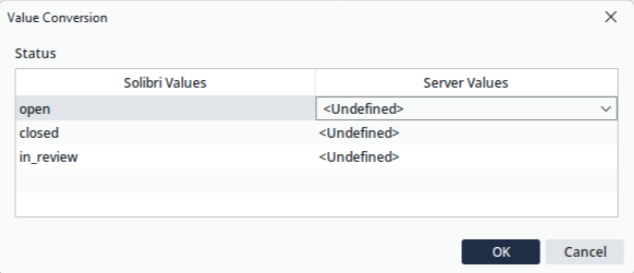
Besides this, I am still experiencing the Value Conversions window issue after some hours of connection, where the only selectable value shown is “Undefined”.
-
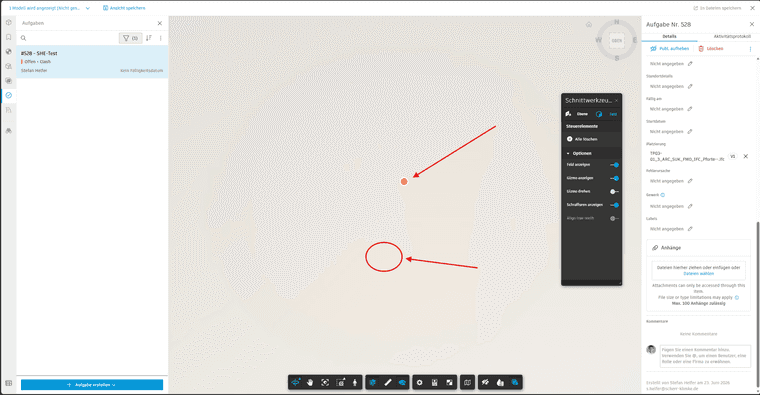
I am also trying to make BCF sync to Forma work, but with very little success. The issues do not have any placement in Forma. I manually “placed” one issue to corresponding NWD-file and pinpointed the location to correct location in that model. Strange enough, the pinpoint symbol (the red cross) appeared in Solibri quite close to the origin. Seems to be actually the same distance from origin in millimeters than the correct location is in meters.
-
We looked into this with @soininvaara, here are a couple of tips for everyone:
1. Pushpins do not have a placement in Forma: The issue here may be that Forma does not recognize the models used in Solibri. Always make sure the models you are working with in Solibri are indeed the exact models from Forma. It is good practice to open the models directly in Solibri from Forma using the files integration, and then save those as an SMC. This way the IDs in the background are properly linked, and Forma will understand the linkage as well, even after updates. @Pegah this may be related to your case as well.
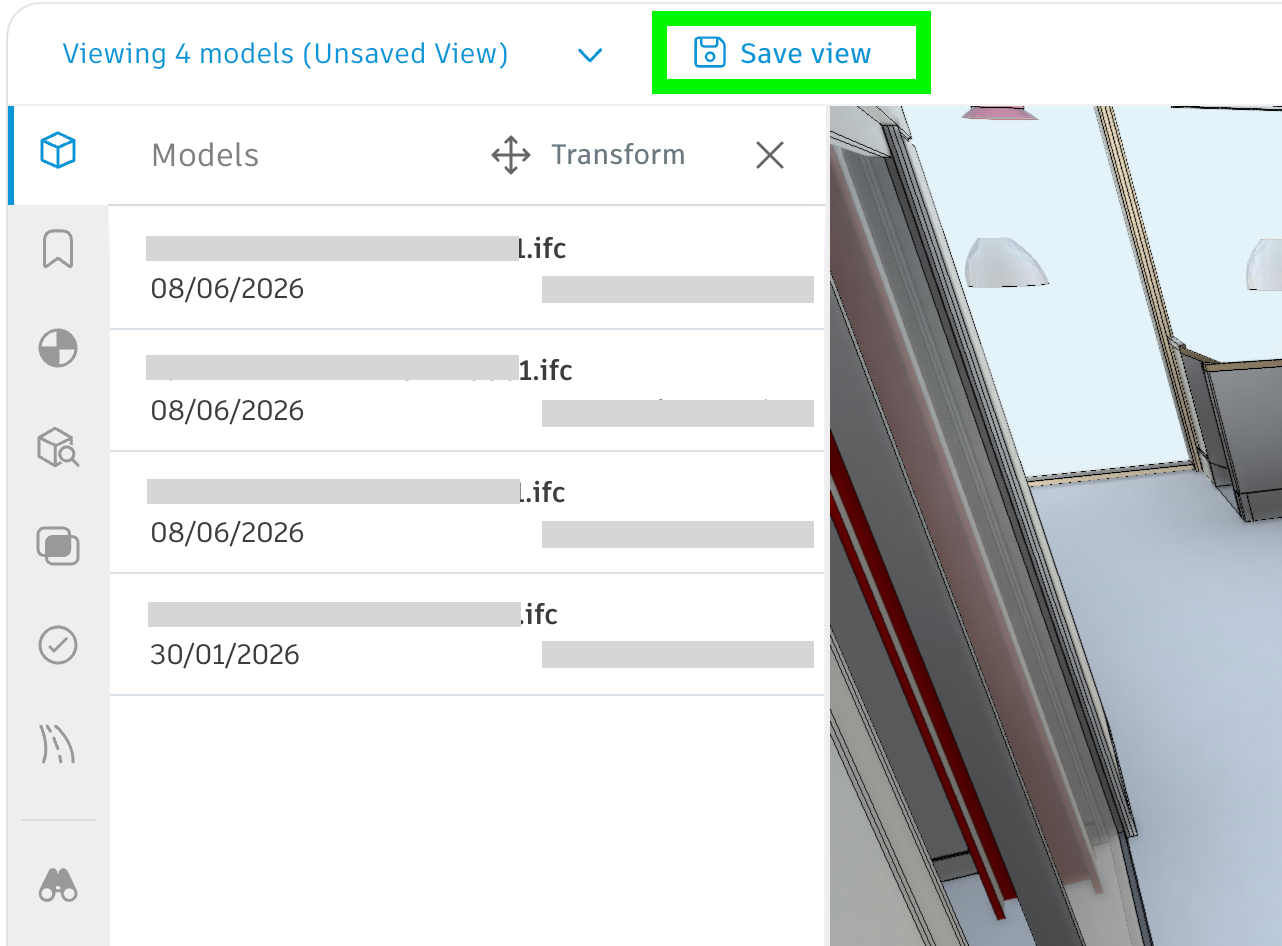
2. Viewing federated models in Forma: Opening up the model from the Placement field will indeed open only one file (the one file where the pushpin is located). In order to view in the federated model, it is good to create seperate views with the models impacted within Model Coordination. This will ensure that when working with e.g. 5 models, the federated view will include those 5, and all of the issues synced to that Model Coordination view will be available there, directly in that specific view, under the Issues section on the left hand toolbar.
Kind regards,
Toni
-
Thank you @tonigyllenberg! You helped me great deal forward! I would not have invented that without you assistance. The key that I missed was to push the “Issues” button on the left as you instructed in the latest message. Lets wish that Autodesk can fix the visibility of hidden submodels soon.
-
Hi everyone in this topic!
i would like to thank Solibri for the new version with the updated Sync with Forma! at our office we were exited about this feature!

Unfortunately I am facing exact same problem as @Pegah and Forma does not place the Issues in the model. I believe the limitations come from the fact the we in our company have only Data Managment and no Model Coordination Extention@tonigyllenberg is there any possibility in the foreseeable future that Forma Sync would be able to place Issues correctly without Model Coordination View (only with Data Managment extension) ?
This would be crucial for further open-BIM implementing in our company and i believe in many other companies as well !thank you for your great Product!
friendly regards
Kate -
@atekasho Hello!
Model Coordination views and spaces are not fully required for issues synchronization, though they do certainly help with filtering the view in Forma.
If the issue you are having is that the placement is not saved in Forma, the most likely culprit is the file. Please ensure the files you are using in Solibri are actually the same exact ones from Forma. The best way to ensure that the link remains is by opening the forma project files directly in Solibri, and then saving the smc.
Could you reproduce the issue and then send over your log files to [email protected]? The logs will help us identify where the mislink is happening.
Kind regards,
Toni -
Hi everyone,
We have tested issues pushpins placement in Forma coordination space where IFCs have different length units, milimeters and meters, and it works only with IFCs in milimeters. For non-milimeters IFCs pushpins are located far away.
Every IFC has unit definitions inside, so when creating federated models it does not matter whether some are in meters and some in mili or centimeters, since most IFC viewers, including Autodesk Viewer and Solibri, handle this correctly and displaying models that fit into each other.
However, I found that “Solibri’s internal unit of length is millimetres, regardless of user-defined settings”:
https://help.solibri.com/hc/en-us/articles/30962635998743-Information-Takeoff-FormulasWe have carried out tests: for IFCs in meters we have exported milimeters versions and then pushpins for issues created on them in Solibri worked fine in Forma.
It is now clear that Solibri to Forma issue placement is internally based on milimeters and question is: could it be fixed to take into consideration unit definition inside each IFC @tonigyllenberg?
I do not see BIM teams forcing everyone to work internally and export IFCs in milimeters, only for correct issue placement. Every discipline could have specific settings and needs e.g. railway in meters, steel structures in milimeters, concrete structures in centimeters etc.
-
@Tornado23 said in Sync issues between Solibri/ACC:
Hi everyone,
We have tested issues pushpins placement in Forma coordination space where IFCs have different length units, milimeters and meters, and it works only with IFCs in milimeters. For non-milimeters IFCs pushpins are located far away.
Every IFC has unit definitions inside, so when creating federated models it does not matter whether some are in meters and some in mili or centimeters, since most IFC viewers, including Autodesk Viewer and Solibri, handle this correctly and displaying models that fit into each other.
However, I found that “Solibri’s internal unit of length is millimetres, regardless of user-defined settings”:
https://help.solibri.com/hc/en-us/articles/30962635998743-Information-Takeoff-FormulasWe have carried out tests: for IFCs in meters we have exported milimeters versions and then pushpins for issues created on them in Solibri worked fine in Forma.
It is now clear that Solibri to Forma issue placement is internally based on milimeters and question is: could it be fixed to take into consideration unit definition inside each IFC @tonigyllenberg?
I do not see BIM teams forcing everyone to work internally and export IFCs in milimeters, only for correct issue placement. Every discipline could have specific settings and needs e.g. railway in meters, steel structures in milimeters, concrete structures in centimeters etc.
Hello!
This is a valid point, we’ll test and look into this more in the coming weeks with our AutoDesk contacts as well.



Copyright © 2025 Solibri Inc. | Powered by NodeBB