
Error message when opening an smc file
-
Hi,
when opening a file with Solibri Office, the following error message appears: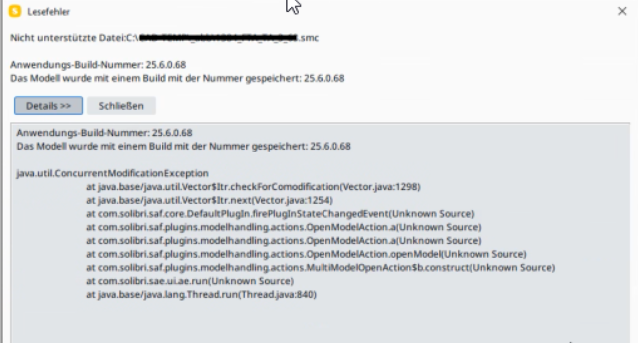
After clicking the “Schließen” button, the model opens normally and can be worked with.
The smc model is stored on our network together with other models. These do not cause any problems.
Does anyone know how to fix this error? -
@Norbert
This can happen because the file wasn’t saved completely to the network drive.After saving, the file sometimes needs to be synced with the network drive (or SharePoint/BIM360).
This is especially true with larger SMC files.
If you shut down your computer too early, the file can’t be saved completely to the network, and you’ll receive this error.
You can still work with it, but the file is often corrupt, and you’ll need to open a previous version to continue.

Copyright © 2025 Solibri Inc. | Powered by NodeBB