Skip to content
  • Categories
Collapse
Solibri Society Forum
  1. Home
  2. General Discussion
  3. Information on objects not updated (deleted) when updating .ifc in existing .smc

Information on objects not updated (deleted) when updating .ifc in existing .smc

Scheduled Pinned Locked Moved General Discussion
3 Posts 2 Posters 693 Views
  • Oldest to Newest
  • Newest to Oldest
  • Most Votes
Log in to reply
This topic has been deleted. Only users with topic management privileges can see it.
  • P Offline
    P Offline
    Patrick
    wrote on last edited by Patrick
    #1

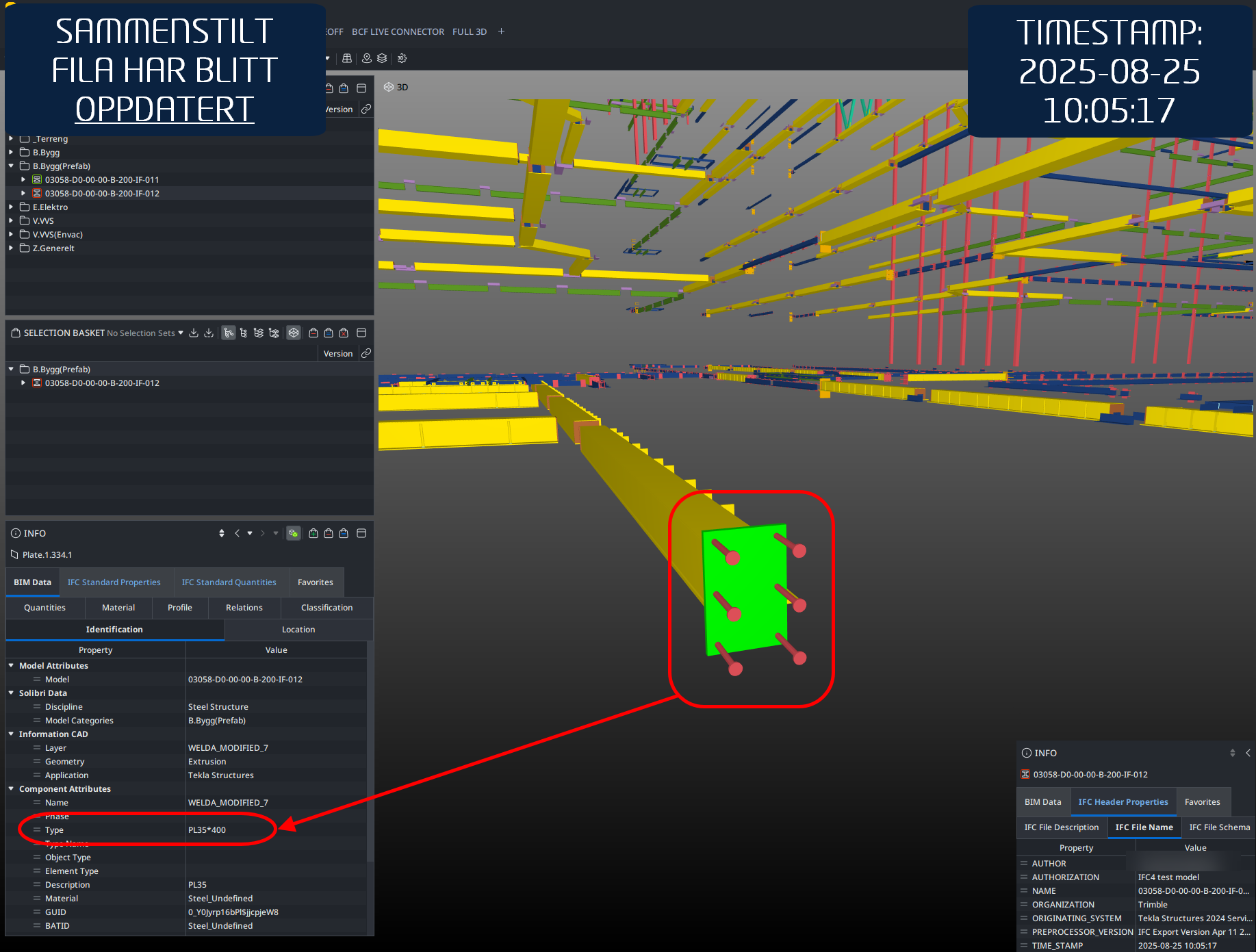
    Information can be found under “Type”:
    09d3f74e-c845-4f72-9b45-05a27bab3f46-image.png

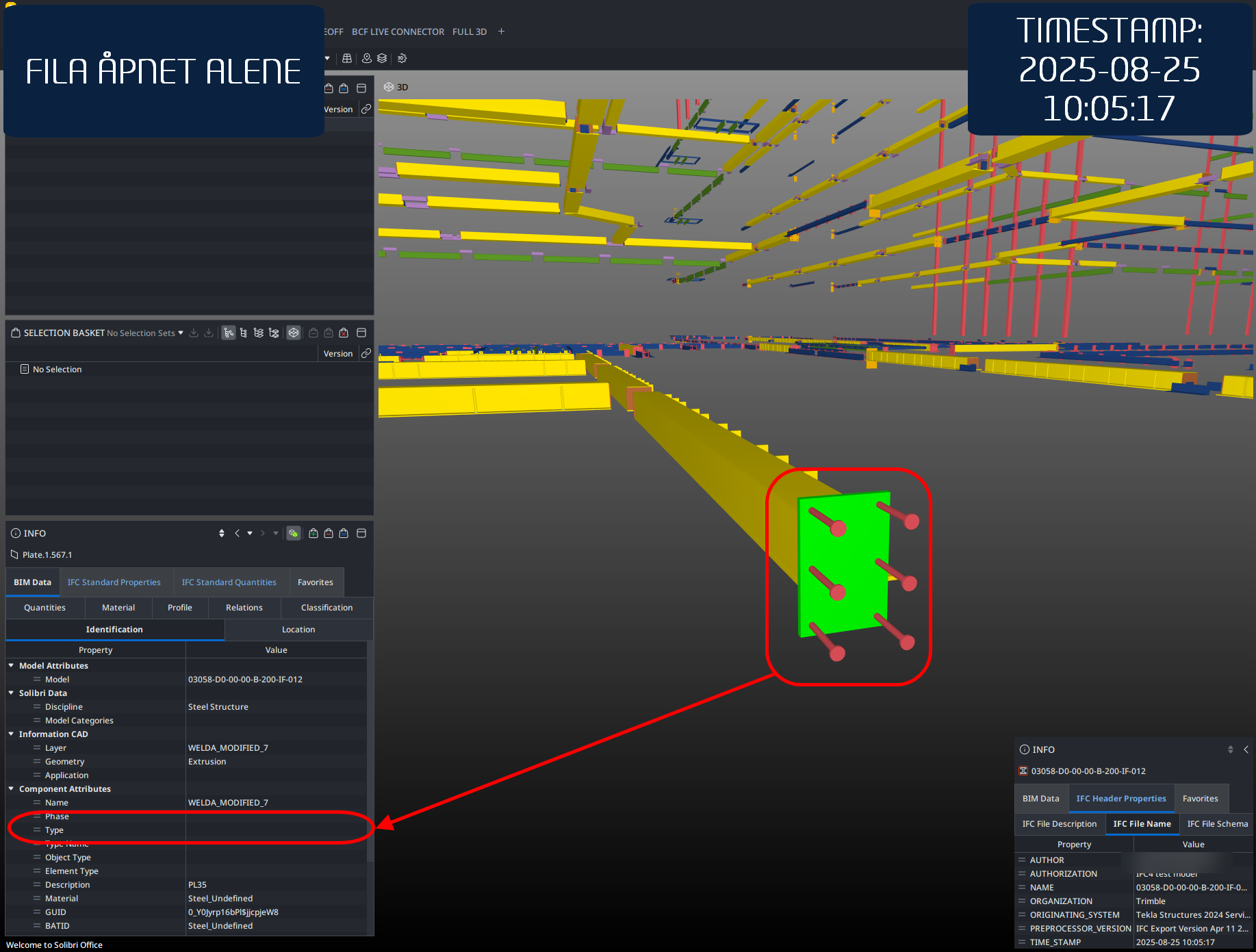
    Information cannot be found under “Type”:
    d00c1b31-ec27-4f5d-be53-b59e53985561-image.png

    This is exactly the same .ifc-file, the only difference is the one which contains information under “Type” is continuously being updated in a single .SMC-file (“Update model”), while the other one has been opened up separately. The “fix” for this is to remove the .ifc all together, and then re-add it, which is not really a good fix at all. We need to be able to trust that the model updates correctly every time.

    Build:
    25.3.2.65

    1 Reply Last reply
    2
    • tonigyllenbergT Offline
      tonigyllenbergT Offline
      tonigyllenberg Solibrians
      wrote on last edited by tonigyllenberg
      #2

      Hello @Patrick,

      Can you please report this to [email protected] and if possible, include a model/models (even just a few components) which we can use to reproduce the issue in-house with. Log files would also be appreciated:

      Kind regards,

      Toni

      1 Reply Last reply
      0
      • P Offline
        P Offline
        Patrick
        wrote on last edited by
        #3

        @tonigyllenberg sent the files now.

        1 Reply Last reply
        1

        Copyright © 2025 Solibri Inc. | Powered by NodeBB

        • Login

        • Don't have an account? Register

        • Login or register to search.
        • First post
          Last post
        0
        • Categories