Skip to content
  • Categories
Collapse
Solibri Society Forum
  1. Home
  2. General Discussion
  3. Section bugs

Section bugs

Scheduled Pinned Locked Moved General Discussion
3 Posts 2 Posters 640 Views
  • Oldest to Newest
  • Newest to Oldest
  • Most Votes
Log in to reply
This topic has been deleted. Only users with topic management privileges can see it.
  • T Offline
    T Offline
    twosk
    wrote on last edited by twosk
    #1

    Hi, it is a bug or something that can be adjusted:

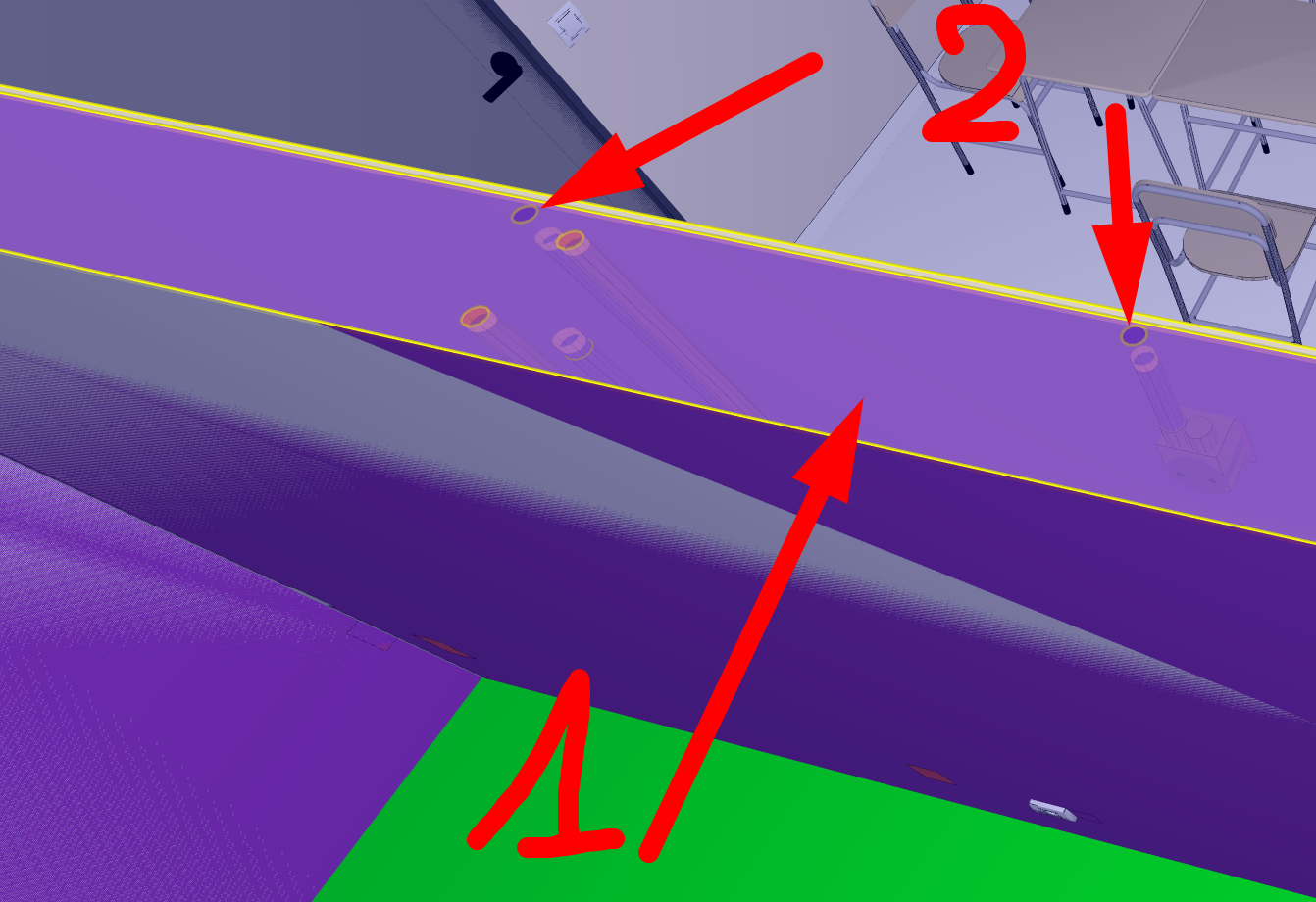
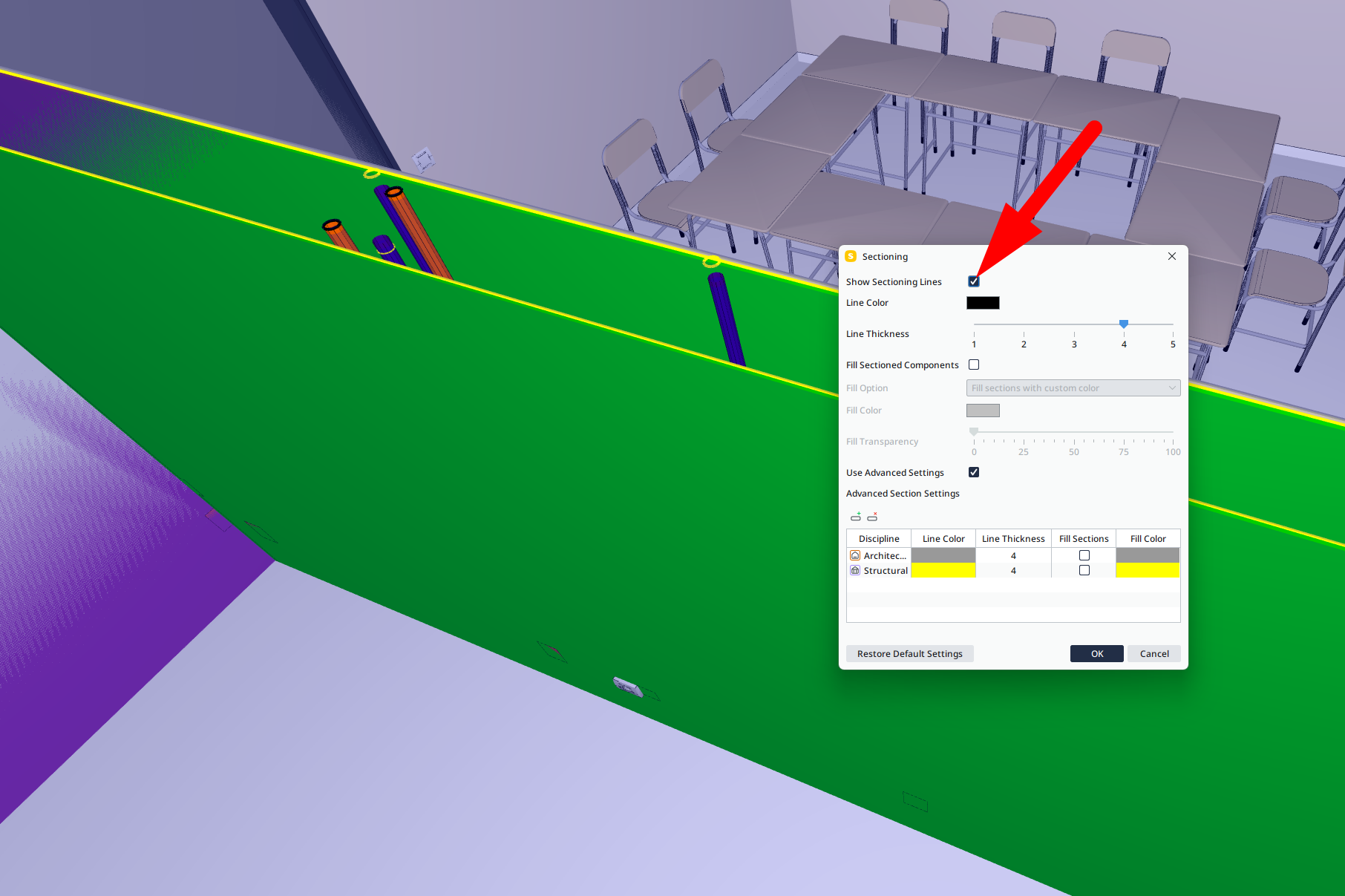
    1. by default I get gray fill in section area. If I turn off/on anything in section settings that fill goes away. I do not need to click ok in dialog box. It feels like it needs a trigger to remember not to put a fill. Is there a settings that control this behaviour?
    2. Sometimes I get a double sections for pipes, sometimes for structural elements. I did not find a solution to this. How to get rid of this?
    436cdcbf-4f32-4f9b-b97c-8f724bb1d4fe-image.png

    625dd861-6737-4015-ba8a-677b0db27052-image.png

    1 Reply Last reply
    0
    • MattiM Offline
      MattiM Offline
      Matti Solibrians
      wrote on last edited by
      #2

      For both cases a small video would help to reproduce the problem.

      1 Reply Last reply
      0
      • T Offline
        T Offline
        twosk
        wrote on last edited by
        #3

        Here: https://drive.google.com/file/d/1UimI7F4VAcNTQd274zSoi9jf9JO1Ovg6/view?usp=sharing

        Its latest solibri, rtx 4060 is updated.
        section settings needs to be only opened and any setting triggered. After this settings can be cancelled, but the display would should section correctly.

        1 Reply Last reply
        0

        Copyright © 2025 Solibri Inc. | Powered by NodeBB

        • Login

        • Don't have an account? Register

        • Login or register to search.
        • First post
          Last post
        0
        • Categories