
Solibri graphic problems after waking up computer from sleep (GPU Scheduling?)
-
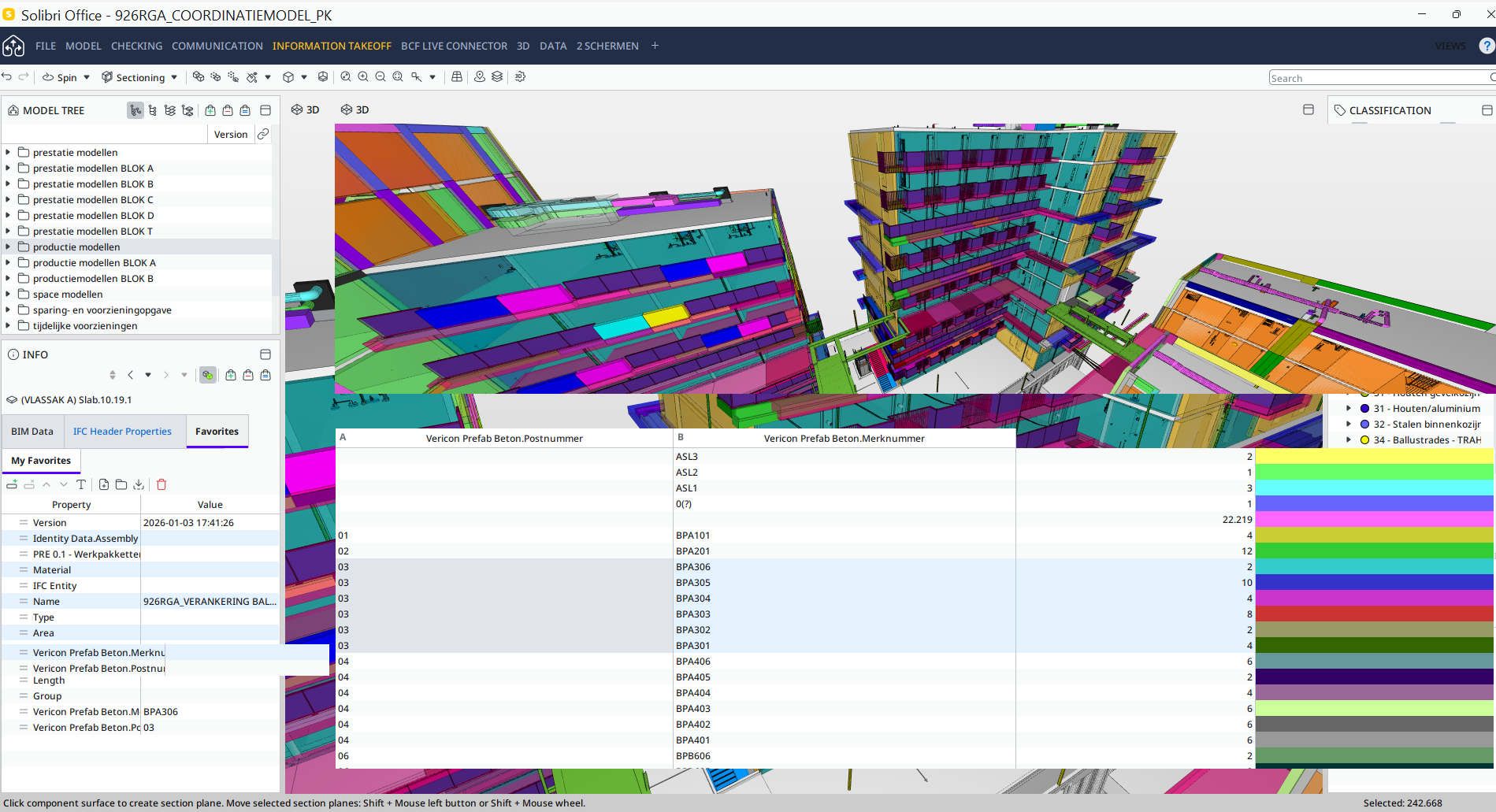
For the past few months, multiple laptops in our organisation have this weird problem where the graphics of Solibri are messed up like in the picture.
Solibri still works, but these weird graphics makes it so that you basically can’t do a lot. Often restarting Solibri is the only solution.I think that this mostly happens when people wake the laptops out of sleep, but I don’t have hard proof about that.
When googling this problem it looks like it could be ‘‘Hardware Accelerated GPU Scheduling’’, which is a setting in Windows.
The idea that people have is that the high performance GPU is not enabled when waking up the computer, thus giving graphic errors in Solibri.
(our laptops have an integrated GPU and a dedicated GPU)However, disabling this setting has not changed anything, the problem still persists…
Are there more people that have encountered this problem and know a solution for this?
-
look at “Help” in Solibri Which GPU is used.
i configured the GPU in the Nvidea settings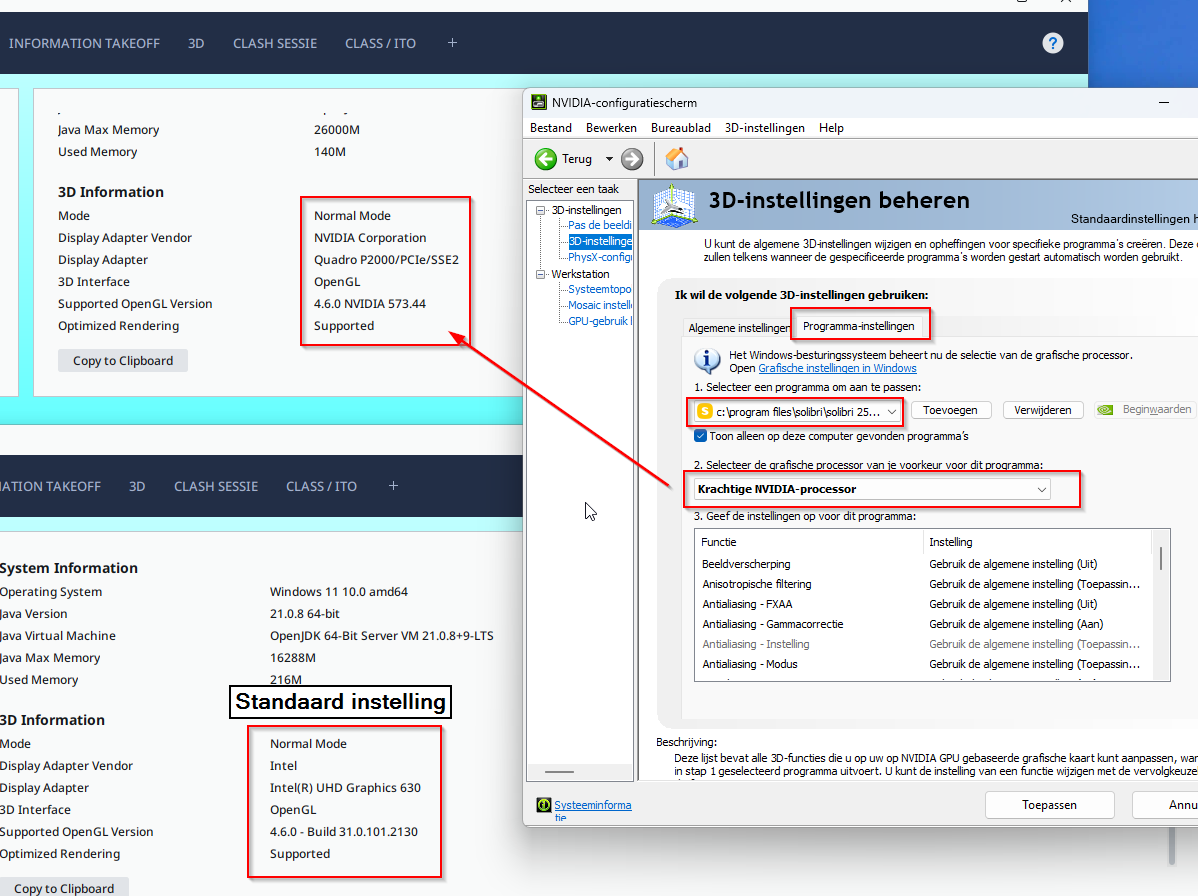
-
@BvanDalsum We have already done that, but thanks for the tip.
For some reason, Windows or Solibri does not recognize the Nvidia GPU as standard. With new laptops I have to configure it manually like the way you described…


Copyright © 2025 Solibri Inc. | Powered by NodeBB