Skip to content
  • Categories
Collapse
Solibri Society Forum
  1. Home
  2. General Discussion
  3. Check only the first of the found duplicates

Check only the first of the found duplicates

Scheduled Pinned Locked Moved General Discussion
3 Posts 1 Posters 298 Views
  • Oldest to Newest
  • Newest to Oldest
  • Most Votes
Log in to reply
This topic has been deleted. Only users with topic management privileges can see it.
  • _c__ Offline
    _c__ Offline
    _c_
    wrote on last edited by
    #1

    Hello,

    I have a rather bad set of ifc files for Provision for Voids with loads of geometric duplicates. I cannot send it back, unfortunately.

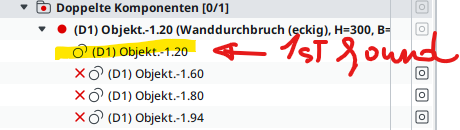
    I need to create a gatekeeper rule that finds all duplicates, then performs checks on the first found, ignoring the rest. Is it possible or does it work only through selection basket?

    Example:5c1896a5-1ec2-4a2b-b30c-b4653624340e-image.png

    c

    1 Reply Last reply
    0
    • _c__ Offline
      _c__ Offline
      _c_
      wrote on last edited by
      #2

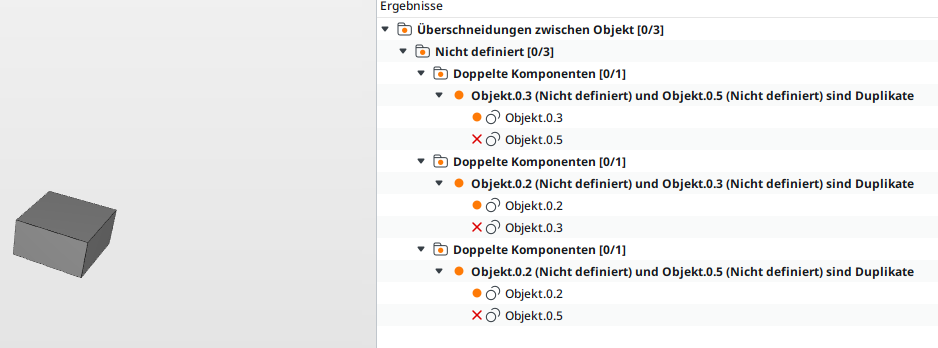
      Using the rule SOL 1 on three exact duplicates, it is difficult to deciffer this combinatory display:

      image.png

      If there are more duplicates, each combination is displayed. Can we summarize them in one entry, where only the first is “good”?

      c

      1 Reply Last reply
      0
      • _c__ Offline
        _c__ Offline
        _c_
        wrote on last edited by _c_
        #3

        I have to write this workflow down, because it might be useful to others or might be entirely wrong and someone will show me better, … anyway, here it is:

        • create a SOL 1 rule parsing for duplicates:
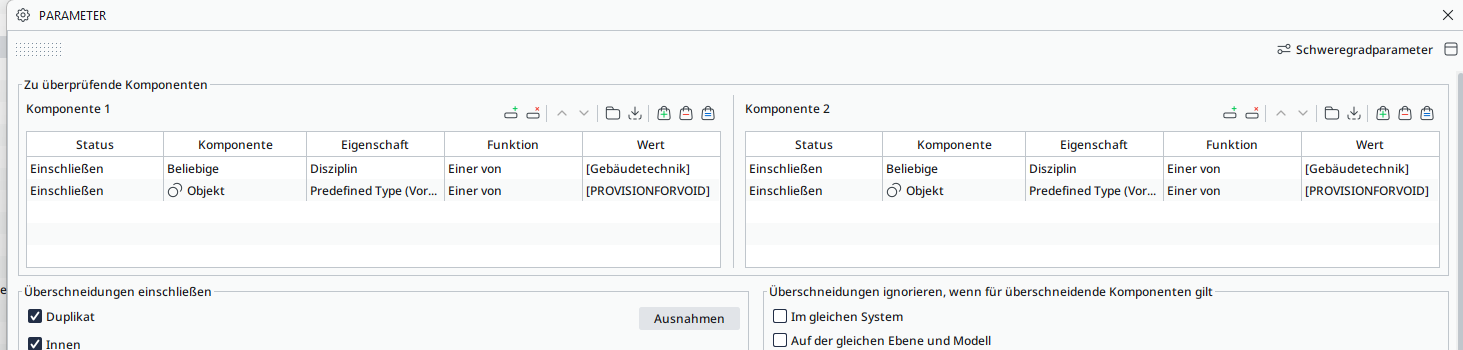
          c6c82593-54f6-4e7f-91bd-82123b25c69a-image.png

        • make sure that all dups are rejected, but the first one:
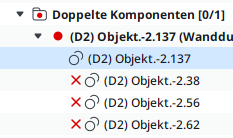
          9afa8e15-677a-4875-879c-7e111597c42e-image.png

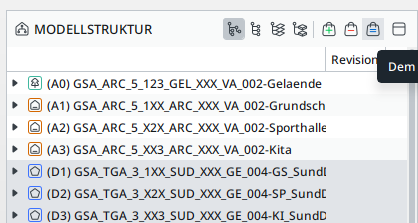
        • select all items (click on “=”) to make a starting selection basket, including the dups. In this particular case it was these 3 Models:
          b0bf17eb-1a6c-4b67-8a00-ac8a3cd2996e-image.png

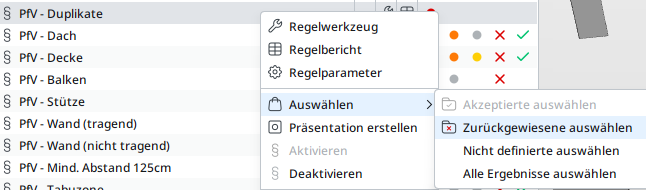
        • run the SOL 1 rule, then right-click it and select all rejected:
          3f34454f-5140-4044-add0-0c2afb3f145d-image.png

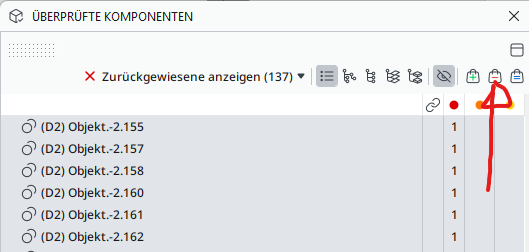
        • open the “Checked components” view, select all lines and click on “-” to remove them from the selection basket.
          e851e8e7-e9d4-4125-b539-3d942a44063b-image.png

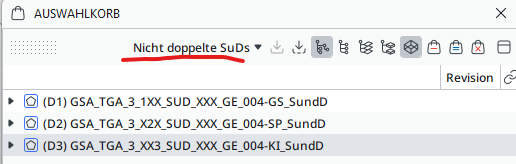
        • Now you have a selection of everything, excluding the dups. It is advisable to save this selection by name in the Selection Basket:
          4bf4389b-0a27-4629-815c-0806409be120-image.png

        Now you can filter by selection basket the results of your rules:
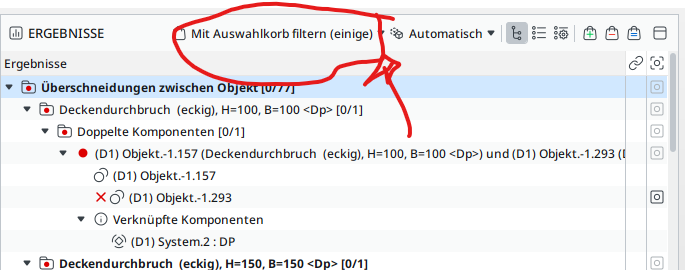
        122eae7e-e616-44d8-abb5-af369b812c1b-image.png

        c

        1 Reply Last reply
        0

        Copyright © 2025 Solibri Inc. | Powered by NodeBB

        • Login

        • Don't have an account? Register

        • Login or register to search.
        • First post
          Last post
        0
        • Categories