
Visualization displays differently after re-opening smc
-
Hi @Solibrians
I’m experiencing with a visualization issue.
After running a rule, the dimensions are visible through the walls in the 3D view.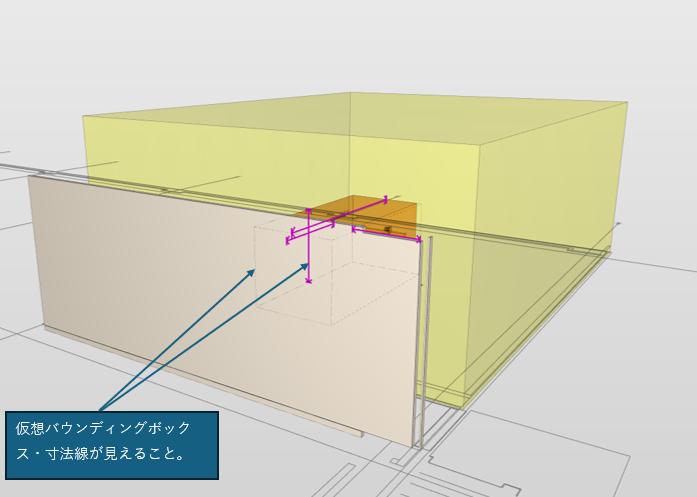
However, after I save and re-open the SMC, the dimensions are no longer visible.
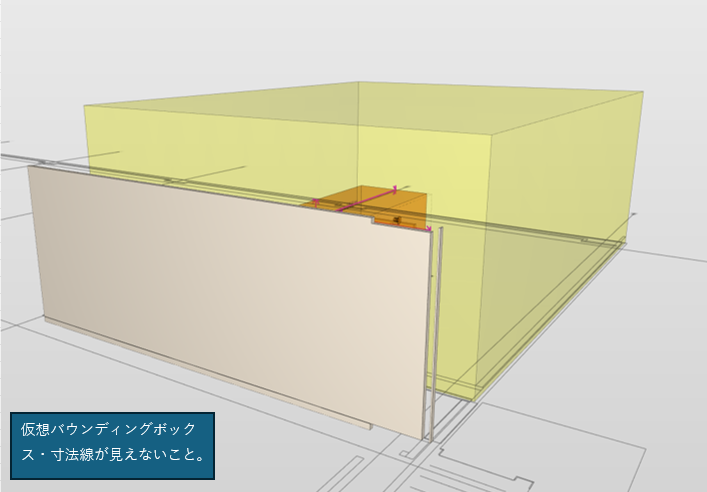
Please help investigate
Thanks -
@HieuVH-FPT said in Visualization displays differently after re-opening smc:
However, after I save and re-open the SMC, the dimensions are no longer visible.
Which version of Solibri you are using?
Have this setting on:
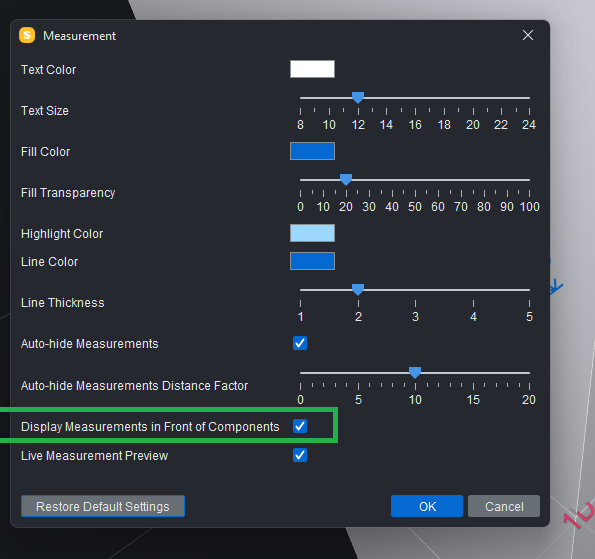
Could you share a code snipped where the dimension is created?
-
Hi @Matti
I’m using newest version 26.4.1 and that setting is on.
Due to specific client requirements, I had to customize the dimensions. Therefore, the “dimension” in the code is actually created using visualization.Lines.create() instead of VisualizationItem.createDimension() -
@HieuVH-FPT said in Visualization displays differently after re-opening smc:
Due to specific client requirements, I had to customize the dimensions. Therefore, the “dimension” in the code is actually created using visualization.Lines.create() instead of VisualizationItem.createDimension()
With following code you can set your custom VisualizationItem as dimension:
private enum MeasurementType {
	DIMENSION,
	VERTICAL_DIMENSION,
	HORIZONTAL_DIMENSION,
	COMBINED_LENGTH,
	POLY_LINE,
	ANGLE,
	FACE_AREA,
	POLY_AREA,
	VOLUME,
	POINT,
	POINT_X,
	POINT_Y,
	POINT_Z,
	CIRCULAR_ARC,
	OTHER;
}

private static final String DELIMITER = "#";

private static String createKey(MeasurementType type) {
	return "Dimension-" +type + DELIMITER + System.currentTimeMillis() + DELIMITER + UUID.randomUUID();
}

VisualizationItem vi = ..
vi = vi.withUserData(createKey(MeasurementType.DIMENSION));

Copyright © 2025 Solibri Inc. | Powered by NodeBB