Skip to content
  • Categories
Collapse
Solibri Society Forum
  1. Home
  2. General Discussion
  3. Linking models from Forma is broken (today?)

Linking models from Forma is broken (today?)

Scheduled Pinned Locked Moved General Discussion
7 Posts 1 Posters 111 Views
  • Oldest to Newest
  • Newest to Oldest
  • Most Votes
Log in to reply
This topic has been deleted. Only users with topic management privileges can see it.
  • soininvaaraS Offline
    soininvaaraS Offline
    soininvaara
    wrote last edited by
    #1

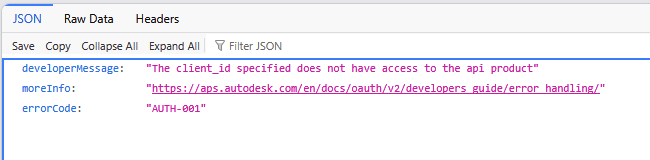
    Does anybody else have this problem. I have opened IFC:s directly from Autodesk Forma using the integration. But today authentication fails:
    b9dc681c-8ab8-4a23-9847-7fe651eefb82-kuva.png

    Is this just me? Or temporary problem at Autodesk end? Or something changed?

    I must remap my models to be able to continue…

    1 Reply Last reply
    0
    • soininvaaraS Offline
      soininvaaraS Offline
      soininvaara
      wrote last edited by
      #2

      Case closed. The problem persisted late yesterday evening. But is gone this morning. Autodesk… Please…

      1 Reply Last reply
      0
      • soininvaaraS Offline
        soininvaaraS Offline
        soininvaara
        wrote last edited by
        #3

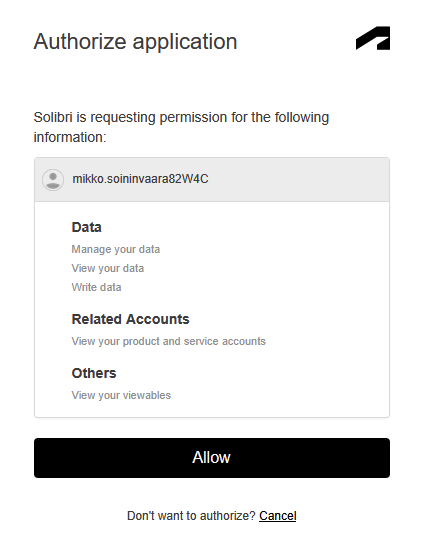
        Except that now Integration seems to be working on one project at a time?
        In the next project this page opens correctly:
        kuva.png

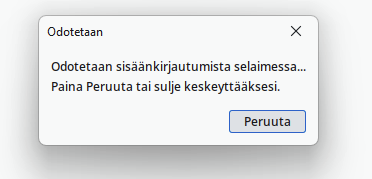
        But Solibri keeps waiting for the authentication:
        cf92c3db-fed5-4362-a5cb-f09a3ced43da-kuva.png

        And the page that the browser opens is not like this:

        4412cde6-bd3d-4ed0-a916-2e4fb983056d-kuva.png

        but remains totally blank.

        The address is quite similar though.

        6118f8c9-9e3c-4fdb-97d7-c771782fef83-kuva.png

        1 Reply Last reply
        0
        • soininvaaraS Offline
          soininvaaraS Offline
          soininvaara
          wrote last edited by
          #4

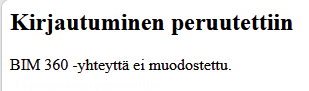
          More debugging: I cut the integration connection to Forma from my first open SMC-file and tried to turn on integration in the second open SMC. This time the last page does not remain blank, but says that “Sign in was cancelled”.
          kuva.png

          I used to be able to keep many files open at the same time with integration open. I must try to close the first one - but reopening it is soooo slow…

          1 Reply Last reply
          0
          • soininvaaraS Offline
            soininvaaraS Offline
            soininvaara
            wrote last edited by
            #5

            No…

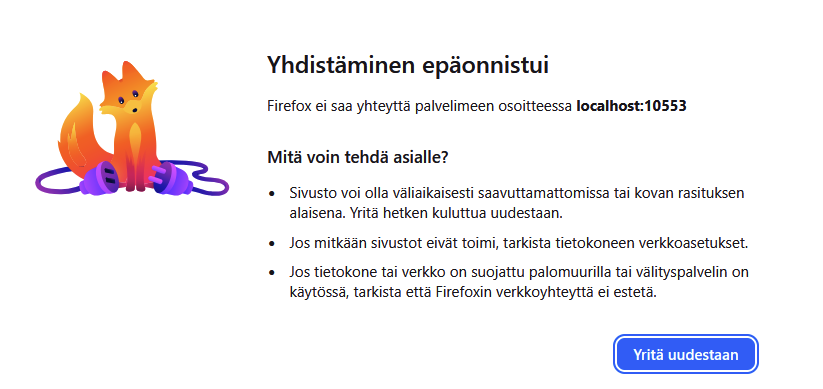
            I closed the first SMC and tried to open integration in the second one. This time browser thinks for a while and replies with an error message:
            kuva.png

            “Firefox can not contact address Localhost:10553.”

            I try from the scratch. I close both project files first.

            1 Reply Last reply
            0
            • soininvaaraS Offline
              soininvaaraS Offline
              soininvaara
              wrote last edited by
              #6

              I closed both SMC:s and Firefox browser. Then i opened forst the “second” project file. When I turned integration on, I had to relogin to Autodesk account with the two stage autenthication. I wish that was the only reason for not opening two models at the same time. But we’ll see. I try to open the “first” model at the same time and make another try.

              1 Reply Last reply
              0
              • soininvaaraS Offline
                soininvaaraS Offline
                soininvaara
                wrote last edited by
                #7

                No… The second project remains without integration. Not depending in which order I have opened these two models. So the reason is not in the project. It is Autodesk… Again…

                1 Reply Last reply
                0

                Copyright © 2025 Solibri Inc. | Powered by NodeBB

                • Login

                • Don't have an account? Register

                • Login or register to search.
                • First post
                  Last post
                0
                • Categories