
Construction Type/Type (Name)
-
Hey,
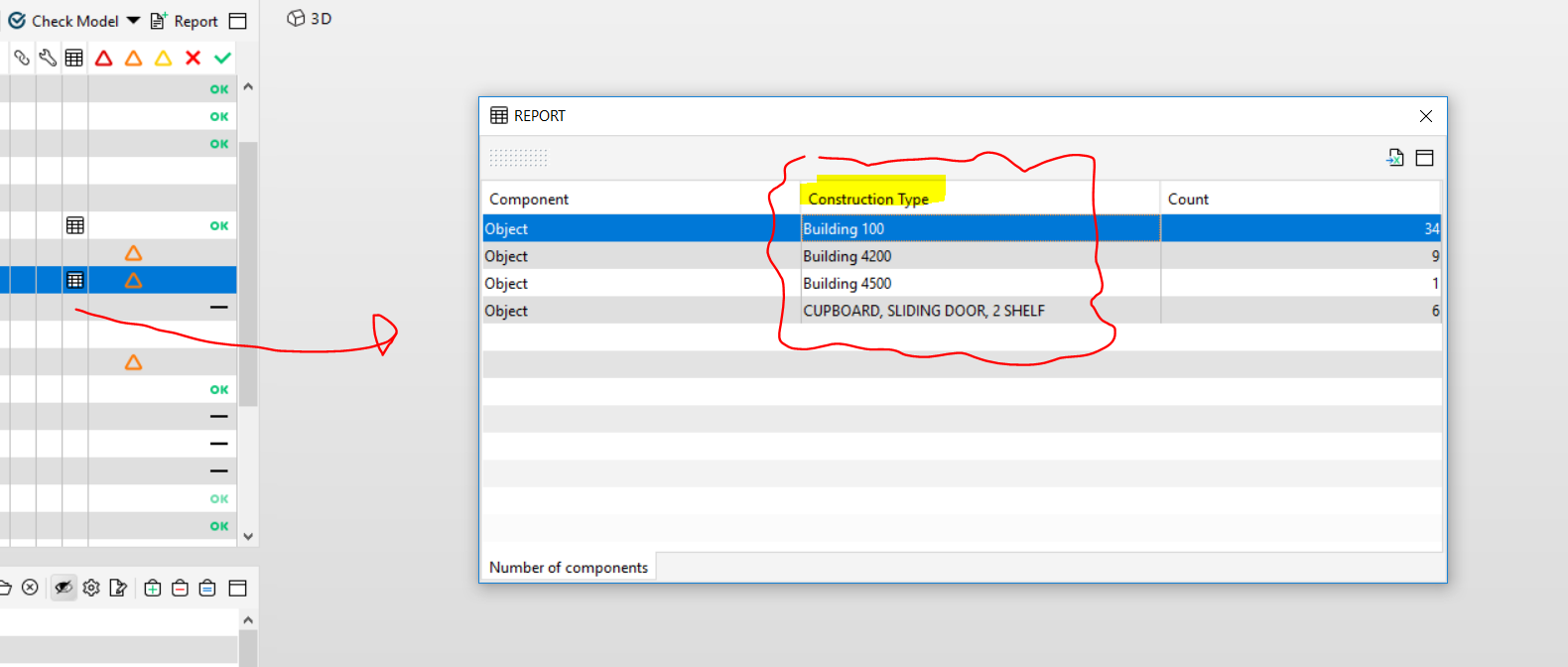
Intention: I need want to have specific Information in the Construction Type field, however I have not managed to manually map information in AC to this field.
As far as I understood, the <Type> and <Type Name> Properties are retrieved automatically as a combination of Material and Thickness with no possibility to change this (in Archicad) - am I correct or do I have missed already something fundamental here?
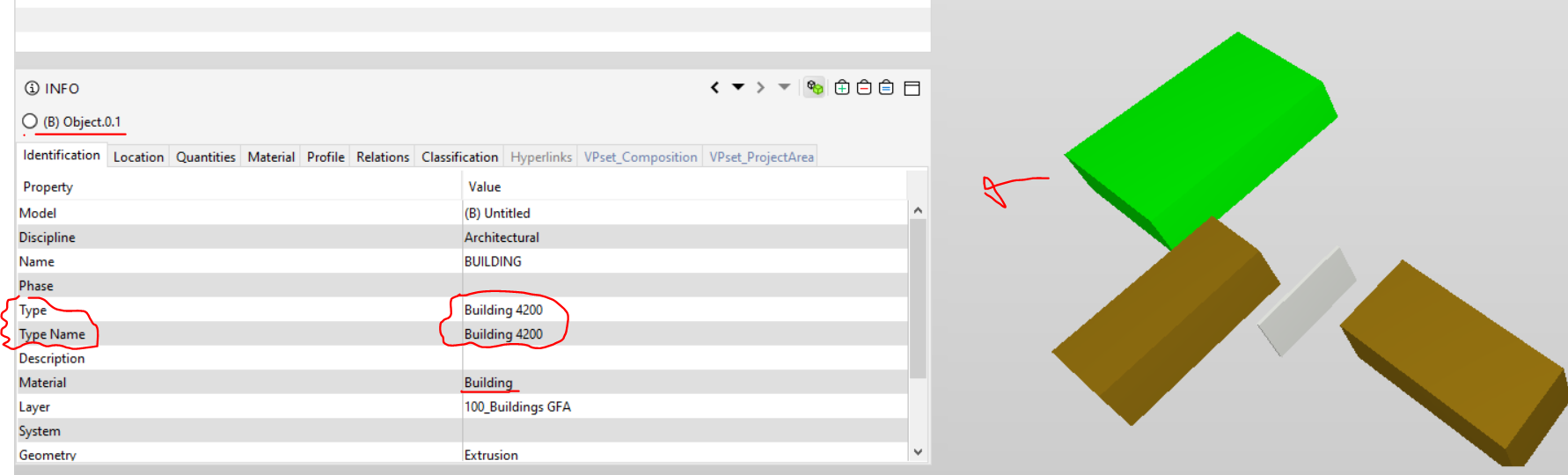
However, I found it interesting that Solibri and BIMCollab Zoom are displaying different information in the field of <Type>
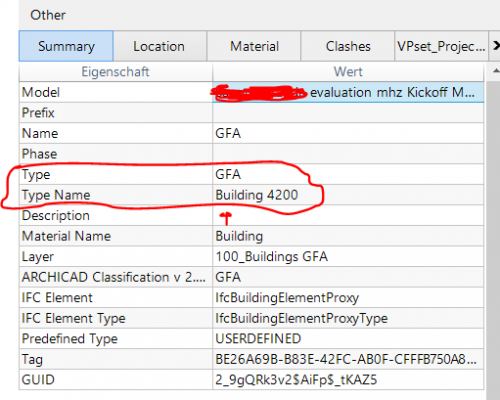
So, to sum it up again, it is a bit confusing how those values are being retrieved - all I want is actually an easy-to-understand Report Table from specific Checking Results as now <Construction Type> seems like to be inheriting the values from Type/TypeName. Or is there a way to change this?
Example: I want to have Construction Types here like e.g. “GFA” instead of “Building 4200” … => like Zoom is interpreting the same ifc file.
So, what’s your thoughts and suggestions?
-
Hi @JSN,
You can use the type definition on different places in IFC:
- Object type (In Attrubutes) ,
- Reference (in Pset Ifc*_common) and
- Type
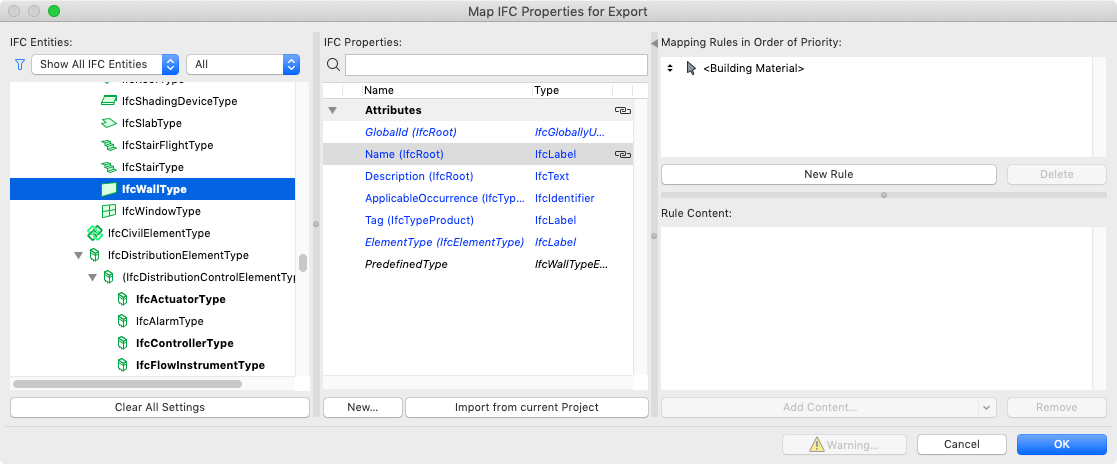
If nothing is defined ARCHICAD will automatically fill in the Building Material + width as type definition. You can change this in the translator of a IfcWallType or on a higher level in Element type (just schroll way down to the end until you will see the green icons):
In BIMcollabZoom:
The Type enumeration of an IfcElement is shown in Type, except when there is an Reference added.
The Type Name is the definition of the Type as shown in the image.@Solibrians Which is your preferred way to add an type definition?
Hope this helps…

Copyright © 2025 Solibri Inc. | Powered by NodeBB