
Solibri Opening With Tiny Text
-
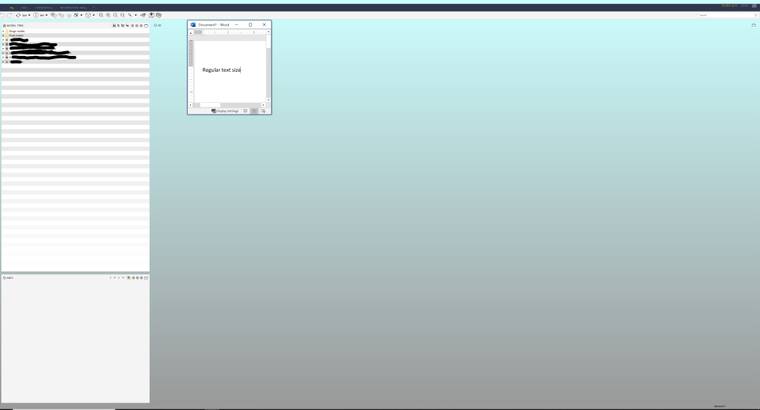
For the last couple of weeks, when I open Solibri it comes up will all of text (the “File, Model, Checking.” etc. tabs, and everything else) really, really small. I’ve tried changing my screen resolution settings, but that doesn’t change the size at all; I’ve tried only using my laptop screen instead of my external monitors; I’ve uninstalled and reinstalled the new version (9.10.8); I have of course turned the laptop off and on again.
In the past, this would happen when I wasn’t logged into Office and it opened Solibri Anywhere, which was my clue that I had been logged out. (That is not the case now, I am logged in to Office.)
None of my other programs are having this issue, so I don’t think it’s something my company IT can help with. I can’t find any setting in Solibri that changes the text size.
I’ve included a full-size screen shot with an example of the approximate regular heading text size shown. If anyone knows any tricks I might try to get it back to normal I would appreciate it. I’m getting headaches every day squinting to read it!
-
Can you try this:
Right click on the Solibri icon on your desktop -> properties -> compatibility -> Change high DPI settings
In the new window, check the 2 boxes you see there.
From the dropdown menu, I have ‘System (extensive)’Does this change anything for you? I have seen this problem with a colleague, and this worked for him. (I mainly use this trick to change the high resolution)
That colleague also uses a laptop with external screens. I am guessing it is happening when he undocks his laptop.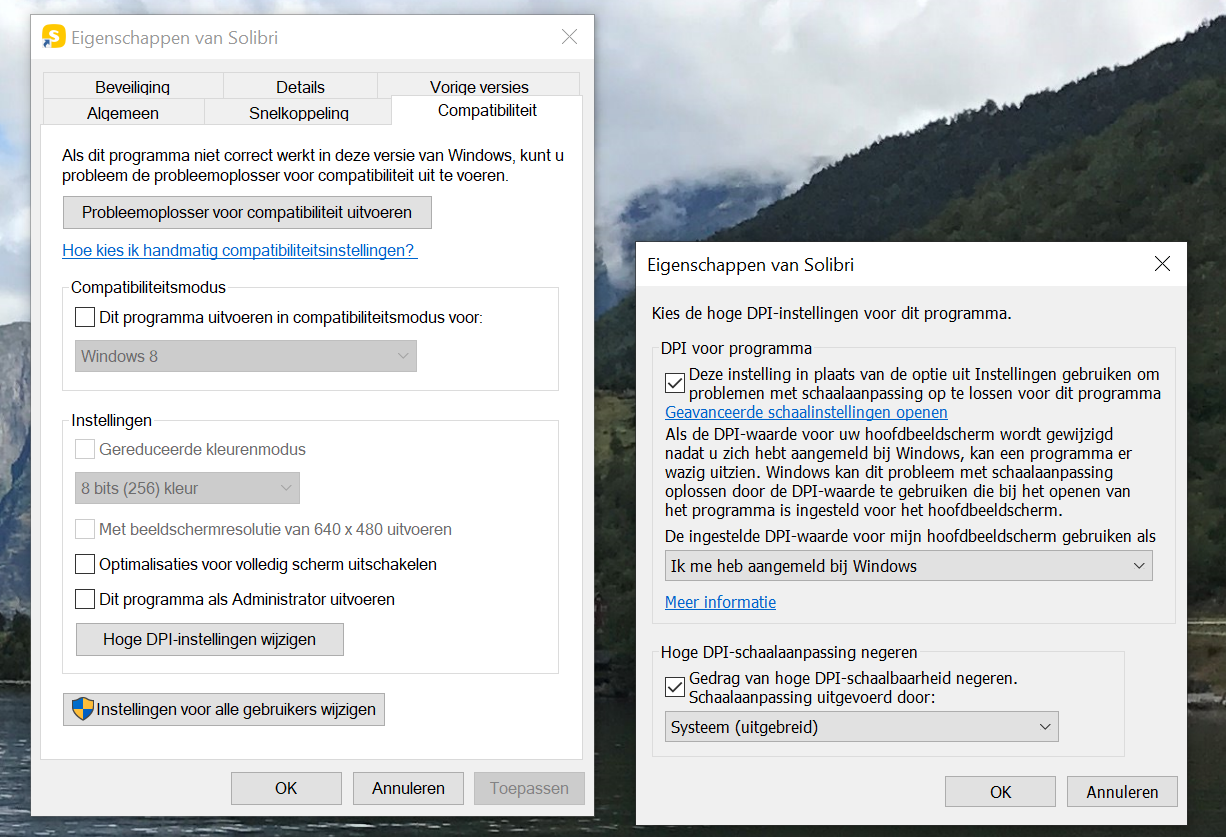
-
Thanks for this insight Ricardo, that did the trick. Specifically, within the Change High DPI Settings, selecting “System (Enhanced)” in the lower drop down menu did it. I checked the two boxes, but that alone didn’t make the change. However when I selected that option in the “High DPI scaling override” section, everything opened up properly.
I’m glad you had this experience, I don’t think I ever would have worked that out on my own!

Copyright © 2025 Solibri Inc. | Powered by NodeBB