Skip to content
  • Categories
Collapse
Solibri Society Forum
  1. Home
  2. General Discussion
  3. Not able to select Bounding box measurements in classification

Not able to select Bounding box measurements in classification

Scheduled Pinned Locked Moved General Discussion
3 Posts 2 Posters 588 Views
  • Oldest to Newest
  • Newest to Oldest
  • Most Votes
Log in to reply
This topic has been deleted. Only users with topic management privileges can see it.
  • S Offline
    S Offline
    SanneVertommen
    wrote on last edited by SanneVertommen
    #1

    Hi,
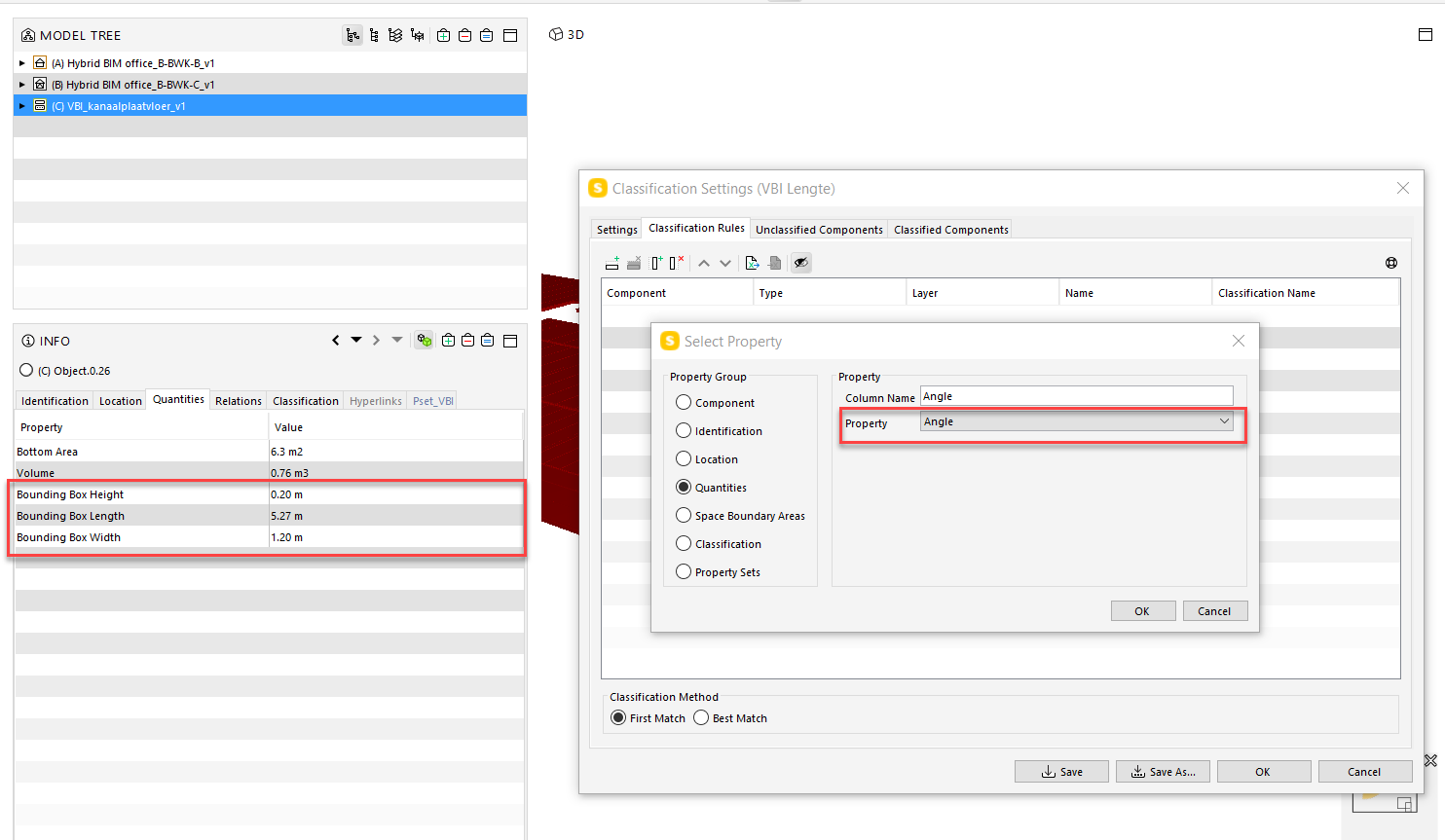
    I’m trying to make a classification based on Bounding Box Lenght parameter under property set Quantities but I’m not able to select this parameter as a column. Normally this is not a problem. In ITO and filters I’m not having this problem.
    I’ve changed settings different times but nothing…
    This has Always worked for me but now not anymore (it’s an exercise for course so a few months ago it worked).
    Anymore else with this problem?
    c61826e9-b61b-4f10-b905-f83aadd61911-image.png

    Thank you!

    1 Reply Last reply
    0
    • MattiM Offline
      MattiM Offline
      Matti Solibrians
      wrote on last edited by Matti
      #2

      @SanneVertommen said in Not able to select Bounding box measurements in classification:

      Always worked for me but now not anymo

      This is know bug in the latest release (Solibri 9.10.8). This will be fixed in the next release.

      1 Reply Last reply
      0
      • S Offline
        S Offline
        SanneVertommen
        wrote on last edited by
        #3

        ok thank you for the information!

        1 Reply Last reply
        0

        Copyright © 2025 Solibri Inc. | Powered by NodeBB

        • Login

        • Don't have an account? Register

        • Login or register to search.
        • First post
          Last post
        0
        • Categories