
Provision for Void check rule
-
I also use this rule:
- Check if a pipe is colliding with a ProvisionForVoid Proxy. All positive results should be taken to the next check
- Check if pipe is colliding with a concrete element
I devide these into Walls and Slabs, to have a better understanding.
You can achieve this only with a cascaded ruleset. One rule won’t do the job
-
Is there a possibility to turn the rule the other way and get results where the compnent is colliding with a wall and missing a Provisionforvoid object?
-
@Jim-persson that was exactly my question, anyway, I couldn’t get the solutions mentioned above to be working yet. I will post the results as soon as I get a working solution.
-
Hey Jim,
yes there is. The order of the cascaded ruleset stays the same. Just take the components, which don’t collide with a provision for void to the next check (elements which passed the first rule = no collision with a provision for void). If a collision with a wall is detected you know that there is a void missing.
Here you see the cascaded ruleset:

Here are the settings for the first step. The elements in the component 1 filter are your voids, elements in the component 2 filter your pipes, etc.:
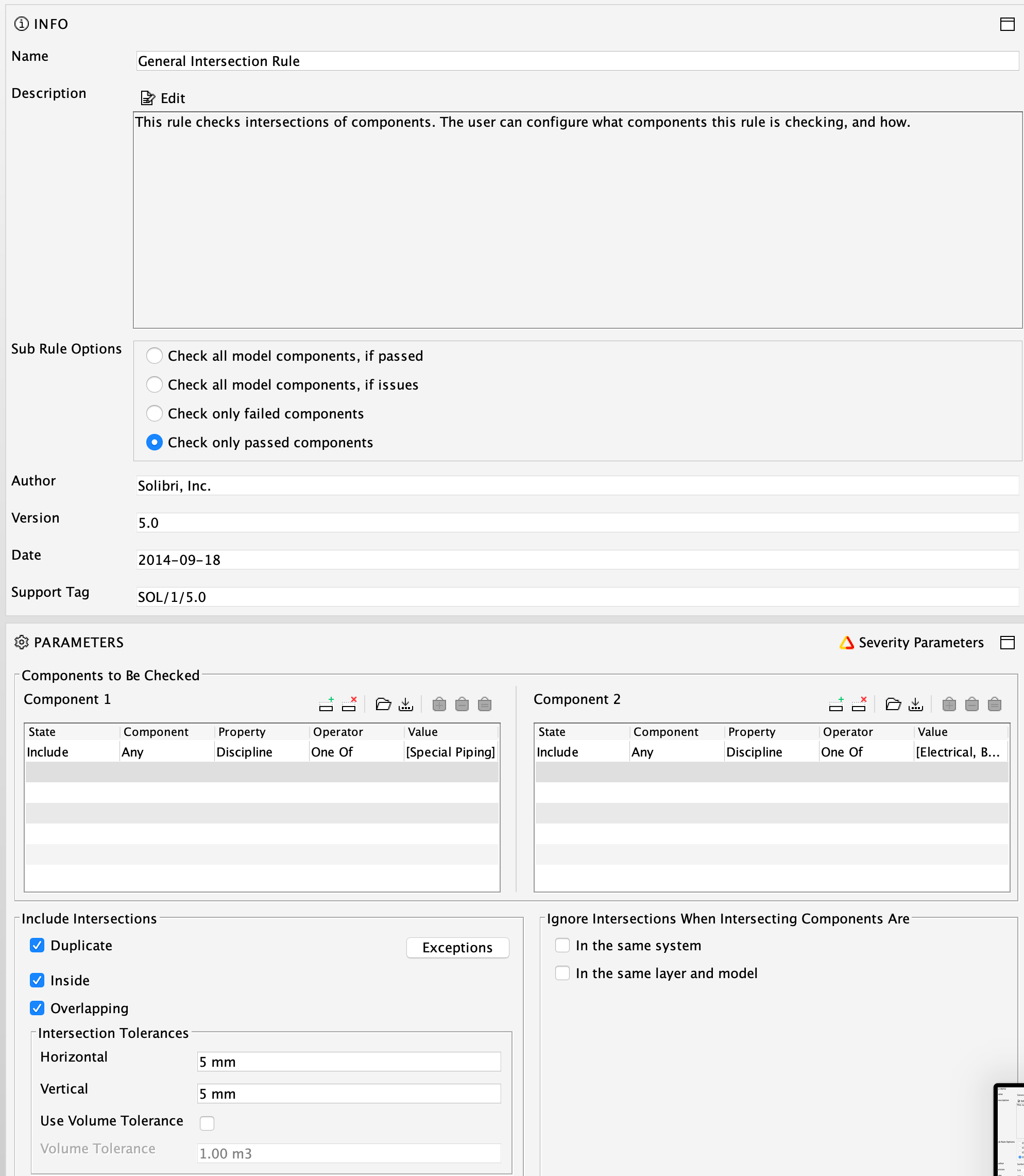
And the settings for the second step of the cascade. Elements of the component 1 filter are the pipes etc. which passed the first cascade, elements of the component 2 filter the parts of the structural or architectural model you want to check for collisions:
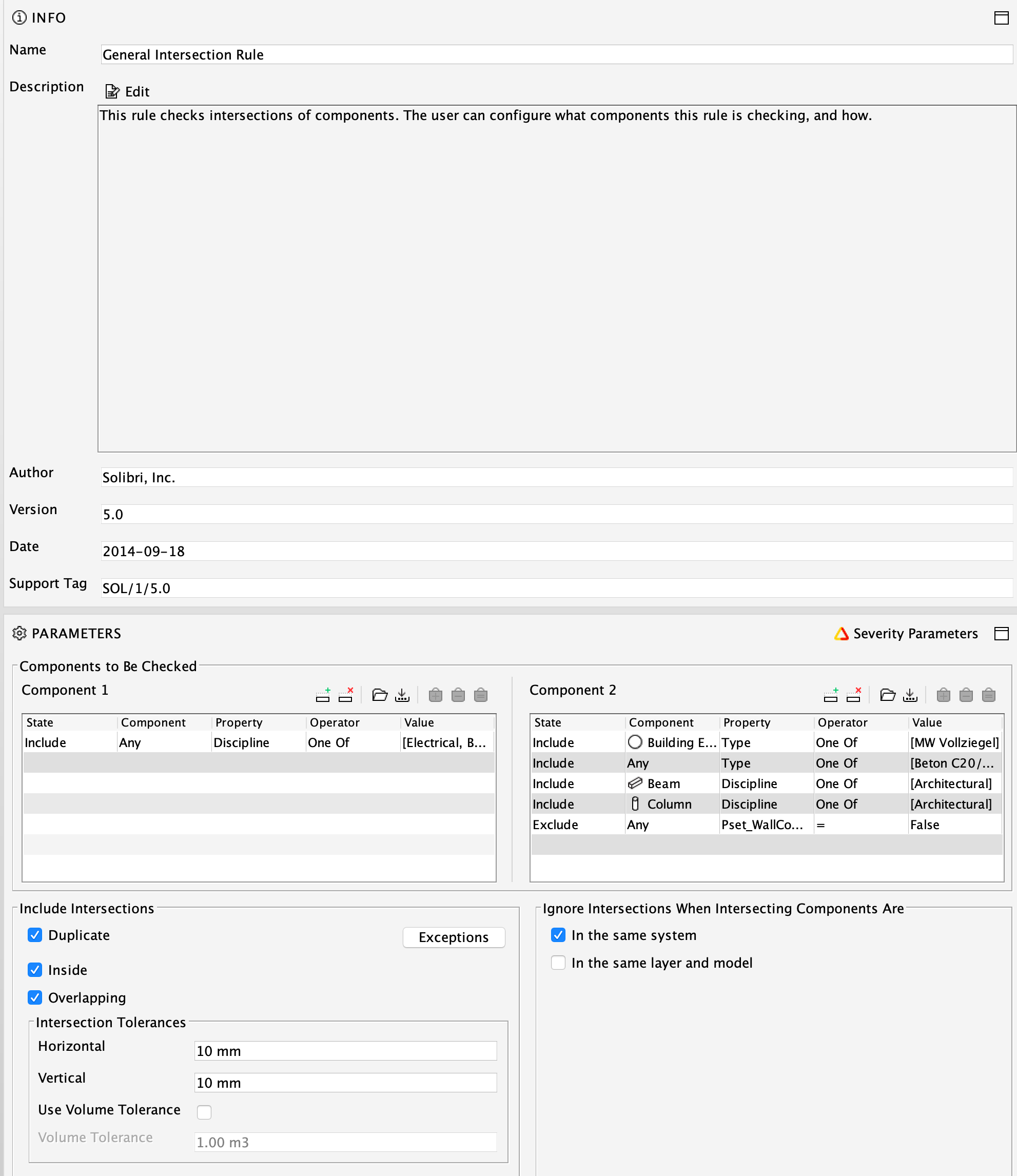
-
Perfect
 thank you for a quick reply
 -
G GuillermoC referenced this topic on



Copyright © 2025 Solibri Inc. | Powered by NodeBB