
Generate Space Groups from Revit Room Information
-
I have a Revit model with relevant Room information but the Area Plans are not categorized the way I want them to be. Is it possible to generate Space Groups from the Room information without changing the Revit Area Plans? As far as I know, the Solibri Space Groups are mapped from the Revit Area Plans.
-
Hi. I am not too familiar Revit Area Plans, but the space grouping isn’t directly related to it, but works through geometry and classifications.
In its most simple form, space grouping starts by finding spaces that are classified with a classification called “spaceGrouping”. This classification has special handling in the classification view in that it changes display name to “Space Grouping” when defined.
After the spaces to be grouped are defined by the classification, the grouping itself is done based on the geometry of the spaces. A “Groups” relation is created for the spaces:
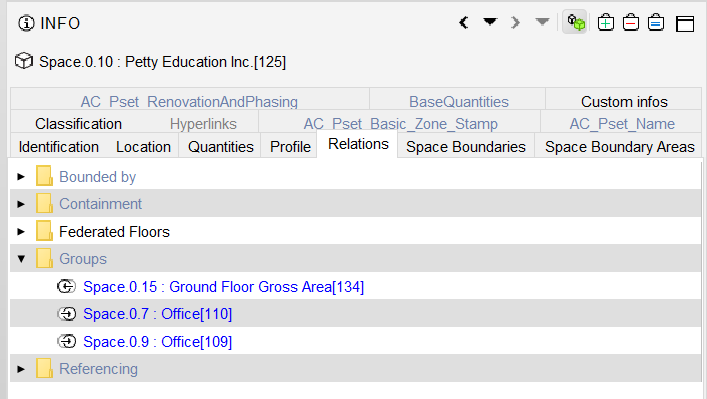
and the direction of the relation tells if the space contains or is contained by the other space.
So the short answer is: it is possible to group spaces for any model as long as spaceGrouping classification is provided.
Copyright © 2025 Solibri Inc. | Powered by NodeBB