
Rules for checking spaces of reinforcing bars
-
Does anyone know of a way to configure a rule to check the spacing of reinforcement bars?
I am struggling to see how this can be done to allow for both vertical and horizontal bar configurations with current rule sets. Is this something that could be done through the aPI?
Cheers
C -
I am not sure what exactly you want to achieve but did you have a closer look on rule #234?
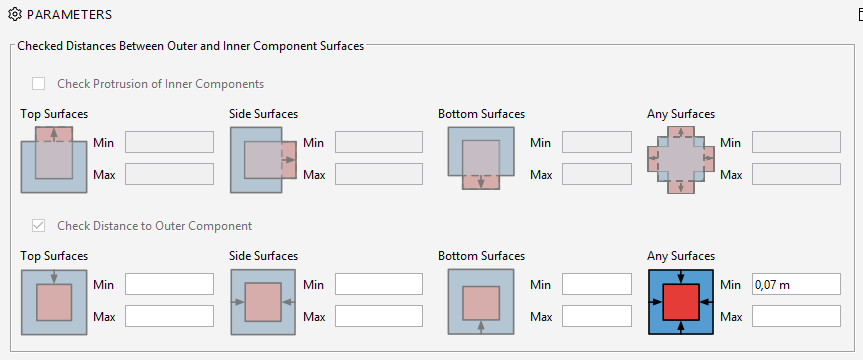
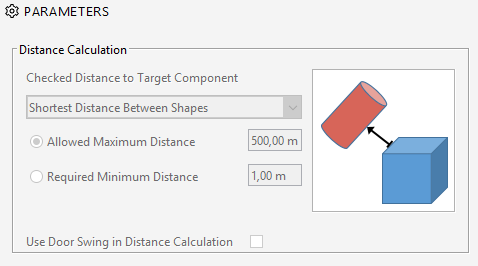
The rule can check if e.g. your reinforcement is located in a wall correctly, but you can also utilize this rule a lot for other purposes like distances between objects and I use it a lot. It might not be the perfect solution for you but you could try … or #222 for the Distance Calculation … or probably both?
-
Thanks, we were already looking at these but in order to check whether the spacing of the bars is correct say 200 or 150, we need to first know if a bar is vertical or horizontal. Which the bars don’t know instinctively. we are looking at using the bounding box to check that but the only way i have found i can add data based on the bounding box size is in an ITO.
Do you know if you can use Bounding Box in a Classification?
Also do you know how to edit multiple rows of an ITO manually?
Thanks
-
Bounding Box in Classifications might not be possible (btw, can any Solibrian tell us why?) but what about bottom area? I guess the vertical bars have just a very small one and this might help you to distinguish them via classification settings if there is no property or special naming which could help you here.
Another possibility might be to use nested rules as there is indeed the possibility to check for Bounding Box Values. So then I would suggest you to go for two hierarchies, one for the Vertical bars and another one for the Horizontal ones. Both of them would contain the same subrule which is either #222 or #234 and only checks the passed components of the main rule.

Although I do not really understand why you have to know first if it is vertical or horizontal for checking as you can also define in the rules which dimension (x/y or z) the min and max spacing should be. If it just for classification ok, but actually it should not limitate you can filter them out in ITOs as well using the same method - there you can tick the bounding box values as we know.
Also do you know how to edit multiple rows of an ITO manually? => You mean changing the classification manually there based on what you see? You could try to preserve the order and match the ITO with the classification table e.g. with the GUID. Then export both excel and fix it there with copy paste. When done, import it again. However, this might be not the smartest way, or even a bit adventurous, but should work too.

Copyright © 2025 Solibri Inc. | Powered by NodeBB