
Model Comparison - Check Geometry / Location
-
Hi all,
I want to use the Model Comparison rule to check if there is any difference between two versions of a model. Therefore I want to know if the geometry or the location has been changed.
Geometry is checked by the checkbox Geometry, location is checked by Global X, Global Y and Global Z.I am using the Model Comparison as a Gatekeeper Rule as well to filter the results for geometry on the hand and location on the other hand. If I am not using the gatekeeper rule, the results
from the location check will overlap with the geometry check.So I am able to check situation 01 and situation 02.But I am wondering how Solibri is able to check situation 03 en situation 04, because the insertion point stays at the exact same location.
So I can not use the Global X, Y and Z.So the questions are:
- Is there a possibility to check situation 03 and situation 04 as well?
- How does Solibri determine the insertion point?
Here is some explanation for the scheme:
The black cube represents a random shape in Solibri. The red cube represents the modified version of the black cube. The blue dot represents the insertion point in Solibri.

-
We demand a Coordination Marker Object in each Model which is ideally located at 0|0|0.
For checking I have basically three rules._The first one checks if this Coordiantion Marker exists in every model.
_The second checks if it is really located on the agreed position eg. 0|0|0
_The third rule is now comparing these Markers of each model and checks if they match.I am not sure if it is an answer to your question, but it is actually a pretty simple and straight forward principle which has served well so far. I know if these three preconditions are not fulfilled the model returns to the sender as there is something wrong and I just cannot take the results e.g. comparing geometries, seriously because there might be an offset or a true north rotation or whatever.
-
@JSN Do you mean an ‘insert cube’ or something like that so you can see the difference between the positions from the two different models (disciplines) in the project?
The Global X / Y / Z is already a coordination marker in my opinion, but the checking rule for model comparison doesn’t recognize any difference in rotating or mirroring an element in the IFC-file, because the insertion point of an element doesn’t change so the Global X / Y / Z doesn’t change.
-
@Ruben-Trouborst Exactly. Ideally it is not a uniform/symmetric object like a cube so that you can easily detect rotated or even mirrored models. Therefore you can really check for exact identical positions.
-
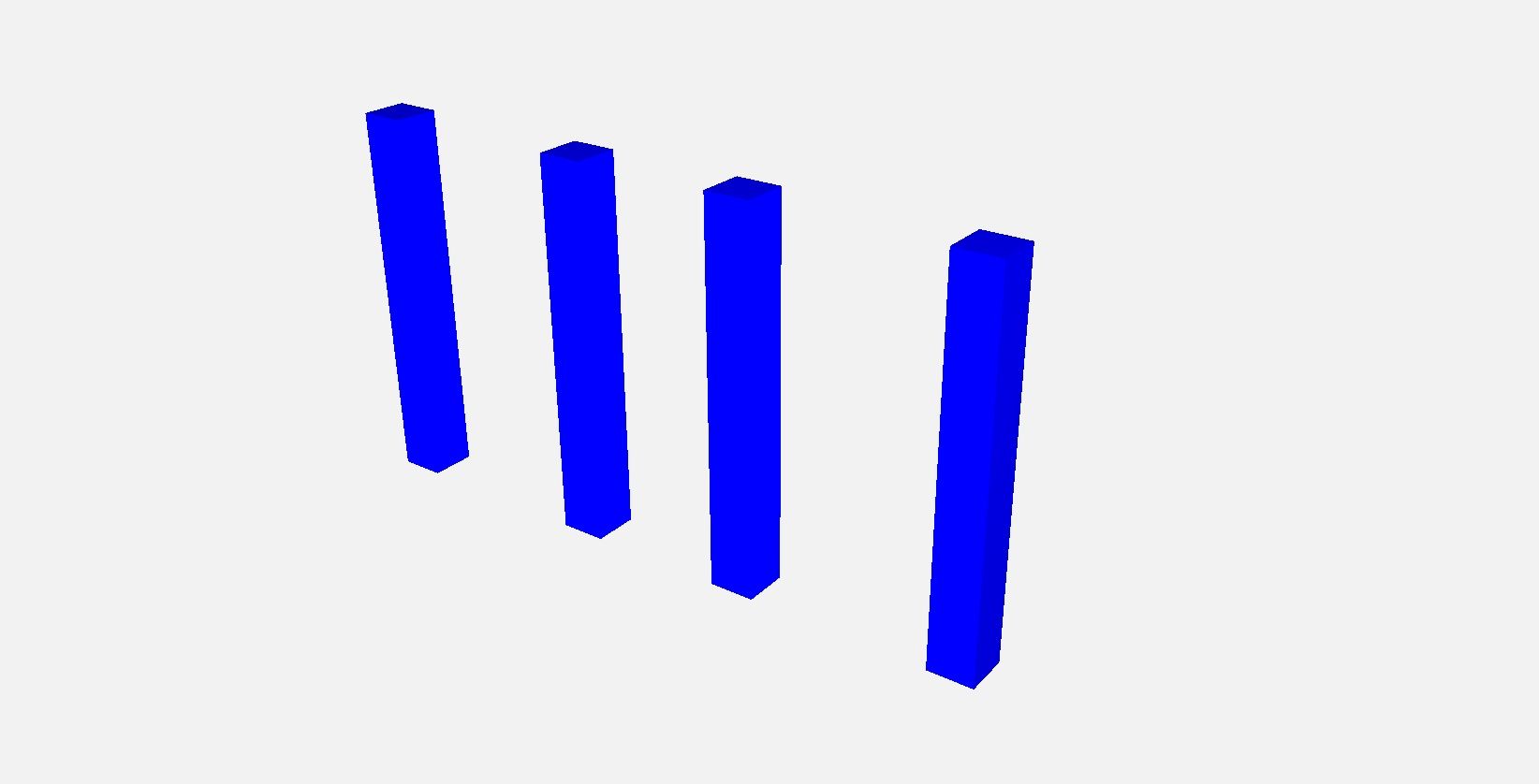
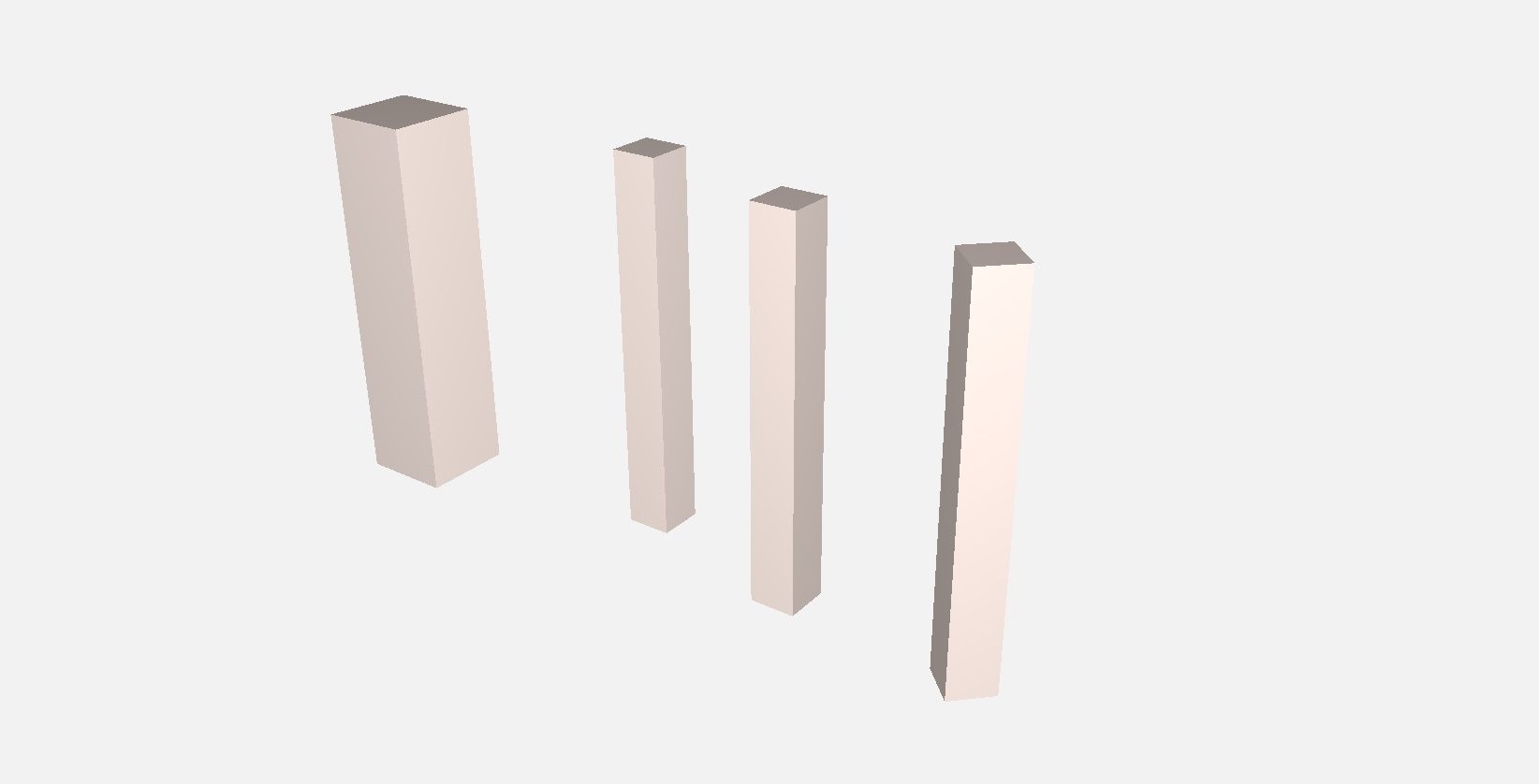
I understand, maybe I am a bit unclear, but I am looking for differences between elements inside version A of a single model and a updated model version B. Maybe I can clearify with these images:
Version A - 4 columns in the exact same position:
Version B - 4 columns have been moved / modified
Version A and B combined so you can see the differences:
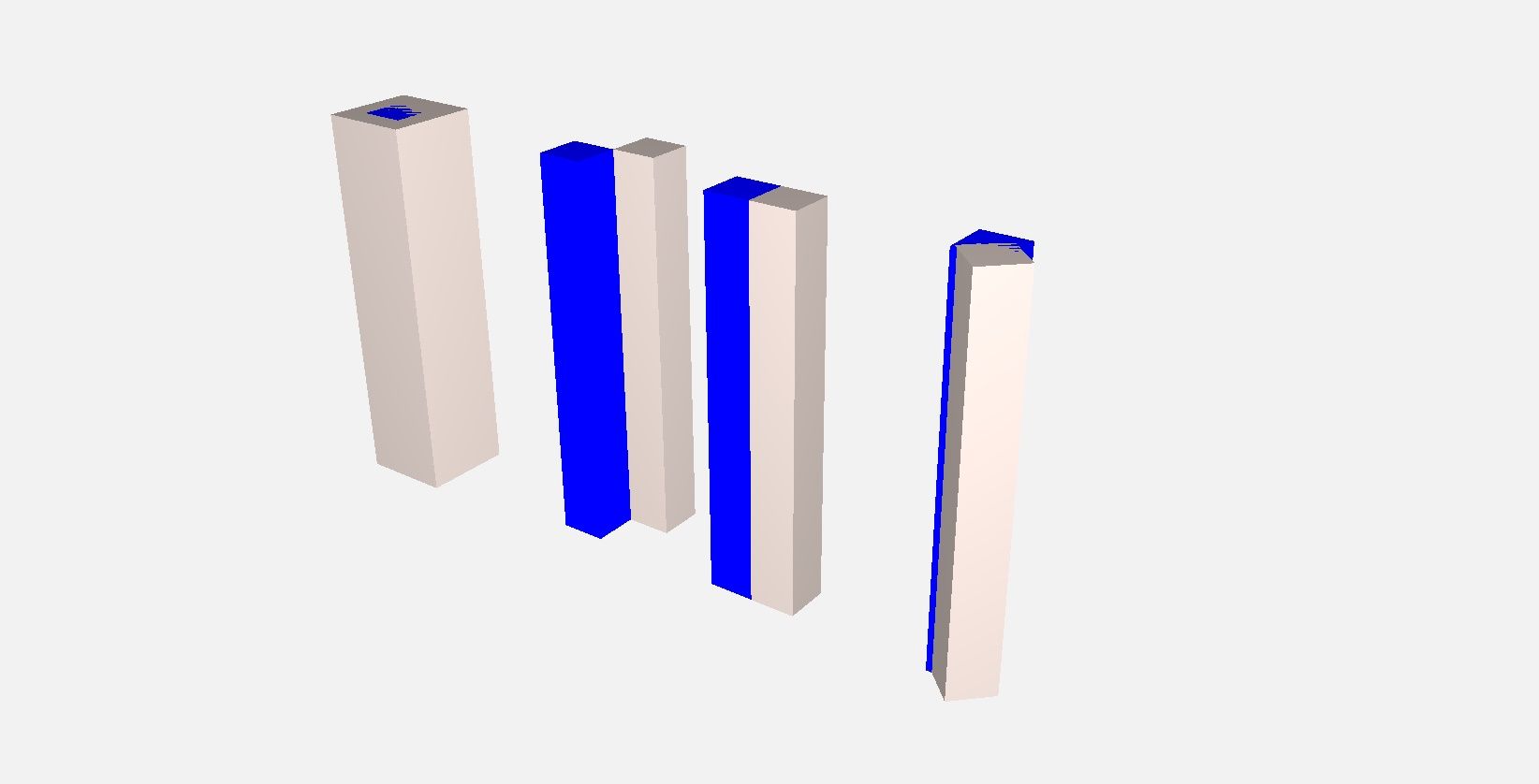
If I am using 'Modelcomparison SOL/206/2.2 Solibri doesn’t mention any change in geometry or location in situation 03 and situation 04 (check my first post) if the ‘insertion point’ is at the bottom left corner of a column.
So: how does Solibri create / extract the insertion point from IFC and is there a way to check situation 03 and 04 as well?
@Solibrians could you help me out?
-
I use SOL 223 or 234 with zero tolerances to check such intended matches and geometric fits.
-
Rule 206 should find these changes. Could you attach these sample models for testing?
-
Comparison between models EXAMPLE.smc
This one should do the trick!
I already added the rulesets. The GUID of column 03 has changed, but the ruleset should still do the work, but it doesn’t…
For me the ruleset with Model Comparison has a really nice workflow!
-
I think I see what you mean and I have a hunch what it might be.
E.g. here also the “missing” Column Nr. 3 should be detected as “Removed”, right? However it does not and therefore the result is not trustworthy.

So, I had some similiar issues in the past when I have had loaded multiple model versions of the same model which is also the case here.
Have you tried to just load two models (or remove the others which contain the missing elements of the results like the model with Column 3 here) and then perform the check?
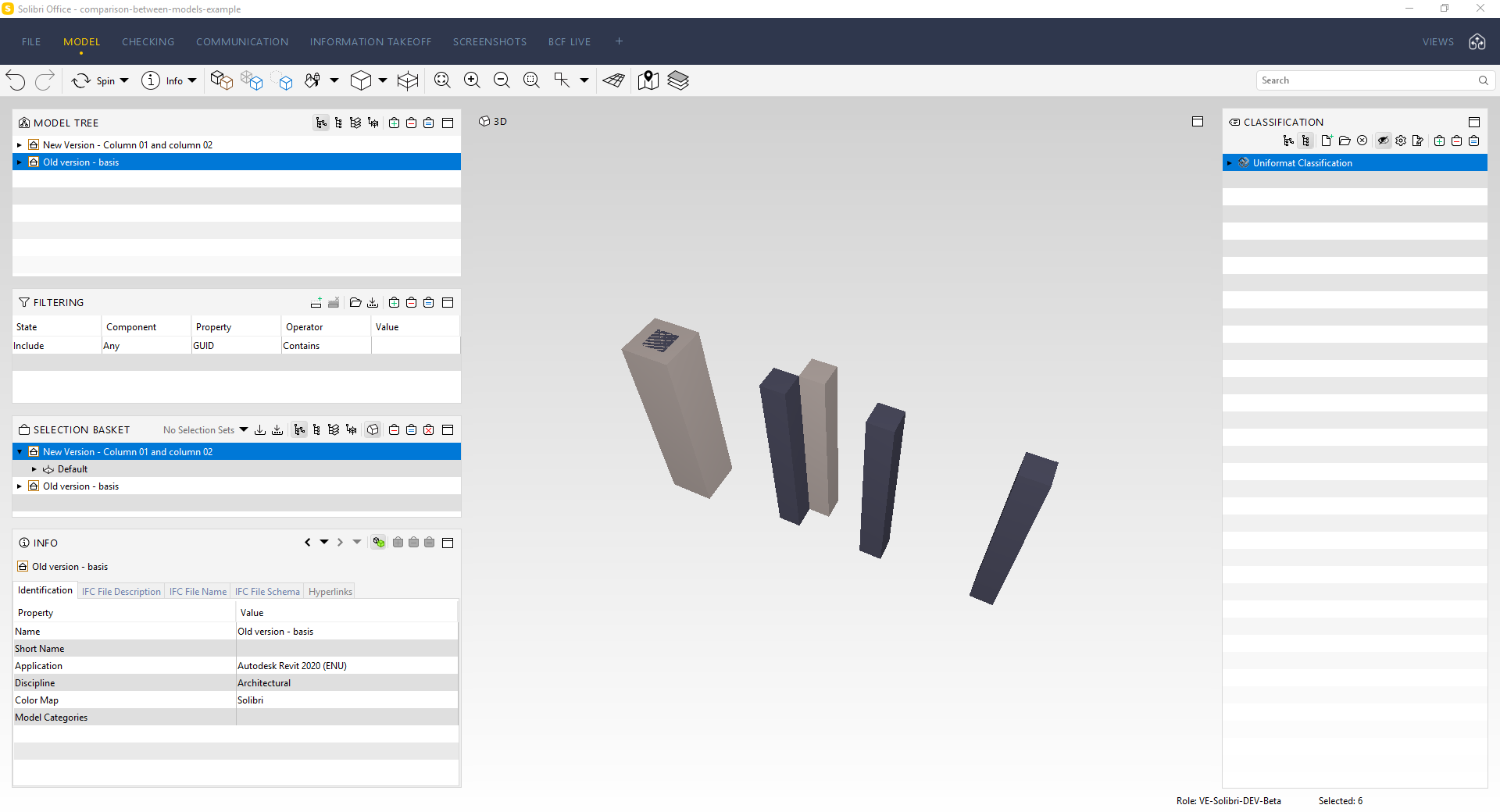
I did it on a quick shot and I think the result makes much more sense now.
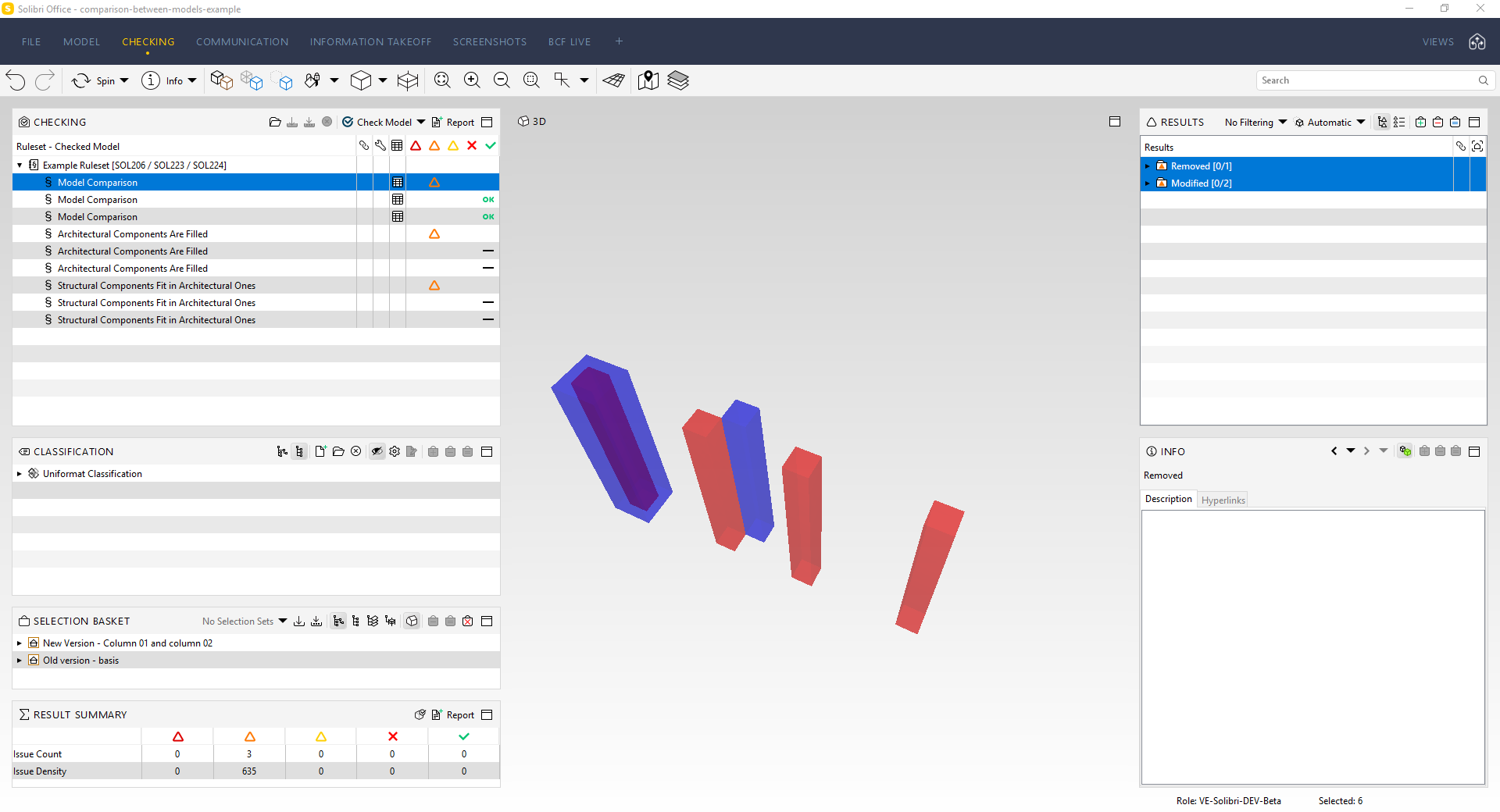
It seems like that when you have loaded other modells containing elements with the same GUID (like Column 3 here) then they still interfere with the results. This is actually a very strange behaviour. Correct me if I am wrong, but maybe @Matti-Kannala can tell us more about it?
-
@JSN said in Model Comparison - Check Geometry / Location:
It seems like that when you have loaded other modells containing elements with the same GUID (like Column 3 here) then they still interfere with the results. This is actually a very strange behaviour. Correct me if I am wrong, but maybe @Matti-Kannala can tell us more about it?
I can confirm that there is a bug in this rule when checking more than two models. I reported this to our database.
Currently the rule finds matching components by geometry and location from other models than targeted in the rule parameters “New model”.Work arounds:
- Have only two models open when checking the revisions
- If the GUIDs are kept same between the revisions I recommend to turn ON “Identify components only with GUID”. Then it is possible to have more than two models open.
-
Generally the rule uses first the component GUID to find the match from the other model.
Then other ways (geometry, location and others ) are used to find the match.If the match is not found from model 2 -> removed
If the match is not found form model 1 -> added
If the match is found but there is some change -> modified
If the match is found and there are no changes -> passed
-
 M Matti marked this topic as a question on
-
M Matti has marked this topic as solved on
-
M Matti unlocked this topic on
-
Solibri 9.13.5 has been released!
- Fixed an issue where the Model Comparison rule #206 was reporting wrong results with more than two models
- Changed Model Comparison rule #206 to detect modification of the component type: e.g. Wall to Column.
https://society.solibri.com/topic/2524/solibri-9-13-5-has-been-released
-
@rohanbailey said in Model Comparison - Check Geometry / Location:
Any chance you could share the ruleset you referred to for checking coordination cubes?
Is it a gateway ruleset?What are you refering to?
-
@JSN
See image.
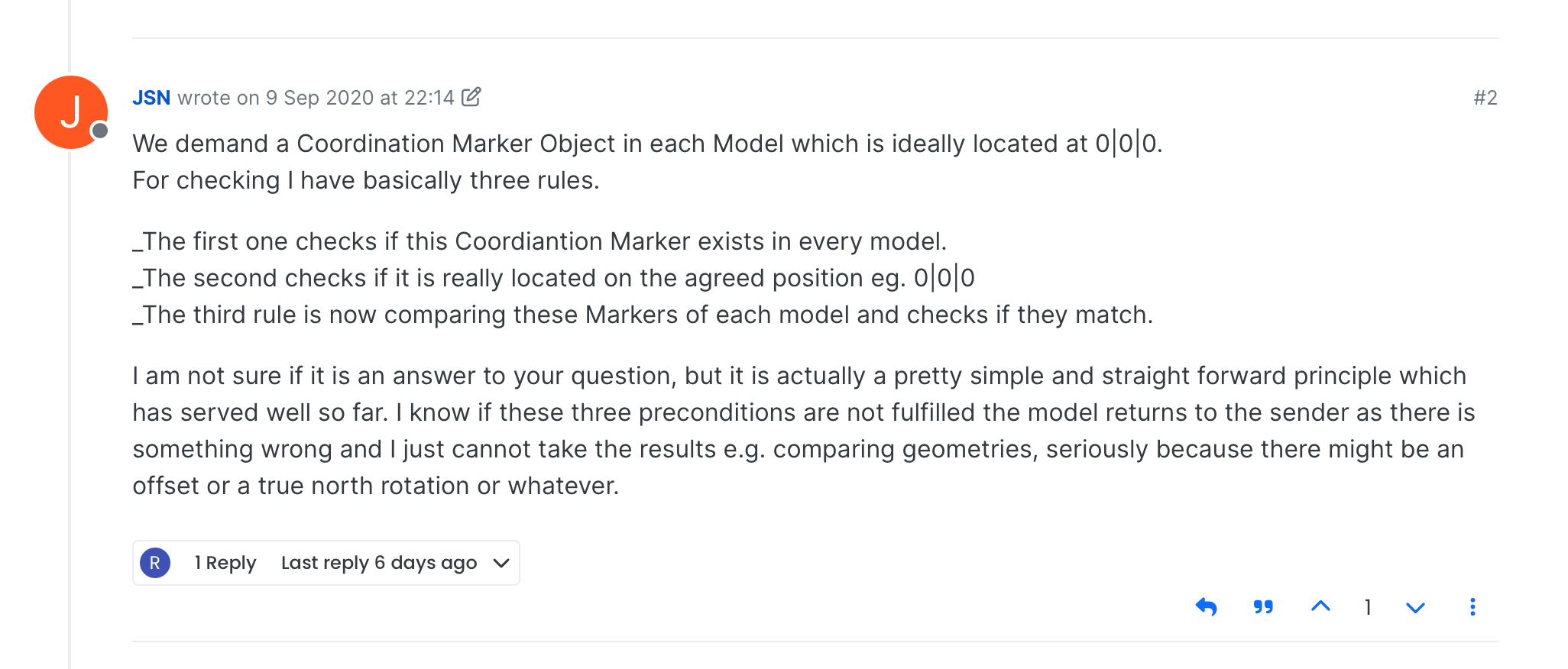
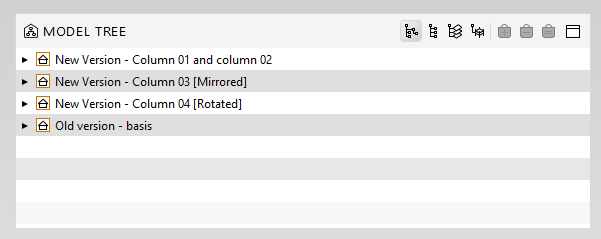
You mentioned 3 rules for checking coordination cubes. We usually have issues with consultants not complying to co-location instructions and we would like to have a preliminary check to confirm alignment before clash detection. If it is a gateway ruleset then we would be able to automatically carry on to clashes if the rules are passed. -
@rohanbailey said in Model Comparison - Check Geometry / Location:
We usually have issues with consultants not complying to co-location instructions and we would like to have a preliminary check to confirm alignment before clash detection. If it is a gateway ruleset then we would be able to automatically carry on to clashes if the rules are passed.
I don’t have those specific rules available any more. They are pretty simple to configure though. Actually solely the rules would not help you much either as they depend on the framework. Modelling specifications and information requirements have to be defined and communicated first before they can be implemented by your consultants.


Copyright © 2025 Solibri Inc. | Powered by NodeBB