
Solibri Ruleset Manager - Libraries Missing from Viewport
-
Hi All,
I’ve recently had a go at using APIs to generate custom rulesets, following this webpage (https://solibri.github.io/Developer-Platform/9.10.8/getting-started.html). However, I’ve found that all my libraries are now missing from the Libraries viewport in the Ruleset Manager. I’m not sure if it’s related to running the API, however I was wondering if anyone knew how to reload the libraries.
Many thanks,
hpan
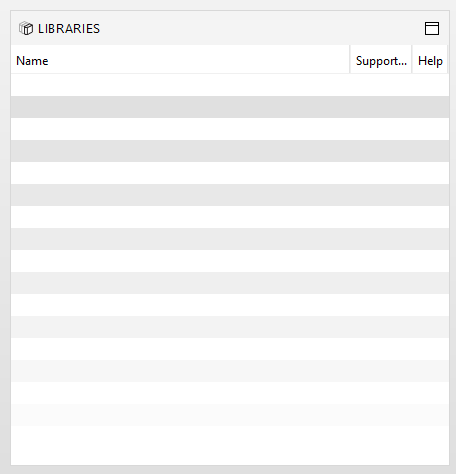
-
It is likely that one of your rules crashes when loading and the rule library loading process fails as a whole because of this. Check your log files from C:\Program Files\Solibri\SOLIBRI\log
-
Thank you for that tip - I took a look at the logs, and found the error that could be leading to the libraries not loading (please see below).
I took a look through the forums to see if anyone else has previously talked about how to resolve an issue where Solibri can’t find a resource string, but haven’t been able to find anything on this topic. Would anyone be aware of how to solve this by any chance?
Many thanks,
hpan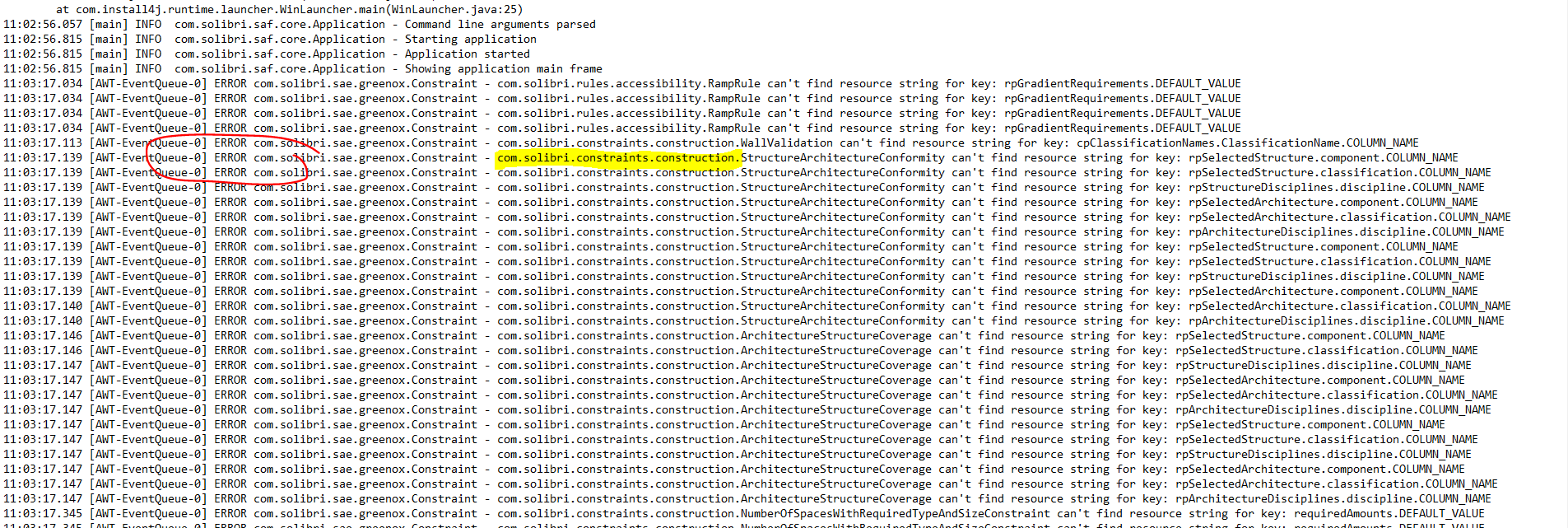
-
Hi. Those “errors” will not crash it. They are really warnings about Solibri not finding translations for some texts. So it is likely something else.
-
Would you by any chance know what to look for on the C drive?
One of my colleagues recently uninstalled and then re-installed their Solibri. Previously, they had the same error as I did, but after re-installing, their libraries came back. I was wondering if you also knew where these libraries (.jar files) are stored on our C drives?
Many thanks,
hpan -
The Solibri-provided libraries are inside C:\Program Files\Solibri\SOLIBRI\lib
Reinstalling could have removed some extra JAR from the installation and fixed the issue. The extra JAR was most likely the custom rule package JAR that had been copied there for use.
Copyright © 2025 Solibri Inc. | Powered by NodeBB