
Autorun autocomment accepted results
-
Hi, I was testing if it is possible to manually go through checking results, accept what needs to be accepted, save the file and after that run autorun to make slides.
In documentation I read that issues are created only for these results: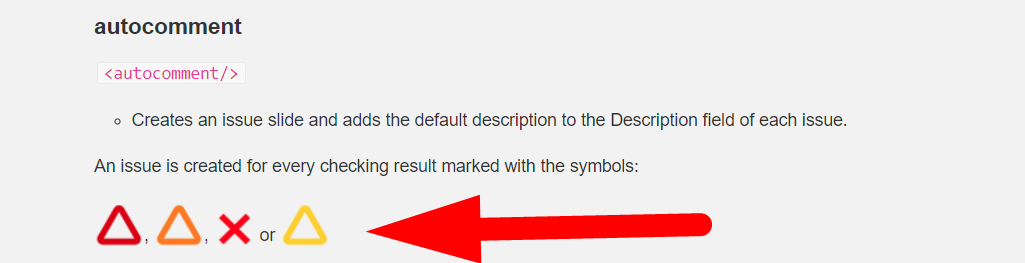
I problem I have is that autorun still creates slides for manually accepted results.
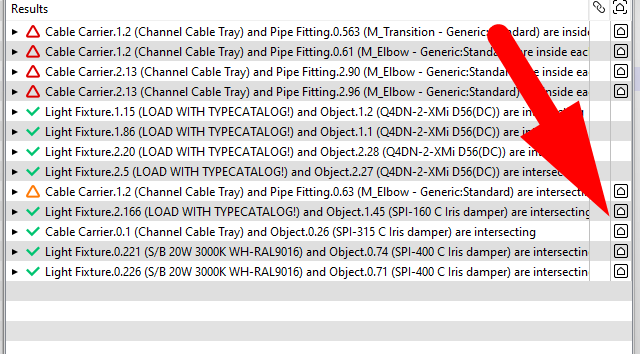
However I can filter those slides by checking decisions and delete the slides.Does it suppose to work like this?
-
The <autocomment/> is not filtering manually accepted or rejected issues. It could skip the accepted ones and then it would work in your process. I wll add a ticket for this.
-
@Matti-Kannala great, it would help in cases where one would manually go through results and decide in each case if the results are acceptable or not and after that autorun would make slides.
Is it possible to assign a slide to a specific person or add a due date with autorun? -
@Solibrians
Any updates? Would like to use autorun to add slides but only for rejected results -
Unfortunalely not yet in the next release v. 9.13.8. Thanks for reminding.
-
This is issue is solved in Solibri 26.6.0 https://society.solibri.com/topic/3591/solibri-26-6-0-is-available-for-beta-testing
autocomment
<autocomment/>- Creates an issue slide and adds the default description to the Description field of each issue.
The issue status is automatically marked as ‘Undefined’.
-
Optional parameters:
-
zoom: The snapshots are zoomed in towards the components, when you insert the value TRUE.
Example:
<autocomment zoom="TRUE"/> -
maxsnapshotsincategory: Adds snapshots to the category level if the category has more issues than the limit specified in the value. Insert a numerical value. Default: 3.
Example:
<autocomment zoom="TRUE" maxsnapshotsincategory="5"/>
-
-
Optional sub-element (Since: 26.6.0):
-
filter: Filters which issues are included when creating slides. If no filter element is specified, all issues are included. When the filter element is present, only issues matching the specified attributes are processed.
The filter element supports the following boolean attributes (set to “true” to include):
-
Severity attributes:
- critical: Include issues with critical severity.
- moderate: Include issues with moderate severity.
- low: Include issues with low severity.
-
Decision state attributes:
- accepted: Include accepted issues.
- rejected: Include rejected issues.
- undefined: Include issues with undefined decision state.
If only severity attributes are specified, issues are filtered by severity only (all decision states are included). If only decision state attributes are specified, issues are filtered by decision state only (all severities are included). When both severity and decision state attributes are specified, an issue must match both a specified severity and a specified decision state to be included.
Example: Exclude accepted issues:
<autocomment zoom="TRUE">
    <filter rejected="true" undefined="true" critical="true" moderate="true" low="true"/>
</autocomment>
Example: Only include critical issues that are not accepted:
<autocomment> <filter critical="true" rejected="true" undefined="true"/> </autocomment> -
-
-
 M Matti marked this topic as a question on
-
M Matti has marked this topic as solved on
-
M Matti unlocked this topic on
-
@twosk said in Autorun autocomment accepted results:
@Matti do i need advance license or is it available in solibri office? is it out the beta?
This is available in Office as well, and has been released publicly in 26.6.0.

Copyright © 2025 Solibri Inc. | Powered by NodeBB