Skip to content
  • Categories
Collapse
Solibri Society Forum
  1. Home
  2. Comments & Feedback
  3. Tech Talks
  4. Blurry interface on 4k resolution

Blurry interface on 4k resolution

Scheduled Pinned Locked Moved Tech Talks
9 Posts 6 Posters 2.2k Views
  • Oldest to Newest
  • Newest to Oldest
  • Most Votes
Log in to reply
This topic has been deleted. Only users with topic management privileges can see it.
  • Z Offline
    Z Offline
    Zeraxel
    wrote on last edited by
    #1

    Hi all.
    Guys, please tell me, are there any plans to adapt Solibri interface for monitors with high 4k resolution? The thing is that even when optimizing the scale through the properties of the executable file, the interface is very blurry, which does not add usability.

    1 Reply Last reply
    0
    • MattiM Offline
      MattiM Offline
      Matti Solibrians
      wrote on last edited by
      #2

      We don’t have yet 100% solution ready. The next version is soon to in beta. That has improvements that you can try. More info when the beta is out.

      1 Reply Last reply
      0
      • jakub.rusinJ Online
        jakub.rusinJ Online
        jakub.rusin Solibrians
        wrote on last edited by
        #3

        Hey, @Zeraxel

        https://society.solibri.com/topic/3046/solibri-24-9-0-beta-round-open

        You are welcomed to test the beta of next Solibri version, which contains some support for scaling. Please refer to: Dark theme and UI improvements

        Regards, Jakub

        Z P 2 Replies Last reply
        1
        • Z Offline
          Z Offline
          Zeraxel
          replied to jakub.rusin on last edited by Zeraxel
          #4

          @jakub-rusin Thank you, Jakub! But i have access denied error on this link 😔

          1 Reply Last reply
          0
          • jakub.rusinJ Online
            jakub.rusinJ Online
            jakub.rusin Solibrians
            wrote on last edited by
            #5

            Well, it’s time to join beta 🙂

            https://society.solibri.com/topic/2907/we-are-moving-join-our-new-solibri-beta-group

            1 Reply Last reply
            0
            • P Offline
              P Offline
              Pegah
              replied to jakub.rusin on last edited by
              #6

              Hi @jakub-rusin , I already sent an email and got the installment instructions, but I can’t open this link and I get access denied error.

              1 Reply Last reply
              0
              • Z Offline
                Z Offline
                Zeraxel
                wrote on last edited by
                #7

                Hi! I tried the latest version of solibri and unfortunately the problem was not solved.
                The 4k resolution with a screen scale of 200% is not applied to the app interface, which makes it very small. When you use the function to change the high DPI settings, the zoom changes, but the blurriness remains.

                1 Reply Last reply
                0
                • S Offline
                  S Offline
                  solmac
                  wrote on last edited by
                  #8

                  Hi! macOS version of Solibri is working fine with 4k displays.

                  1 Reply Last reply
                  0
                  • P Offline
                    P Offline
                    Pasi Paasiala Solibrians
                    wrote on last edited by
                    #9

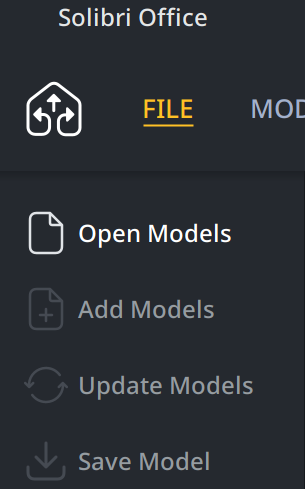
                    @Zeraxel Can you share a screenshot about the blurrines?
                    I tested with
                    -Dsun.java2d.uiScale=2.0

                    and this is what I see:

                    041c614c-5839-497f-98c8-9481f7bb5e29-image.png

                    1 Reply Last reply
                    0

                    Copyright © 2025 Solibri Inc. | Powered by NodeBB

                    • Login

                    • Don't have an account? Register

                    • Login or register to search.
                    • First post
                      Last post
                    0
                    • Categories