
Inconsistencies cleared
-
@Solibrians
Since the Solibri 24 version I regularly receive a message that there are inconsistencies in the model. Normally this is just for 1 model. I thought this was because only this one model is in IFC 4.But now I get the message again, but only for all 205 loaded models. Reloading the model sometimes helps, but in general the messages remains.
What is this message and how can i prevent it? I am using the Autodesk BIM360 integration.

-
I am also getting this a lot now, in 24 version. It’s usually always the same model, and it happens AFTER using “Update model”, and then saving and re-opening the model (the message pops up upon opening the .smc). If I remove it (the .ifc), and the re-add it, the message doesn’t pop up, but I have to do that every time the relevant model needs an update.
-
Are you using the Autodesk Bim360 integration?
-
@Ronald-van-Emst
No.I have tested it, once (in this .smc), but none of the models are from ACC.
-
@Solibrians I have this as well…
Any ideas why this happens?
Like said above… happens after model is updated and saved… and then when you reopen the smc.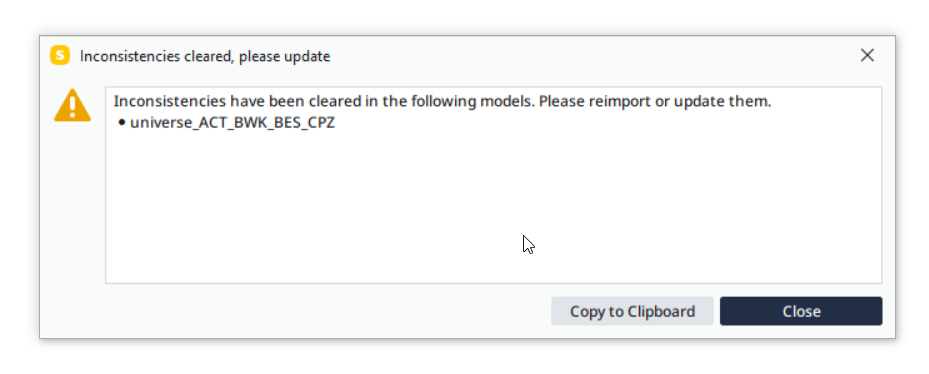
-
I emailed support a few weeks ago about this issue. There seems to be something wrong with the ‘update model’ feature in the latest release where random geometry of components is changed to basically zero. I am guessing this message could be when this happens.
In the beta is stated that they have a fix for this, so fingers crossed.
-
Yes. Please test the beta, if you can.
-
@Pasi-Paasiala This issue still occurs in Solibri 24.9. Not as frequent as before but it still occurs, in our case when using Microsoft Sharepoint integration.
-
Basically this is a feature to help you to get rid of inconsistencies in the model. Updating the models as is prompted should fix them. If the dialog comes with certain models frequently, we’d need to get our hands to those, so we can study what causes those inconsistencies.


Copyright © 2025 Solibri Inc. | Powered by NodeBB