
Solibri unsynchronizes ITO once we synchronize with Bimcollab
-
We have a license of Solibri Office here in our office. In our workflow we intend to coordinate the projets and take off the information of the models here in the projects department. After that, we are going to send this SMC file to other departments and to the site.
We have made this proccess last week and a coworker opened the SMC file in Solibri Anywhere to take a look at the quantities.
She had access to the list of quantities, but once she synchronized the SMC file to the bim server in our case BIMCollab (to take a look at the issues and to synchronize them), she lost the abilility to see the quantities properly (it was unsynchronized).
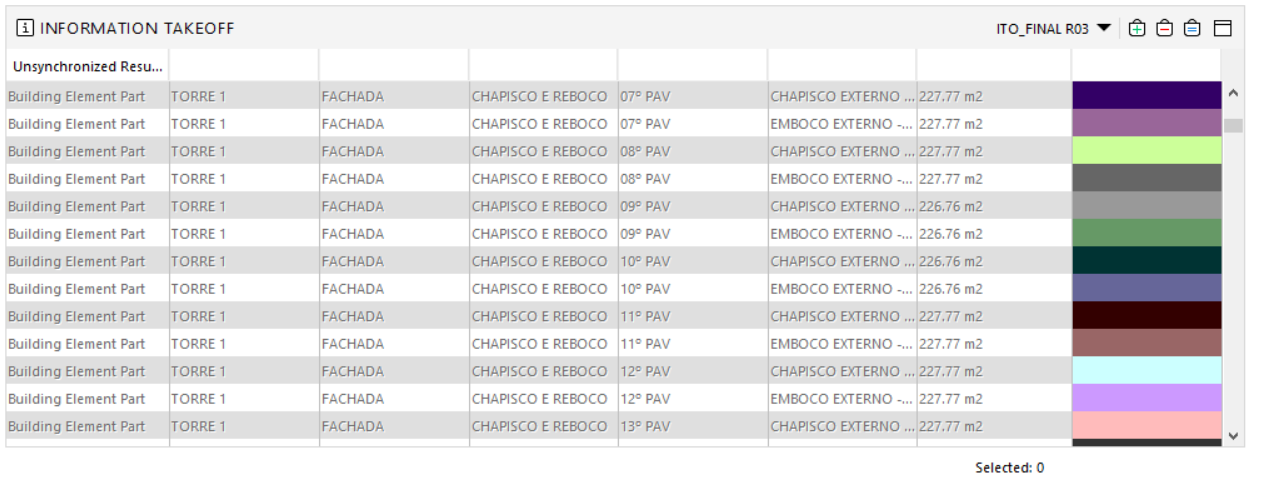
Have you ever seen this problem? Is it a bug? For us it would be better to keep the quantities synchronized. This way it is possible to have a visual feedback of what was considered in the take off definition.
-
I need more information about this.
Which Solibri version you are using? and Steps to replicate.
This looks like a bug but I want to be sure. -
We are using Solibri Build Number 9.10.2.162.
First, create a simple ITO and keep it updated. Save the SMC file. Open the SMC file in Solibri Anywhere. You are going to see that your ITO is synchronized.
Create a new Presentation from BCF server. Connect your project with one of your BIM Collab projects. I believe that it happens if you just update/refresh the Presentation too. Once syncrhonized the issues, take a look at the ITO. You will see that it is unsynchronized.
-
Thanks for reporting this.
The issue now fixed in the latest release Solibri 9.10.3.5.
See release notes: https://www.solibri.com/news/solibri-9-10-3-release-notes -
Hi @Matti-Kannala! Thanks for your answer and quick feedback!
I have tested it today and now it is working.


Copyright © 2025 Solibri Inc. | Powered by NodeBB