
SOL Issue Workflow/Management
-
Hi, I have a question regarding workflow and Issue management, illustrated in this simple example: Clash detection Wall - Space with SOL #1.
-
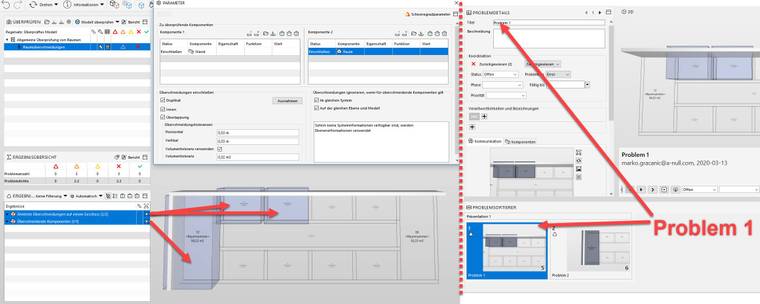
I generated a Simple Model where I check for clashes between Walls and Spaces - Solibri Groups 2 clashes together because they are in the same Element. (image 01)
-
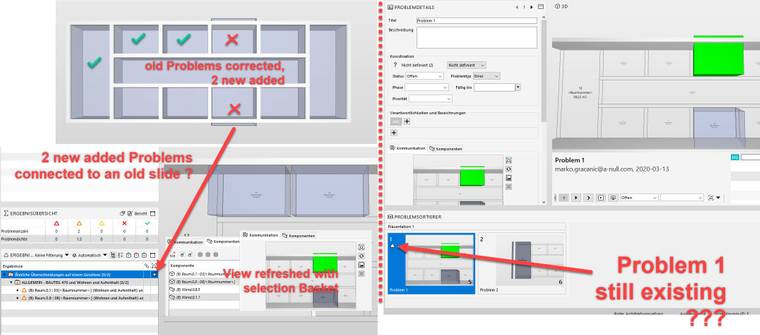
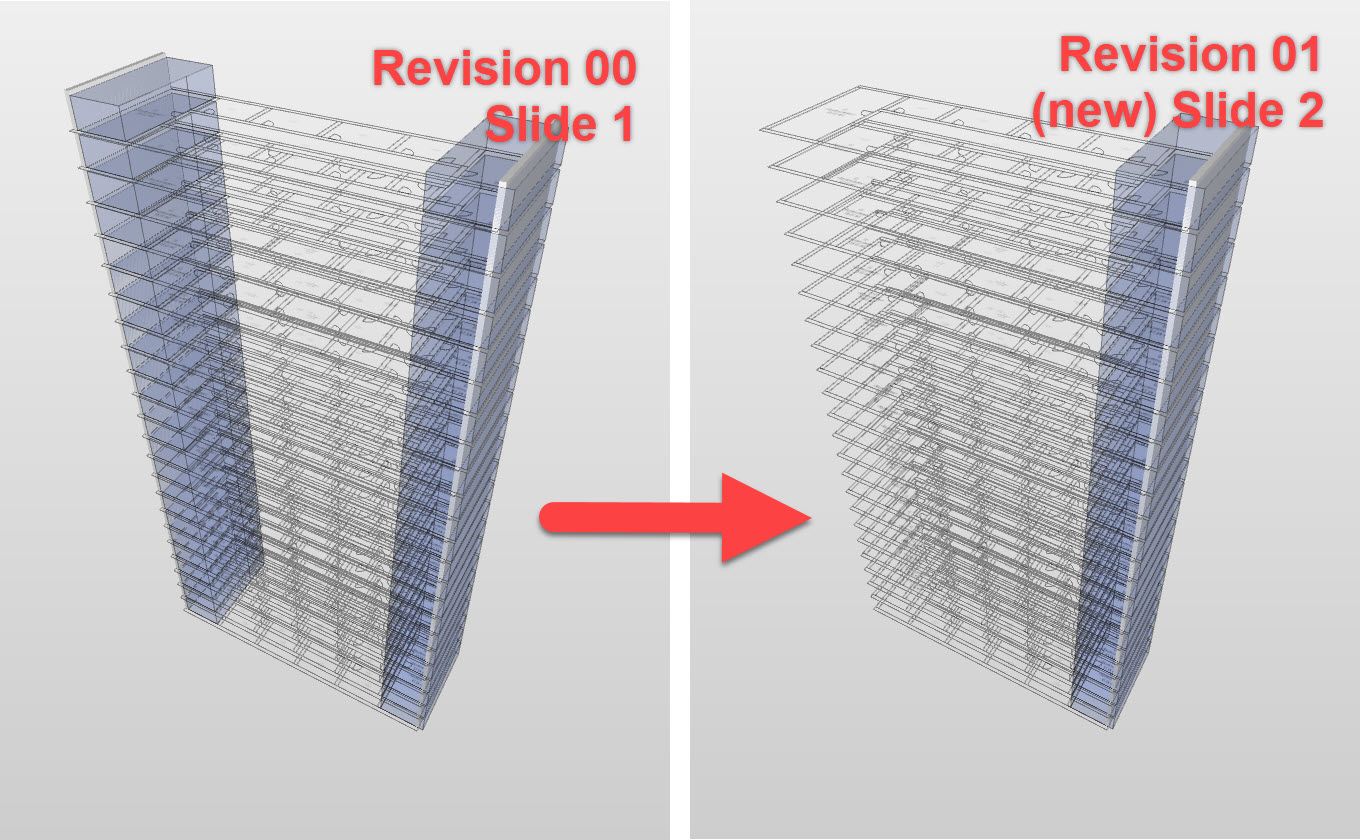
Then I update the model, where all old clashes are gone, but new had been added. Somehow the new clashes are connected to the old Slide - I thought that 1 clash would be there because it is in the same Element, but even the clash on the other side is now connected ?!?!. (image 02)
PROBLEM: new clashes are connected to the old slides, which by now should have been gone - now it seems as if the old Problem 1 has not been addressed.
This problem seems to exist even when I would change the direction of the check because I would get the same results when elements address more clashes - and obviously I am not creating slides for every Issue.
Does anybody experience the same Problems and what is your solution?
(image 01)
(image 02)
-
-
This is something that we have been experiencing for the past months and it is annoying.
Here is the same problem with the slide, but appearing immediately after the issue has been created.
I have selected certain components in the 3D, listed them with filtering in reults and in the end created an issue.
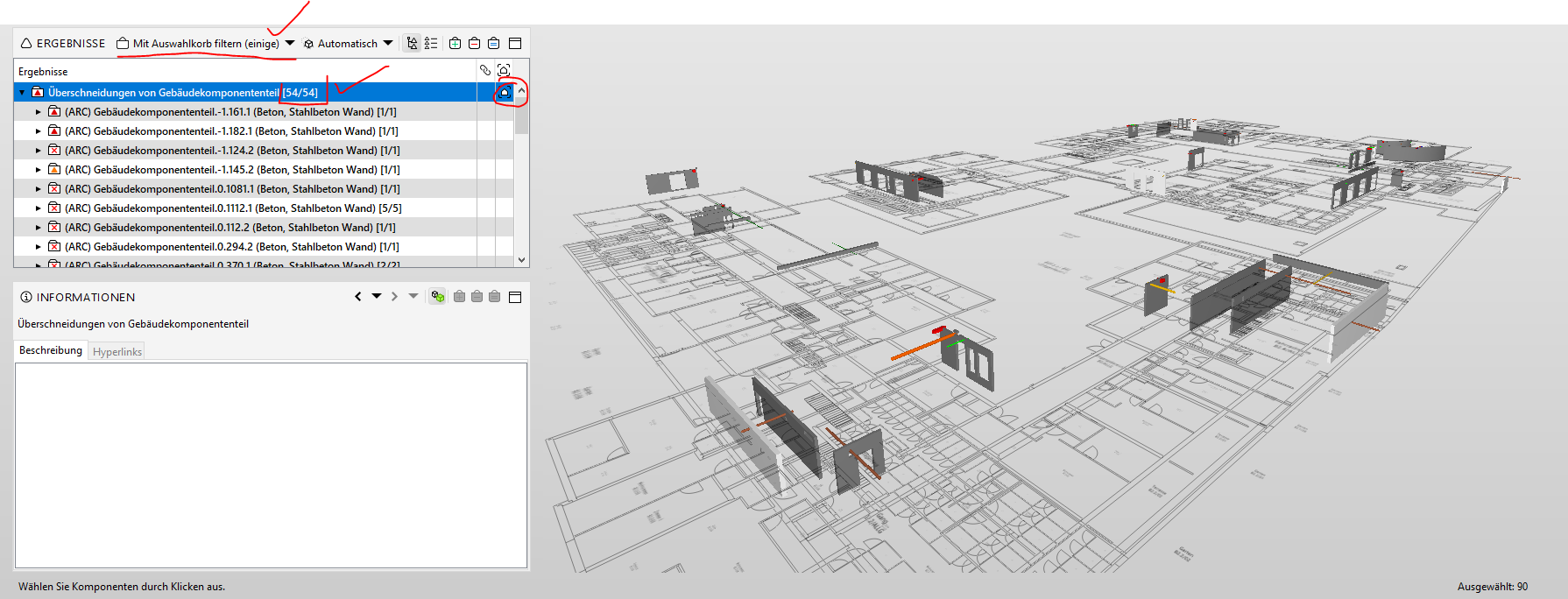
But when I set back the filter to “No filter” in the results, the selection in the 3D is stuck to the slide with the previous 54 components. In total there are 223 problems in this category. You have see in the following screenshot that the number of problems shows only 54 even though there are 223.
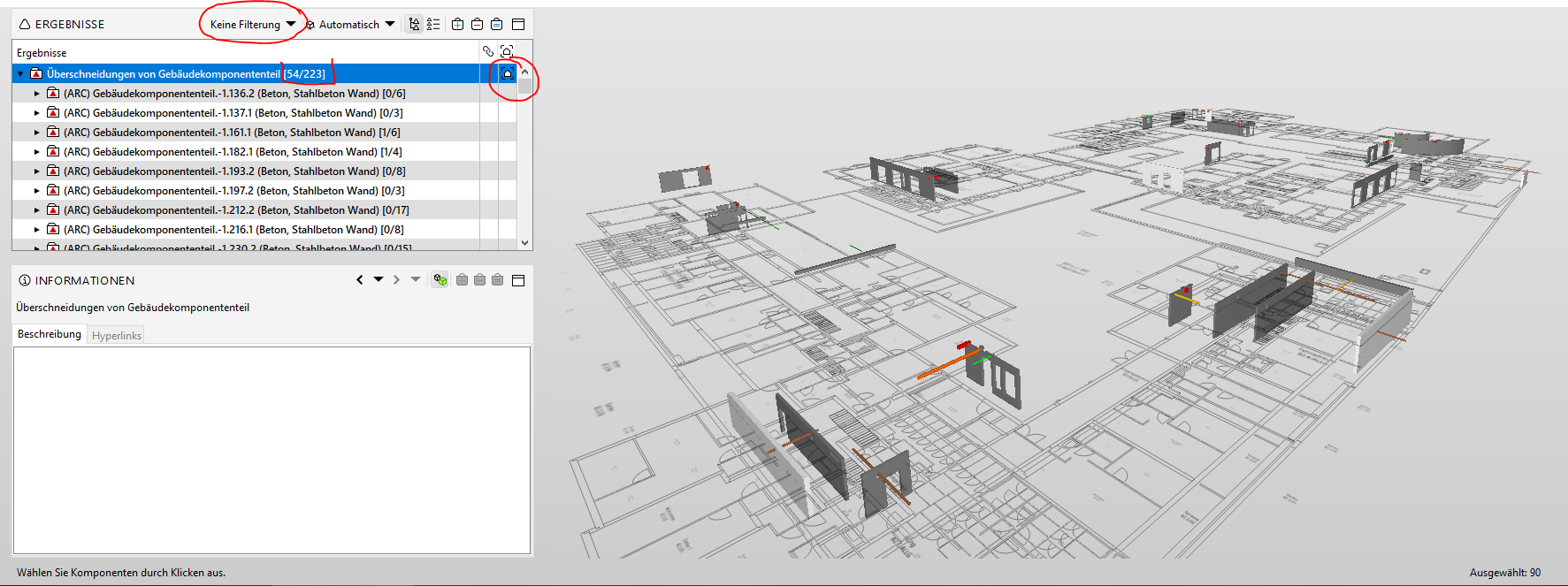
In my experience these slides are doing quite a lot of trouble when they are stuck into one problem category.
Anybody has a clue what is going on here?
Just for info: I have installed the newest solibri!!! -
@agroni
The slide/issue is created from the selection (image one)
This slide won’t be update automatic when you show all the issues, what seems ok for me, because in this way you can use filters.The message 54/223: just means 54 issues of the 223 are processed. It is visible below which issues aren’t processed yet from the numbers (0/6, 0/3,…) and the grey color when all processed.
When show all problems in the 3D is not working directly, maybe first a show all will be a solution for it.
General tips:
Create issues at a lower level, for more clear issue management
Use, if possible for that rule, the organisation options of that rule. -
@Anne
I don’t quite agree with the attachment of Slides to problems.
I believe that, no matter which issues you filter and create a slide, that view should not dominate that problem category. Filtering should have the possibility to overrule the slide and the number of shown elements, meaning: when filtering is OFF, I will be able to see ALL issues in that category. In addition all previously documentet issues will be grayed out. This way one could perform selections from the 3D Window and do additional issues.But as also @marchi noted, this slide will remain in future checkings which is the topic of this post. If in the future one of my marked “Gebäudekomponententeil” collides with another wall, this first slide will still be visible and the worst thing is that the triangle error is still going to be attached to this slide, even though the “Gebäudekomponententeil” collides with totally different components.
In a workflow I find this not appropriate because you cannot update slides to show different collisions! A slide has a unique GUID, meaning a very specific topic. Updating the message behind this GUID will just create chaos. First you talk about a collision with Wall A and then switch to Wall B! -
@marchi said in SOL Issue Workflow/Management:
I thought that 1 clash would be there because it is in the same Element, but even the clash with the element on the other side is now connected ?!?!.
That is my primary problem, as I don´t understand how SOL groups and connect the clashes.
-
@agroni
as it seems i have probably found a solution to our problem:Your current workflow in option 01 creates slides in issue Folders; all future issues land in same slide.
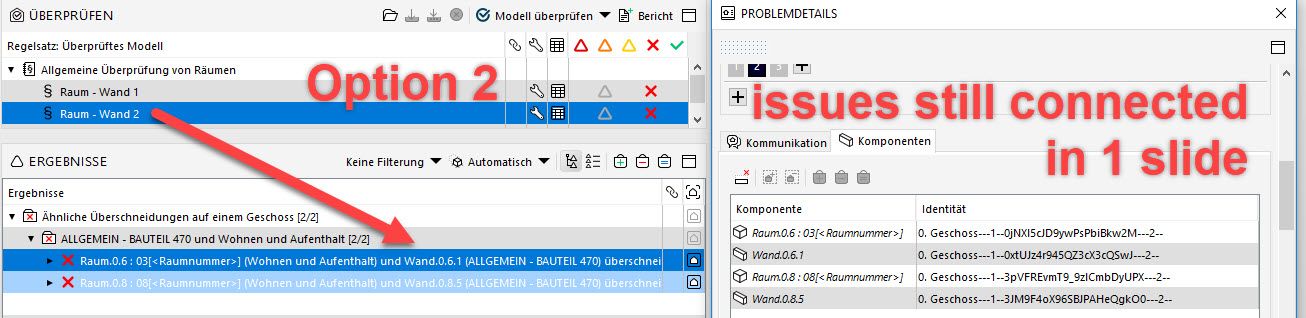
Try creating a 1 slide with combined issues; you select the issues and then create slide - or you can add issues to the slide afterward. it looks as if there are multiple slides - but there are all connected.
please give it a go, I am looking forward to the experience you will get with this option@Solibrians ´…maybe it would be useful to implement some option, where it shows wich which slides are connected, or which slides contain multiple issues.
Image 01 - Your current workflow
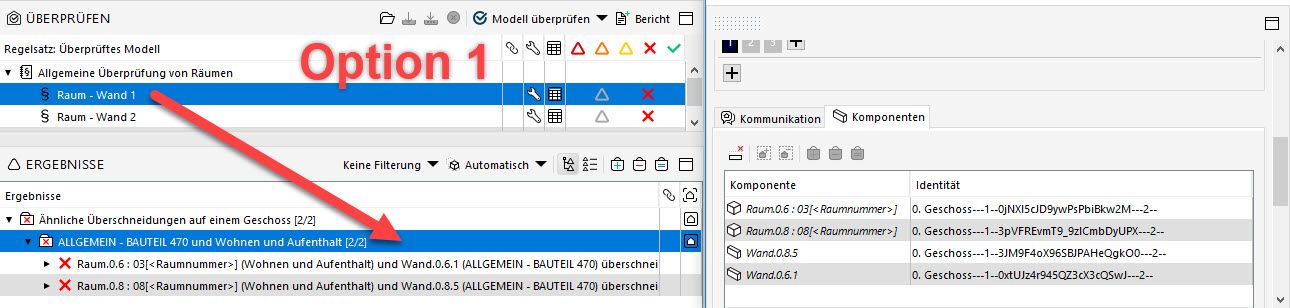
Image 02 - Optional workflow
-
Hi @marchi
I will give it a try and create slides not on the folder but directly in the issue itself (inside the folder).
Concerning your second post, I think that is the correct way of a workflow. If just a certain amount of issues has been solved in a problem, then you can still update the slide and document the remaning. This is in my opinion not wrong, since we are still talking about the same issues that were in slide 1. -
@marchi
Feedback:
the system is working so far good. This week I will do the next check after docoumenting the issues as you suggested.One thing to note about this workflow is the selection of errors from the list. If there are 50 errors in one category, you need to select each one of them to create one issue for all 50 errors. It is rather not a very efficient workflow and can be prone to mistakes. That is maybe why I was selecting previously the category instead of each single error.
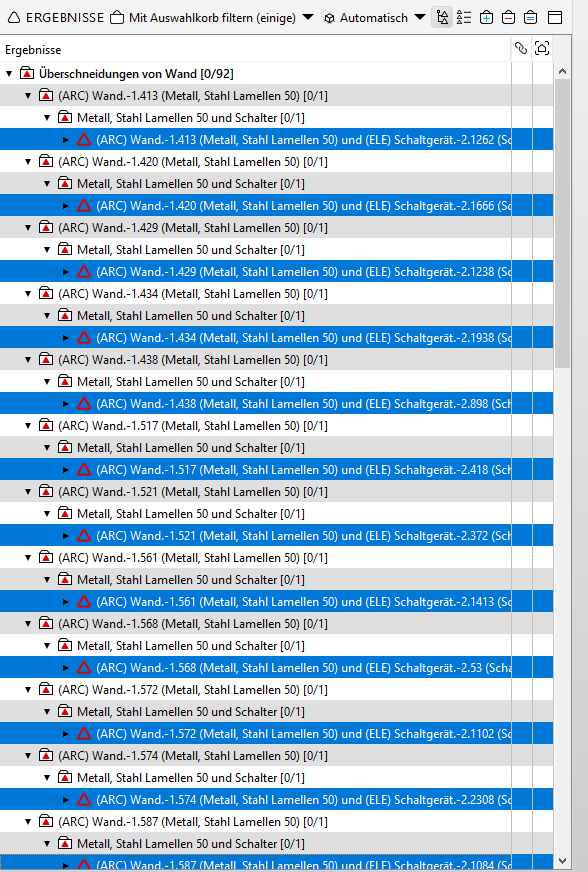
And this leads to my other request for improvement of the software:
Finding more easily components / from Results
It would be helpful if such a possibility existed, to automaticaly select errors from a category.


Copyright © 2025 Solibri Inc. | Powered by NodeBB