
Search Parameter
-
Hello Solibri user and Developers,
I am trying to find a way to search a Parameter name in the model. Is there a way to use the search tool and look for a parameter name?
I have a model with a lot of Parameters and for some reason they exported the model with the wrong mapping/set. I would like to get the location (Property Set Name) of same parameters name.
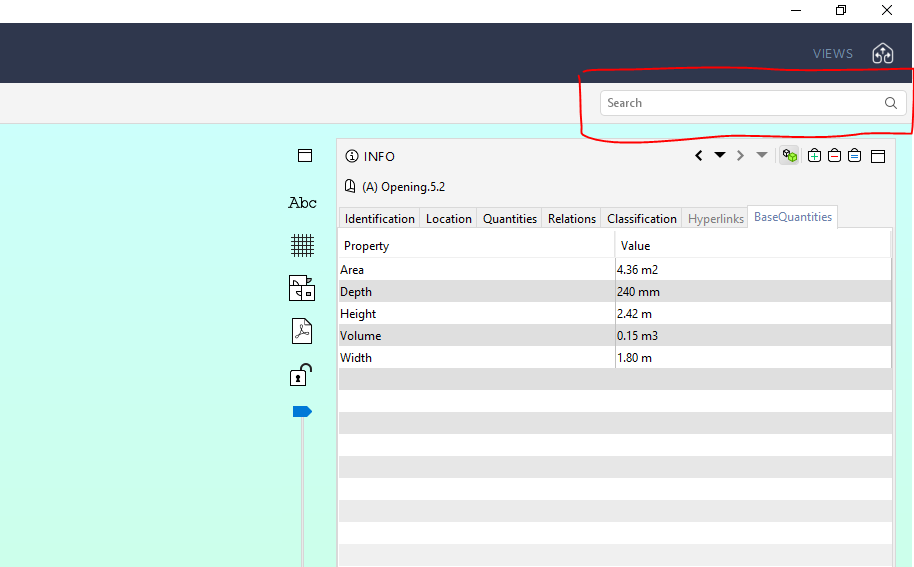
I tried to use the Filtering tool but, in this case I got the elements that contain or have that parameter name but not the Property Set Name that contain that parameter.
Thanks
Best Regards
Simo -
I do not understand the question.
You have propertysets. A propertyset consist of several properties… each property has a value.
What do you want to search?
-
@Simo_Z said in Search Parameter:
I tried to use the Filtering tool but, in this case I got the elements that contain or have that parameter name but not the Property Set Name that contain that parameter.
What do you mean by filtering tool? The one you higlighted is the searchbar.
Using the filtering tool you should indeed be able to find what you are looking for: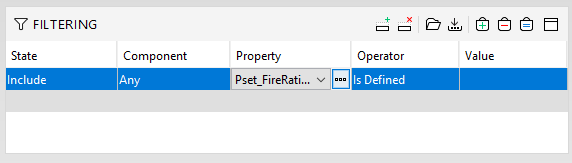
-
Hey @Simo_Z,
I guess @JSN already gave good advice with using the Filtering Tool for your use case. Just a small additional tip: You can also use wildcards in the Filtering (same with the classifications) to search through all the PsetNames the components might have. Here a quick video:
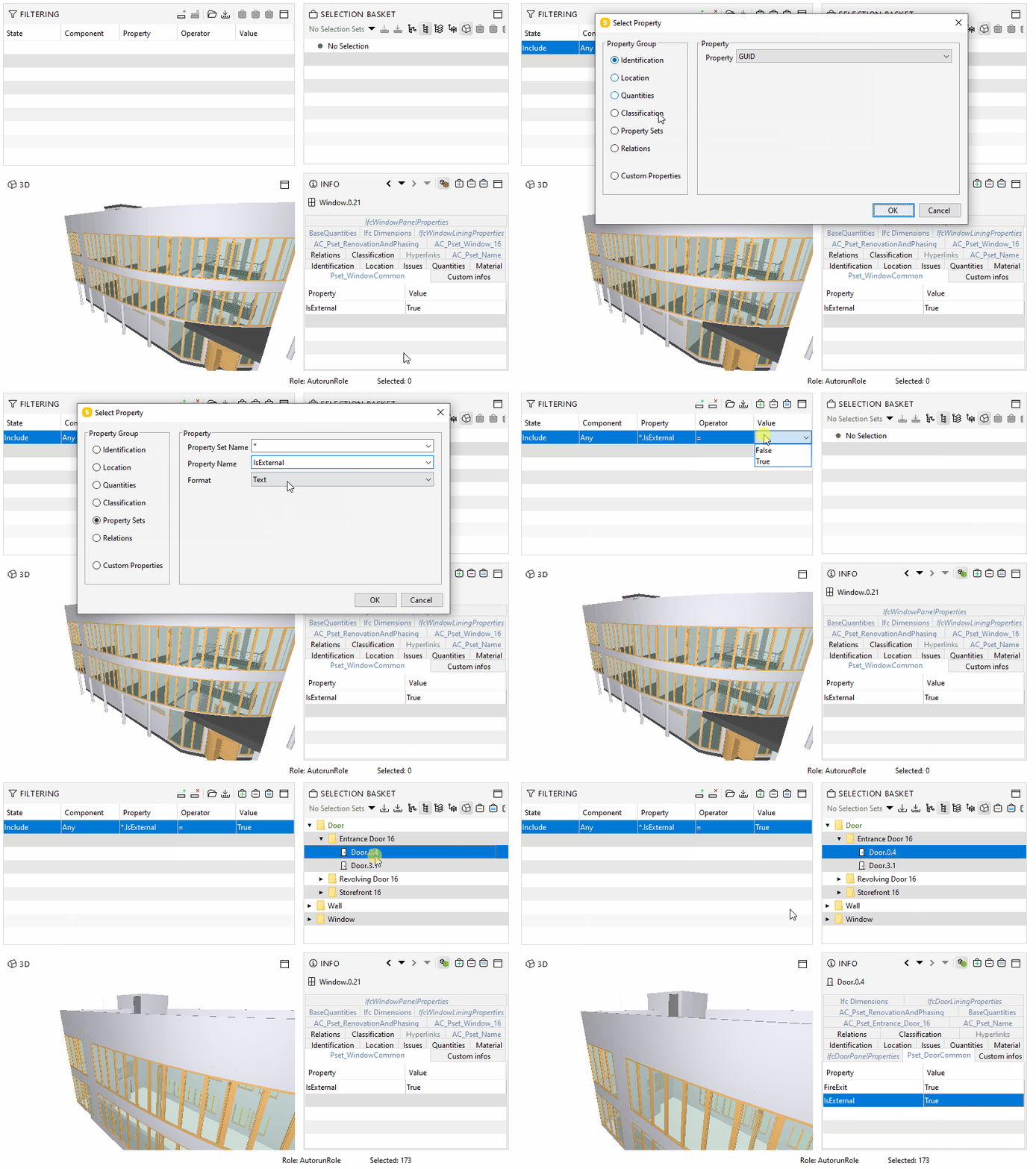
Just for the sake of completeness, here is a link with a new page in our online help, which explains the search bar a bit better as there have been some questions related to that in the last time. To put it in a nutshell, the search bar only refers to the Attributes in the “Identification” Tab, but not to the Psets.
Cheers
Cornelius -
Good morning all,
thanks for the answers, what I am looking for is the way to search a parameter name instead of the value of one specific parameter.
For example the Parameter “GrossArea” and to get the location “Propriety Set Name” in this case BaseQuantities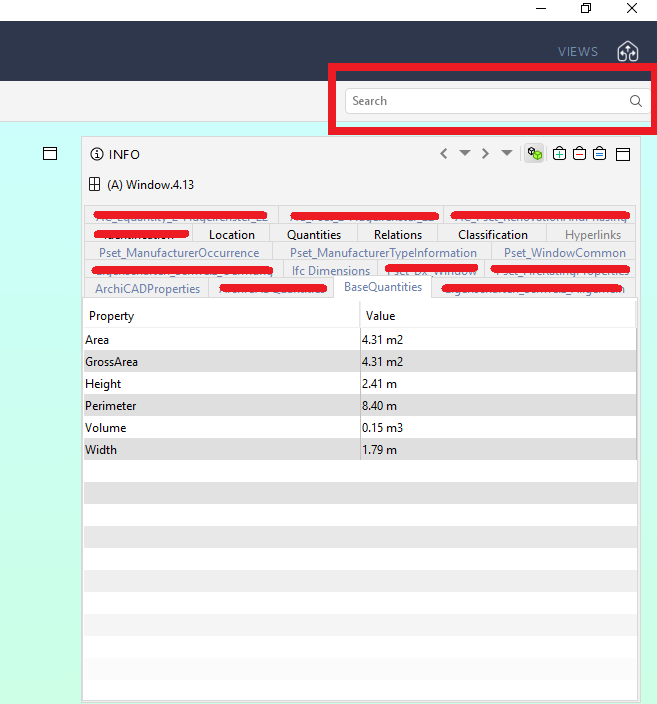
I have a project with a lot of parameter and I was thinking that could be nice to search the Parameter Name in stead of going label by label and scroll the full list of parameter.
Thanks in advance.
Simo -
It’s a bit hard for me to understand how this should work …
You want to search and filter all elements and check if they have e.g. the property “GrossArea”
Ok, that’s one thing and this can be achieved by filtering either in the model tab or via ITO.But then you want to have a list which tells not the value of this property, but to which PropertySet it belongs?
Well, normally you have a clear logic and it should always be the same property set, however if you were not writing in your previous statement that something got mixed up, I would suggest you to rethink your workflow.So, if I understood you correctly, what you basically want is an ITO table with :
Column 1: Component Name | C2: Property e.g. “GrossArea” | C3: PropertySetName which helds Property of C2
Afaik you can only search with filters for components and there is no such function in Solibri where you can make such queries, but maybe there is a way when you spin your head around a bit … so now either it’s possible for you to go a step back and get your desired information directly from the mapping tables where you have exported the ifc or you do some research which tools are providing what you want to do.




Copyright © 2025 Solibri Inc. | Powered by NodeBB