Skip to content
  • Categories
Collapse
Solibri Society Forum
  1. Home
  2. Comments & Feedback
  3. Tech Talks
  4. Visualization opening

Visualization opening

Scheduled Pinned Locked Moved Solved Tech Talks
5 Posts 2 Posters 864 Views
  • Oldest to Newest
  • Newest to Oldest
  • Most Votes
Log in to reply
This topic has been deleted. Only users with topic management privileges can see it.
  • Simo_ZS Offline
    Simo_ZS Offline
    Simo_Z
    wrote on last edited by
    #1

    Hello Solibri user and Developers,

    I was asking my self if it’s possible to make visible the openings as default or in same how if it’s possible to edit the visualization setting.
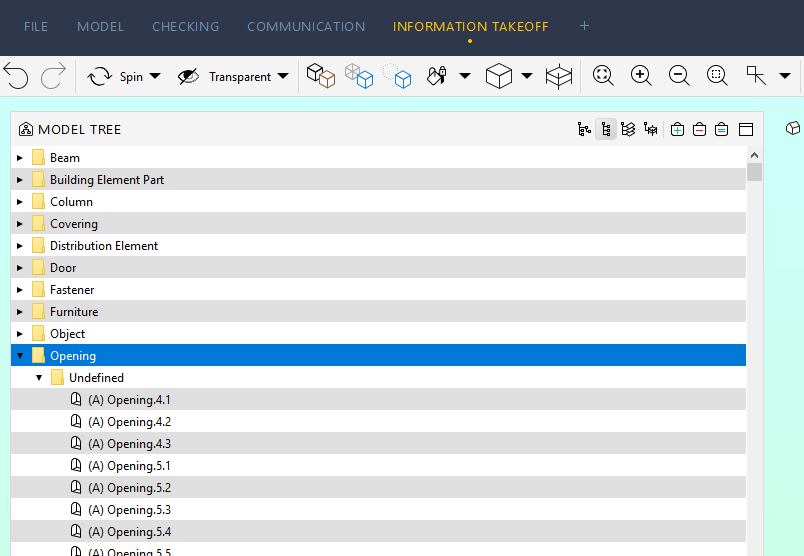
    0d2dd395-580c-4246-bd4f-84de555ffc00-image.png

    I known that is possible to make a classification or to use information take off tool, but we would like to visualize with out any classification or Information take off.

    Thanks
    Best Regards
    Simo

    1 Reply Last reply
    0
    • JeroenKoomenJ Offline
      JeroenKoomenJ Offline
      JeroenKoomen
      wrote on last edited by
      #2

      Hi Simo,

      You can visualize openings by adding a colortable to the model and overwrite the color of all openings to a desired color.
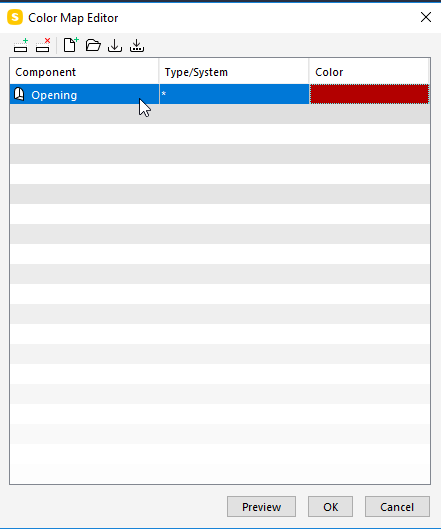
      e3b351ab-b55f-4904-9328-e06efd393f05-image.png

      http://www.linkedin.com/in/koomenjeroen
      https://www.bimloket.nl/BIMbasisILS

      1 Reply Last reply
      0
      • Simo_ZS Offline
        Simo_ZS Offline
        Simo_Z
        wrote on last edited by
        #3

        @JeroenKoomen thank you for the message. I tried what you suggested but I still have the same problem: the openings still not visible.
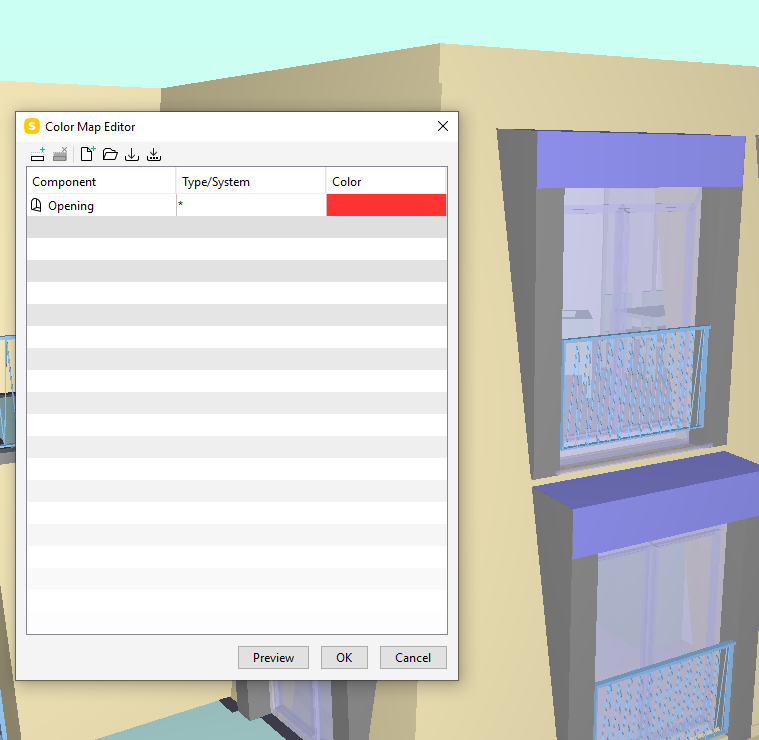
        ba651ef2-4304-4d52-b5f4-899d5c670b91-image.png

        1 Reply Last reply
        0
        • JeroenKoomenJ Offline
          JeroenKoomenJ Offline
          JeroenKoomen
          wrote on last edited by
          #4

          Sorry… i was convinced that would work… but it does not. Strange…

          Another option… i tested this one. 🙂

          1 make a classification of all Openings.
          2 Use classification to color the openings.
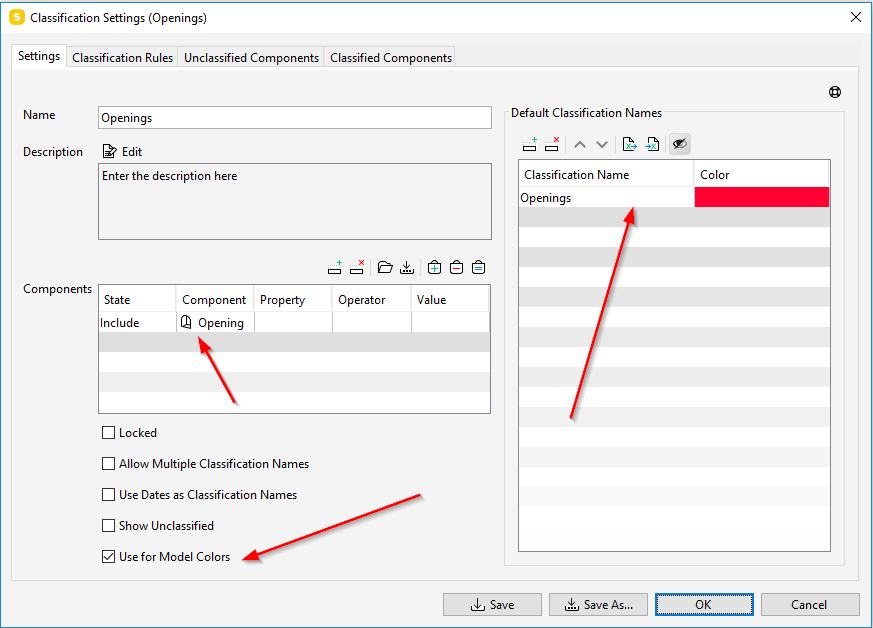
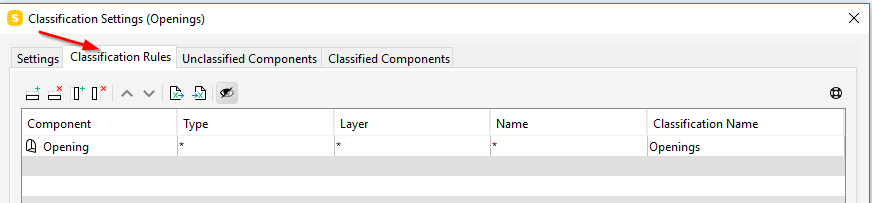
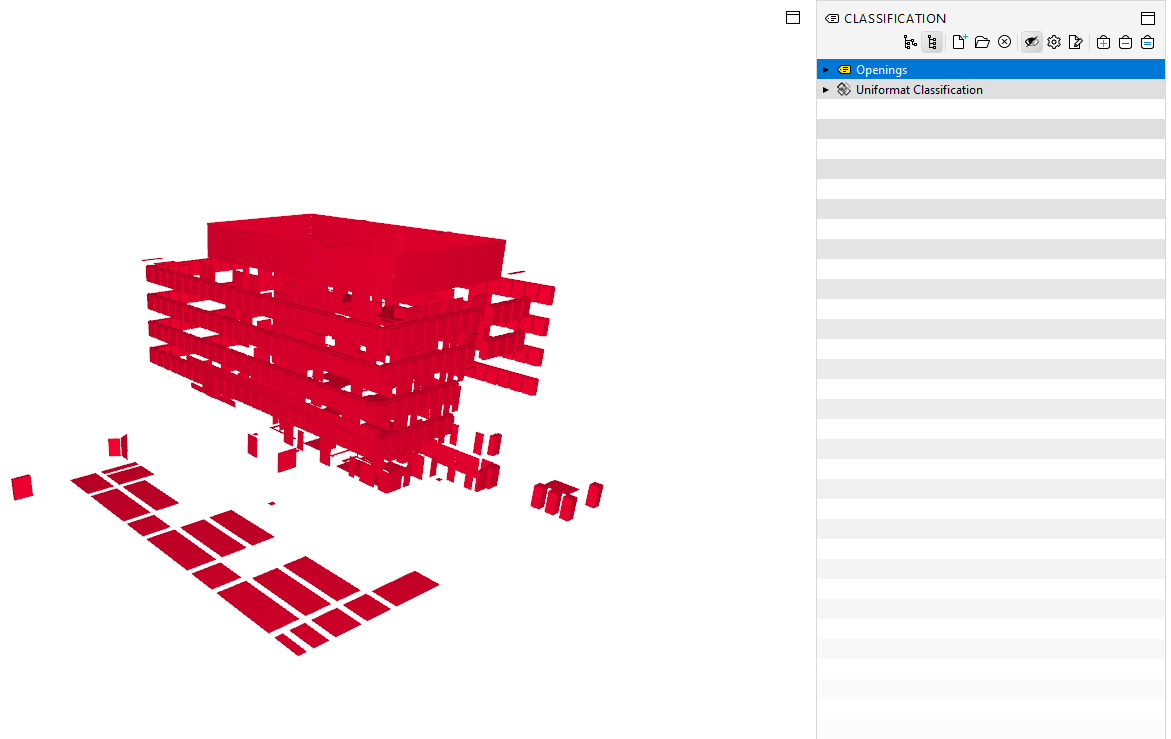
          31bce138-abed-4033-a82d-2e6505b286cb-image.png

          e54d95fc-ff93-4fd1-be33-5fa14d854b7d-image.png

          db560da5-0715-4baa-ba07-c8815283c4ee-image.png

          Hope this helps…

          http://www.linkedin.com/in/koomenjeroen
          https://www.bimloket.nl/BIMbasisILS

          1 Reply Last reply
          0
          • Simo_ZS Offline
            Simo_ZS Offline
            Simo_Z
            wrote on last edited by
            #5

            @Simo_Z said in Visualization opening:

            @JeroenKoomen thank you for the message. I tried what you suggested but I still have the same problem: the openings still not visible.

            Thank @JeroenKoomen!!! I tried also this system and it’s working quite well.
            It’s a petty that the Color Map Editor doesn’t work for the opening!

            Thanks

            1 Reply Last reply
            0

            Copyright © 2025 Solibri Inc. | Powered by NodeBB

            • Login

            • Don't have an account? Register

            • Login or register to search.
            • First post
              Last post
            0
            • Categories