Skip to content
  • Categories
Collapse
Solibri Society Forum
  1. Home
  2. General Discussion
  3. Not able to show Components within an Assembly in ITO

Not able to show Components within an Assembly in ITO

Scheduled Pinned Locked Moved General Discussion
5 Posts 2 Posters 745 Views
  • Oldest to Newest
  • Newest to Oldest
  • Most Votes
Log in to reply
This topic has been deleted. Only users with topic management privileges can see it.
  • C Offline
    C Offline
    cpynn
    wrote on last edited by
    #1

    I think i maybe going mad but i am sure this was not a problem previously. Maybe it was.

    I am using an ITO to understand where Data is missing. The problem is the model is mainly made of Assemblies coming out of ProSteel, Previously I thought that if i Excluded the Assembly it would still show all the components below the Assembly level but it appears that is not the case.

    Is there a way to list all the components in an ITO regardless of if they are in an Assembly or not? This seems a bit of an oversight if not.

    Cheers
    C

    1 Reply Last reply
    0
    • C Offline
      C Offline
      cpynn
      wrote on last edited by
      #2

      So i am able to do this using DeCompose in Relations but that means i get a single row for everything which again does not make sense. Any help would be much appreciated.

      1 Reply Last reply
      0
      • JeroenKoomenJ Offline
        JeroenKoomenJ Offline
        JeroenKoomen
        wrote on last edited by JeroenKoomen
        #3

        Can you post a picture of your ITO and what you mean by “a single row for everything”
        Maybe I can help…

        http://www.linkedin.com/in/koomenjeroen
        https://www.bimloket.nl/BIMbasisILS

        1 Reply Last reply
        0
        • C Offline
          C Offline
          cpynn
          wrote on last edited by
          #4

          Hi Jeroen, below are the two examples.

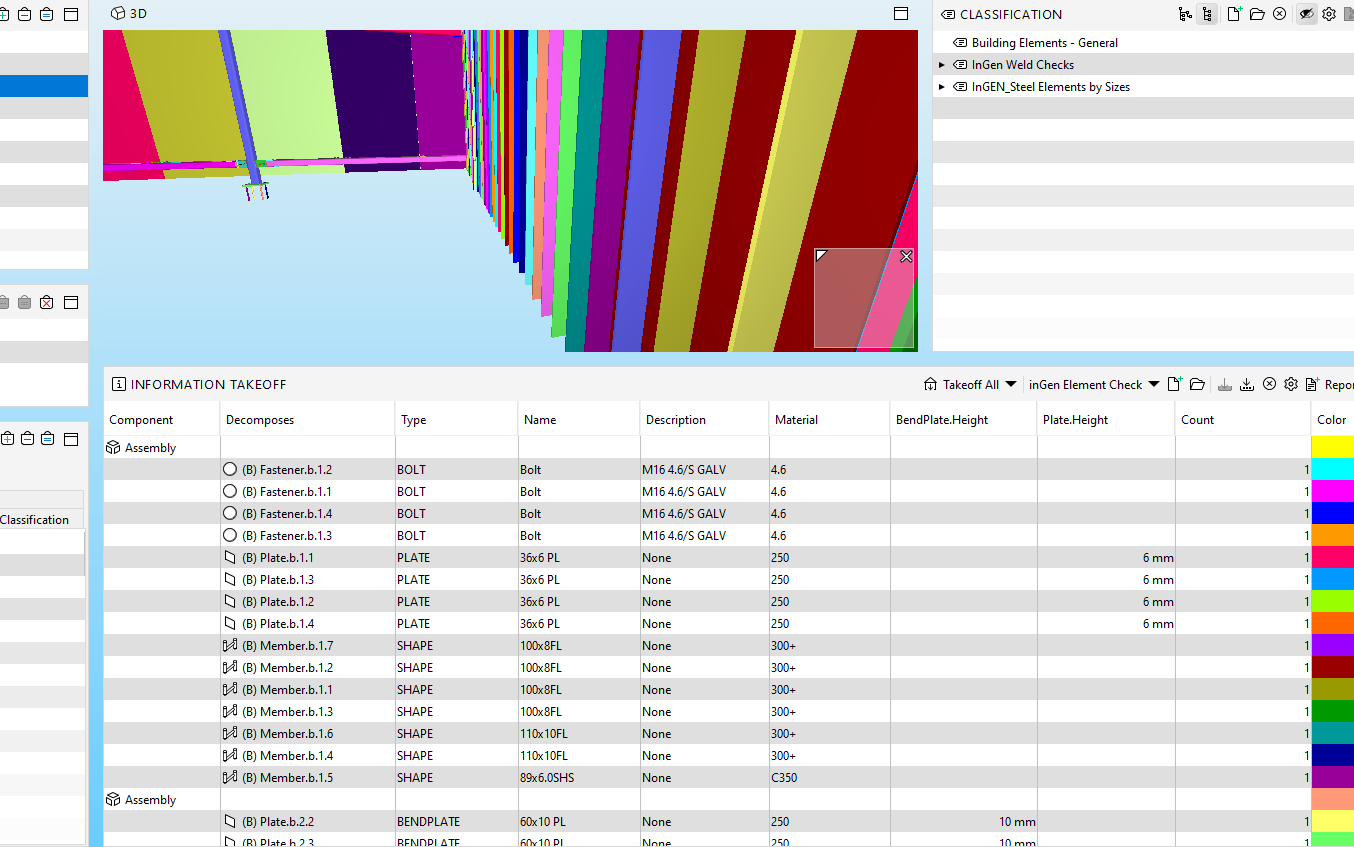
          the first example shows the ITO using Decompose. It shows every Assembly and every item individually. Not what i want.
          000c2d37-cfb3-409c-bf4a-68de501e2ca7-image.png

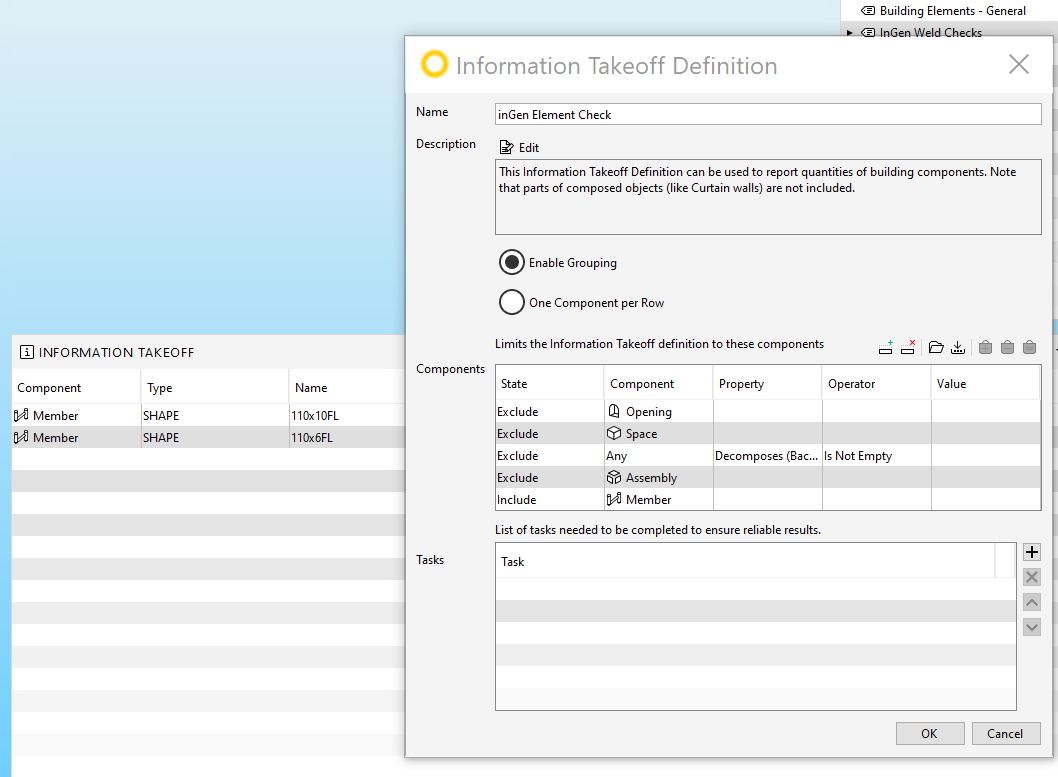
          The second example is when i exclude assemblies. I get just the members which are not inside or part of an assembly.
          6f0840cb-a6ed-40af-a69e-512df587f99c-image.png

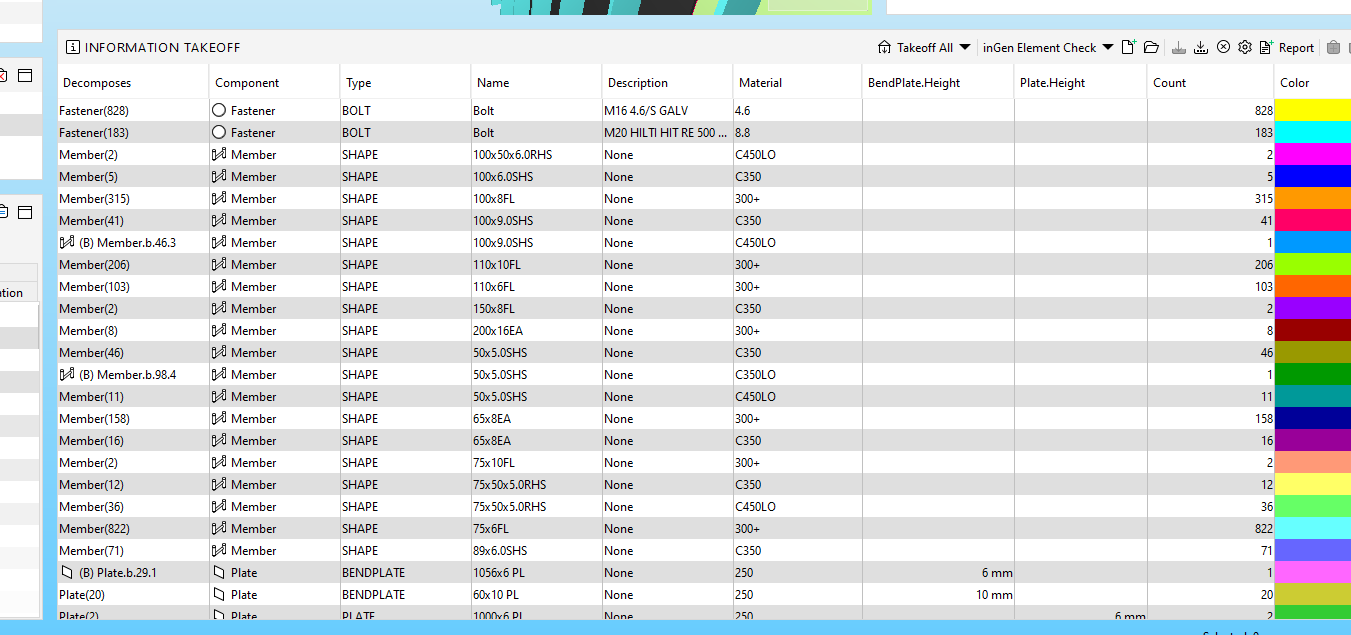
          I have actually i think just realised what i was missing though. My not having grouping turned on in the first example. I have added grouping again and this some what works abeit a bit messy.
          3be77849-253f-40cc-846e-a1cd7f462903-image.png

          Any other suggestions you have though would be welcome.

          C

          1 Reply Last reply
          0
          • JeroenKoomenJ Offline
            JeroenKoomenJ Offline
            JeroenKoomen
            wrote on last edited by
            #5

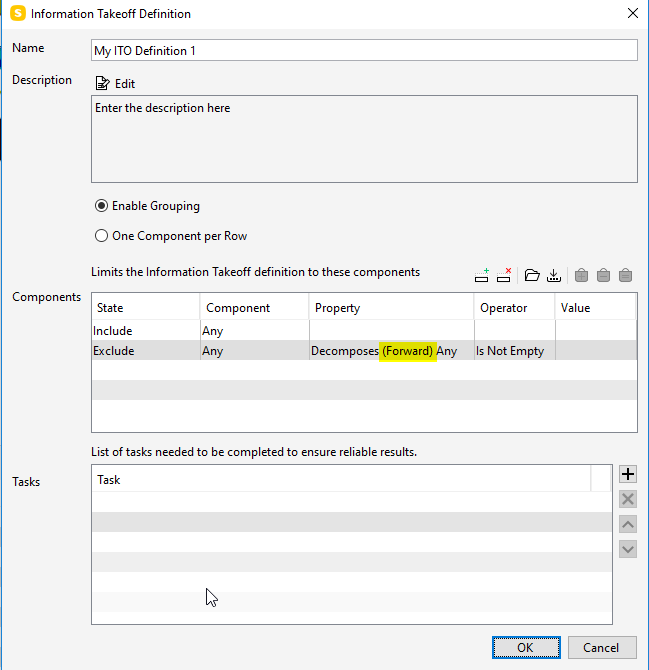
            I think you are using the exclude in the wrong way.
            Try to exclude like this and all the assemblies will be gone.
            750d1fe0-8f95-472a-97d0-c91af7b14a36-image.png

            Do not use the decompose as a column in your ITO.

            Another suggestion is using classifications to exclude assemblies and to make a first logical demarcation between elements. And then making different ITO’s using this demarcation.

            http://www.linkedin.com/in/koomenjeroen
            https://www.bimloket.nl/BIMbasisILS

            1 Reply Last reply
            1

            Copyright © 2025 Solibri Inc. | Powered by NodeBB

            • Login

            • Don't have an account? Register

            • Login or register to search.
            • First post
              Last post
            0
            • Categories