Skip to content
  • Categories
Collapse
Solibri Society Forum
  1. Home
  2. Comments & Feedback
  3. Tech Talks
  4. 4k Display Issues

4k Display Issues

Scheduled Pinned Locked Moved Tech Talks
7 Posts 6 Posters 1.7k Views
  • Oldest to Newest
  • Newest to Oldest
  • Most Votes
Log in to reply
This topic has been deleted. Only users with topic management privileges can see it.
  • mpanceraM Offline
    mpanceraM Offline
    mpancera
    wrote on last edited by
    #1

    Hi there,

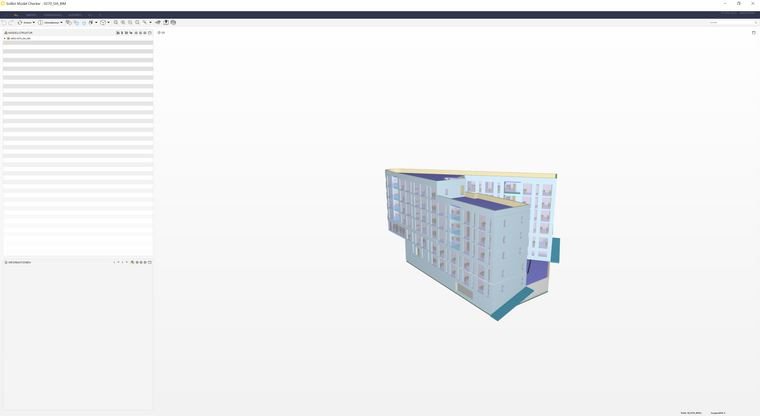
    it seems like a “small” issue, but with my new 2 Screens (4k Resolution) it is very hard to read the text in Solibri. I tried to deactivate the “high dpi scaling” but with no effect.

    I hope for Help…

    Re: Resolution issue Solibri Model Checker
    1424e2bd-ead3-4d2f-b8fb-5f3c957f6ab2-image.png

    ? 1 Reply Last reply
    0
    • L Offline
      L Offline
      lexransijn
      wrote on last edited by
      #2

      @mpancera said in 4k Display Issues:

      sue, but with my new 2 Screens (4k Resolution) it is very hard to read the text in Solibri. I tried to deactivate the “high dpi scaling” but with no effect.

      I have the same problem, please help

      1 Reply Last reply
      0
      • agroniA Offline
        agroniA Offline
        agroni
        wrote on last edited by
        #3

        Same here…

        AllesWirdGut Architecture
        www.awg.at

        1 Reply Last reply
        0
        • ? Offline
          ? Offline
          A Former User
          replied to mpancera on last edited by
          #4

          @mpancera Thanks for your feedback.

          If the instructions in the other related thread didn’t help in your case, could you please contact your local support or us directly at [email protected] ?

          Our support team will be happy to help out with this.

          Thanks,

          –
          Jose

          1 Reply Last reply
          0
          • RicardoR Offline
            RicardoR Offline
            Ricardo
            wrote on last edited by
            #5

            Can you confirm that you have the exact settings like me?
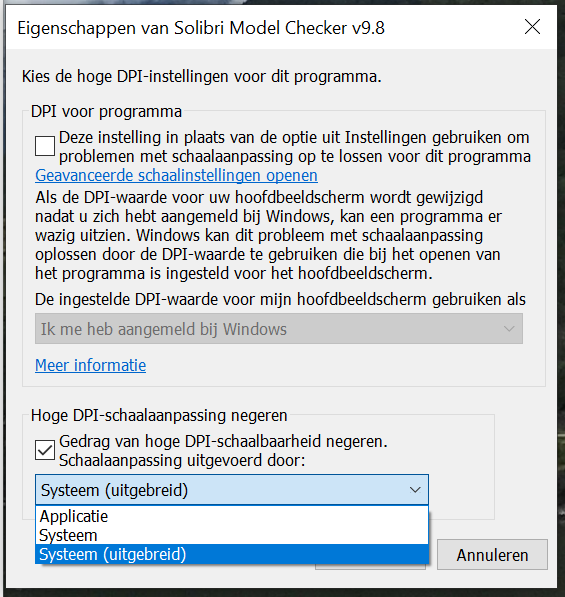
            I had the same issue, but when I set my settings to ‘‘Systems (Expanded)’’ it worked for me.

            8fa5066b-e81f-459f-b8d9-d864227737e7-image.png

            agroniA 1 Reply Last reply
            2
            • agroniA Offline
              agroniA Offline
              agroni
              replied to Ricardo on last edited by
              #6

              @Ricardo
              Sadly the settings of the compatibility in WIN10 don’t work.
              I have tried all three options, and still getting very small icons and menus.

              AllesWirdGut Architecture
              www.awg.at

              1 Reply Last reply
              0
              • EricE Offline
                EricE Offline
                Eric
                wrote on last edited by
                #7

                @dserdiukov wrote: https://society.solibri.com/topic/929/solibri-4k

                1 Reply Last reply
                0

                Copyright © 2025 Solibri Inc. | Powered by NodeBB

                • Login

                • Don't have an account? Register

                • Login or register to search.
                • First post
                  Last post
                0
                • Categories