
BIMcollab BCF-API connection now available
-
We brought up Area and more in the BCF committee already few years ago; and yes we would like to keep doing this together with Solibri. Since this committee is quite slow in following client requirements we decided to move forward. @tonigyllenberg we invite Solibri to do the same, together with us. The standard will follow innovators anyway

-
Regarding the New Bimcollab API, is this the topic where we also could post our feedback?
We are experiencing multiple problems with this new API. Problems that we haven’t experienced before with the old API…-
Data loss. When synchronizing to BIMcollab, sometimes data like added text in the description does not get synchronized. (This is random and not easily reproducible)
-
Synchronization report does not display the real amount of changed/new items. (Almost always)
For example, when 2 issues are edited and then synchronized, the report could say 21 issues changed. This is the case for import and export. -
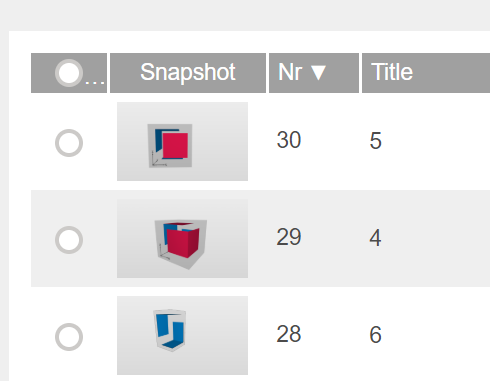
The order of issues in BIMcollab is changed when uploading (Random)
For example the picture below. The issues are made in order of 4-5-6 in Solibri, but in BIMcollab they change in order. After synchronizing back to Solibri, the order changes in Solibri too.
- Sometimes slides don’t get uploaded at all. (Random)

At this moment, we can not use this API because of this poor performance that we experience.
Do other people also experience these kind of problems?
-
-
Dear @Ricardo
thank you for your feedback. If you encounter any problems regarding the connection Solibri-BIMcollab you can always send your email either to Solibri support (for NL you can reach out to KUBUS as your Solibri contact, to Solibri directly or of course to [email protected]). We will then take action regarding your findings, either solve it, inform Solibri of any problems or help you understanding the possibilities of the connection.
I will gladly get involved here with my colleagues from BIMcollab support. -
Hello @Ricardo,
If you have the log files from this specific instance, would you be able to provide those for analysis? If so, could you send them to [email protected].
Log files are available here:
Windows: C:\Program Files\Solibri\SOLIBRI\log
Mac: /Applications/Solibri/logA few things to try in the meantime:
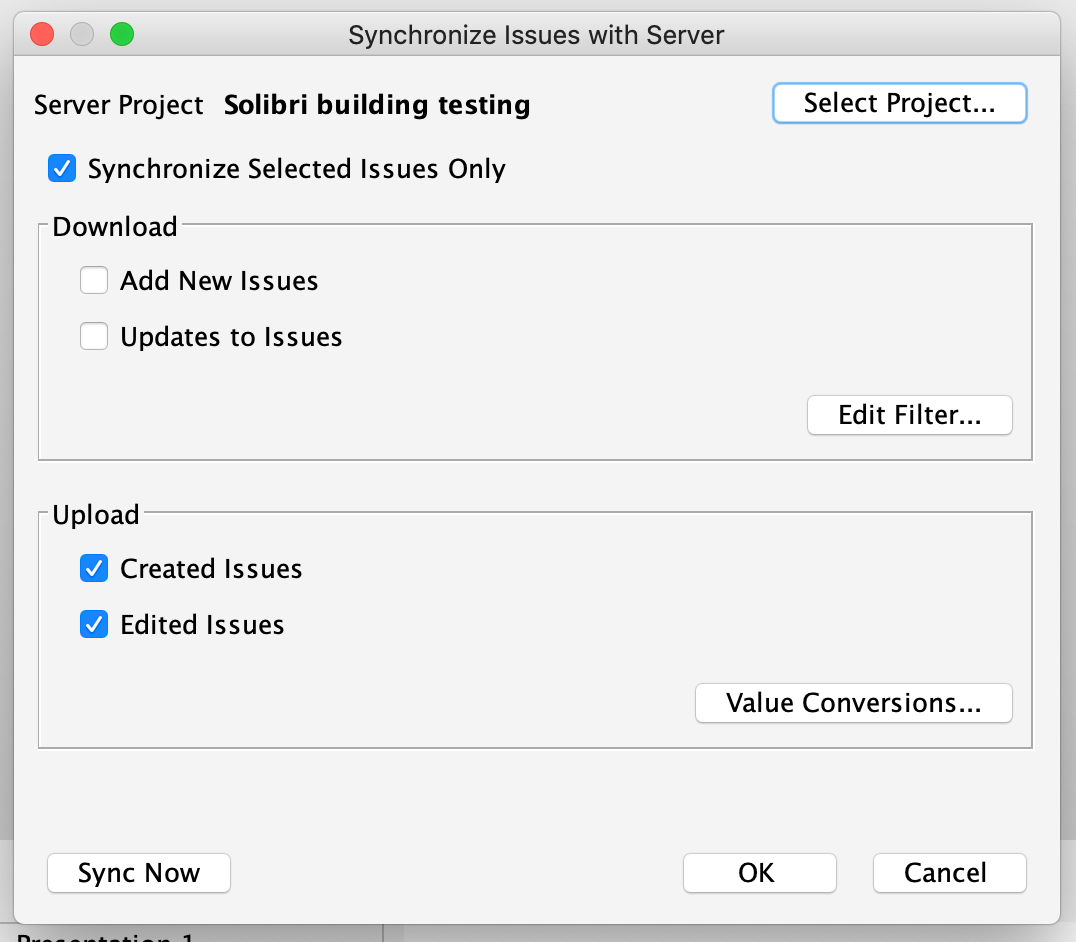
Sync report: If I understood correctly, the problem you are facing is that the sync report indicates that all issues have been edited (either up or down). Unfortunately this is the case (and has been) for the sync report, when synchronizing the entire presentation. The sync report does not check individually which slides are changed, but rather indicates that all slides are pushed (or pulled), even if only 1 or 2 have actual changes. One way to currently avoid this, and to have more control over syncing, is to select the issues you wish to upload (or download changes to) and use the “Synchronize only selected issues” :
Issue order changes: This is due to the fact that during the initial sync, Solibri adopts the server index numbers. This is because we do not want to impose our index numbers on the server, and instead use just one common numbering. After the first sync, this should no longer jumble.
The sync report and issue ordering problems will no longer be visible in the next release (which will contain the improvements to BCF Connector).
If the logs can be provided, we can look into the data loss (and slides not uploading) issue.
Kind regards,
Toni on behalf of the Solibri team
-
Hello All!
As an update on this topic, the old BIMcollab connection has now been removed with the release of Solibri 9.12.0.
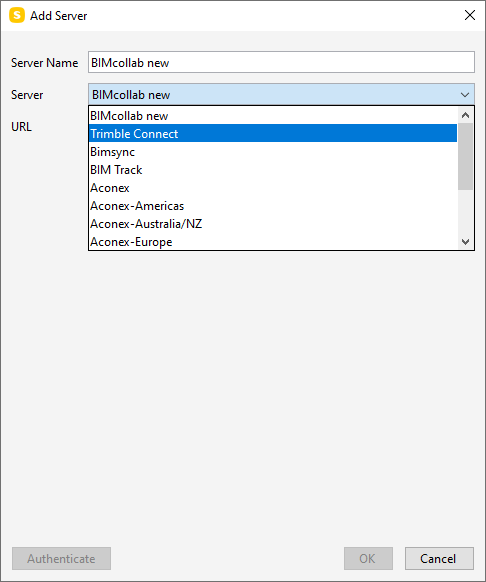
To connect to your BIMcollab project, select the BIMcollab New connection from now on, and remember to add your project-specific URL when making the initial connection.
Kind regards,
Toni on behalf of the Solibri team -
@tonigyllenberg
Hi Toni,I can still connect to the “old BIMcollab” API. Will I lose the connection when I restart Solibri?
I am still working with Solibri 9.10, the BIMcollab New API causes some problems in this version.Kind Regards,
Dennis Beeke
-
@DeBeek said in BIMcollab BCF-API connection now available:
@tonigyllenberg
Hi Toni,I can still connect to the “old BIMcollab” API. Will I lose the connection when I restart Solibri?
I am still working with Solibri 9.10, the BIMcollab New API causes some problems in this version.Kind Regards,
Dennis Beeke
The ‘old’ connection will still work in the ‘old’ Solibri version.
-
The same here… still working with old version of Solibri
-
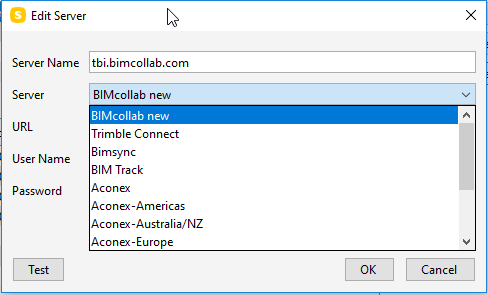
So basically if you want to set up a new connection in either the ‘old’ Solibri version, i.e. 9.10 or in the new 9.12 version you will only be able to connect to the BIMcollab new server.
As @DeBeek points out, working with the BIMcollab new server is somewhat buggy in 9.10, so this means you will have to upgrade to 9.12 .
@tonigyllenberg Is it possible to re-enable the option to connect to the ‘old’ server again in 9.10 for the time being?Since not everybody can upgrade instantly to a new version. -
Hello All!
Unfortunately we cannot enable the old connection specifically only for older Solibri versions; it is either available for all Solibri versions, or not available. As the new BCF Live Connector in 9.12.0 only supports BCF-API connections, such as the BIMcollab new connection, we have disabled the old BIMcollab connection with the release of 9.12.0. Therefore it will not show up as a selectable server in an older version of Solibri either.
Regarding issues with the new connection, as discussed with @Paul-Deckers from BIMcollab, any issues experienced with the BIMcollab new connection should be reported for evaluation.
On a related note, the BCF Live Connector in 9.12.0 was developed to drastically improve the BCF workflow, and to specifically address some of the issues with the previous BCF Connector. We recommend updating to 9.12.0 to benefit from the improvements.
Kind regards,
Toni on behalf of the Solibri team -
Hello, just tried it out and getting some great performance improvements. Good work.
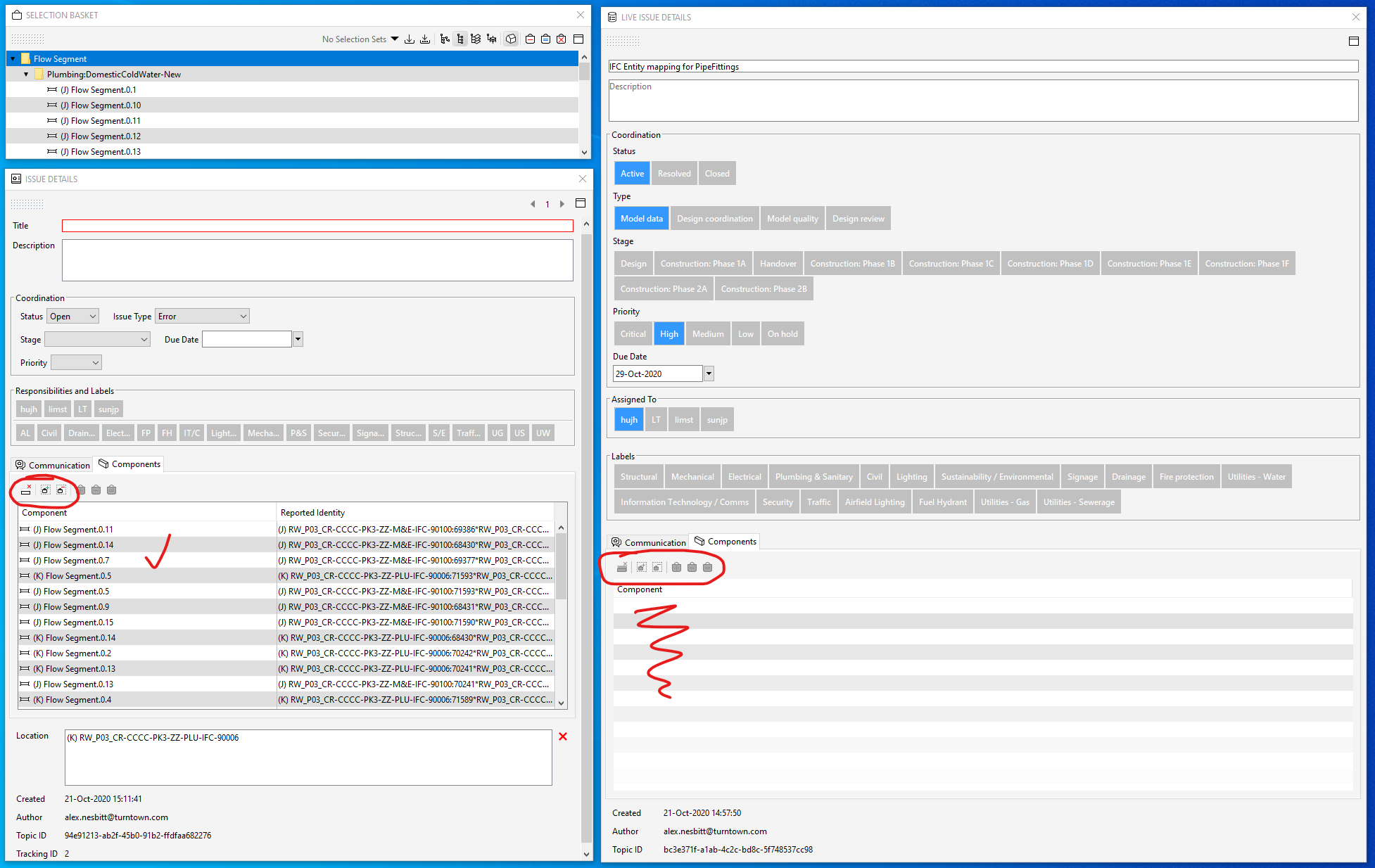
I have spotted a bug with the “Live issue details” not being able to add components to issues from the selection basket. Can still do this in the “Issue details” window though.
-
Hello @alex-nesbitt!
It’s good to hear about the performance gains

Without knowing more about this specific case, I suspect the issue about components can be explained by looking into the BCF-API standard. As viewpoints are immutable, once they have been added to a live issue (or e.g. local issues imported to BCF Live) and synchronized, the viewpoint, including components, is no longer editable. This being said, it is possible to add components from the selection basket to the issue until the moment that the issue is synchronized.
A few suggestions which may be beneficial:
- Using the Mark As Ready button (Settings -> BCF Live Connector -> Use automatic Synchronization-> Off) should solve this case by allowing you to work on your issue details and viewpoints before adding them to the synchronization queue (by selecting Mark As Ready).
In case you do not wish to use the Mark As Ready feature, here are a couple of other suggestions:
- For importing local issues, make sure the components are added before the issue is imported to BCF Live and synchronized.
- When adding issues directly into BCF Live, the issue will not be synchronized until a title is added (i.e. viewpoints and components, along with other details can be edited up until a title is provided).
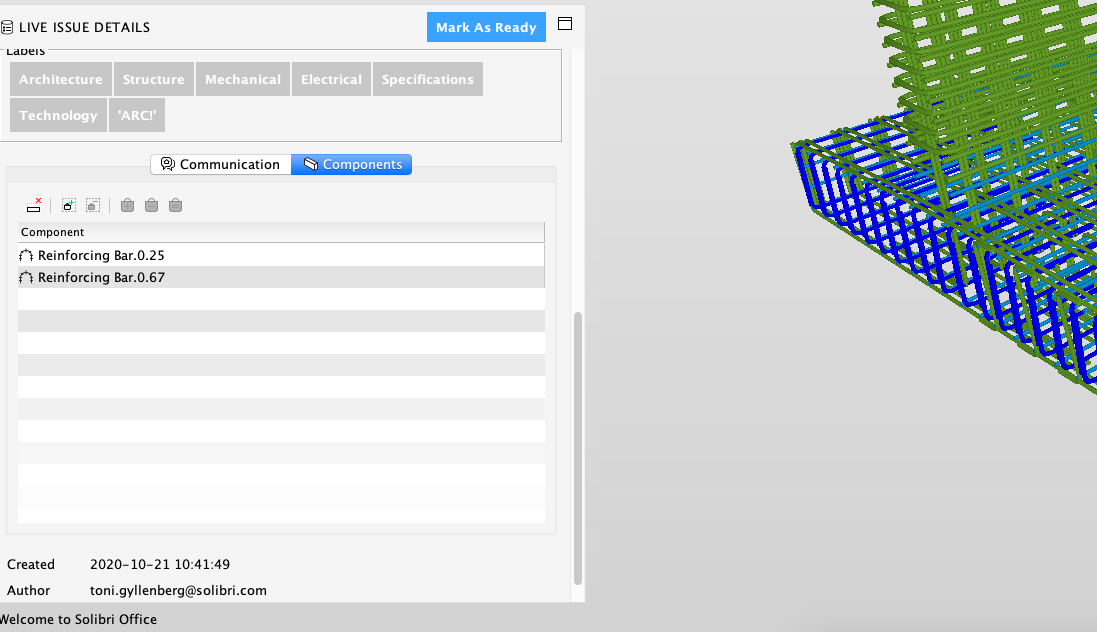
Please let me know if these solve the problem you are facing.
Kind regards,
Toni on behalf of the Solibri team -
Hey all,
just small additions to @tonigyllenberg’s post before:
- The specification about the immutable viewpoints can be found here. This is an excerpt with the important part:
[...] Viewpoints are immutable, meaning that they should never change. Requirements for different visualizations should be handled by creating new viewpoint elements. [...] - At this point, it is certainly worth mentioning that we have built the BCF Live Connector entirely on our Solibri Developer Platform - meaning that our APIs entirely support all the features needed for the BCF workflow. Therefore the APIs can now be used if anybody has their own ideas about the workflow that differs from the standard. Corresponding information can be found in our latest version of the SDP documentation
Thanks
Cornelius - The specification about the immutable viewpoints can be found here. This is an excerpt with the important part:
-
Hello again!
For any users who may be experiencing issues connecting via the BIMcollab new connection, please see this post for more information.
Kind regards,
Toni on behalf of the Solibri team






Copyright © 2025 Solibri Inc. | Powered by NodeBB