Skip to content
  • Categories
Collapse
Solibri Society Forum
  1. Home
  2. Comments & Feedback
  3. Tech Talks
  4. How to do a Information TakeOff of the areas from "Space Boundaries" pset of spaces?

How to do a Information TakeOff of the areas from "Space Boundaries" pset of spaces?

Scheduled Pinned Locked Moved Tech Talks
7 Posts 5 Posters 1.5k Views
  • Oldest to Newest
  • Newest to Oldest
  • Most Votes
Log in to reply
This topic has been deleted. Only users with topic management privileges can see it.
  • XavierX Offline
    XavierX Offline
    Xavier
    wrote on last edited by
    #1

    Hi all,

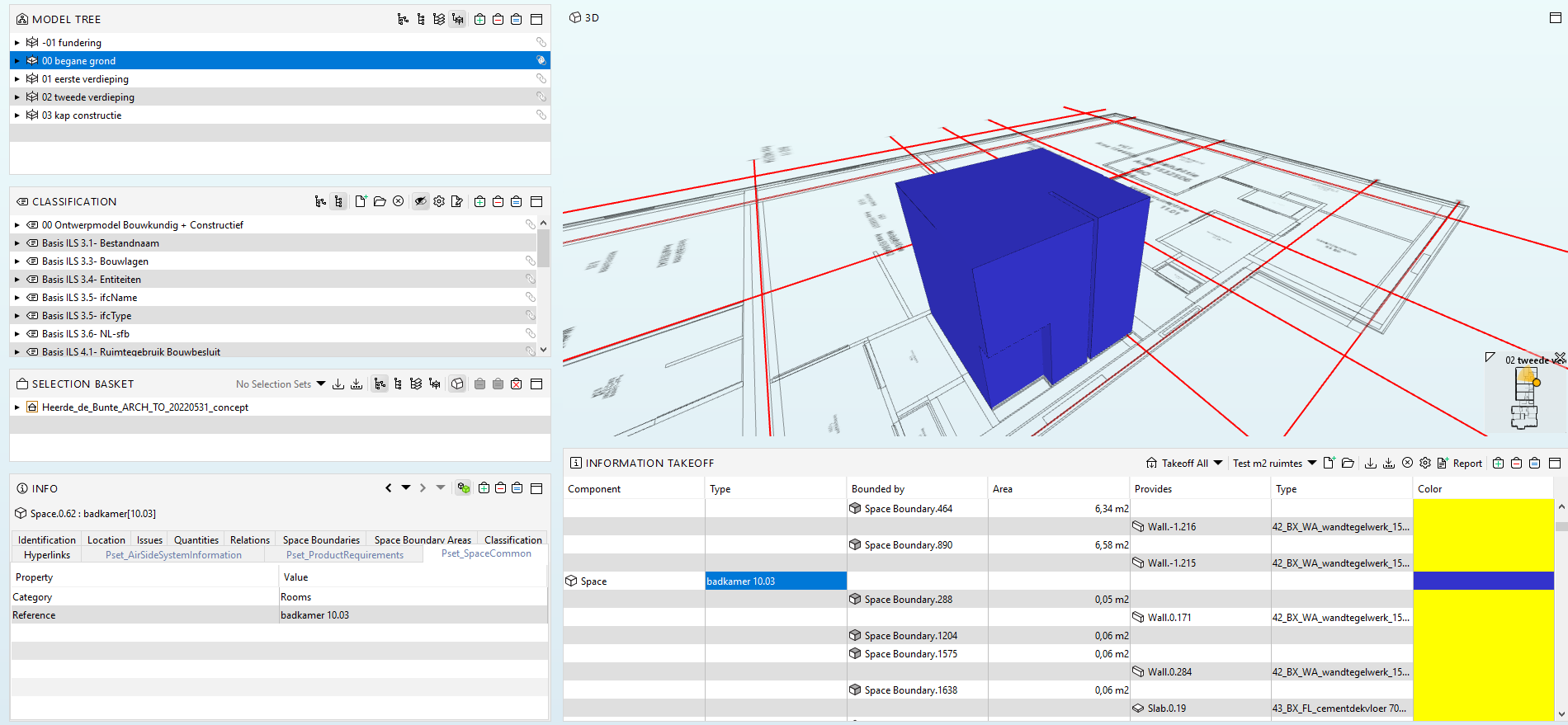
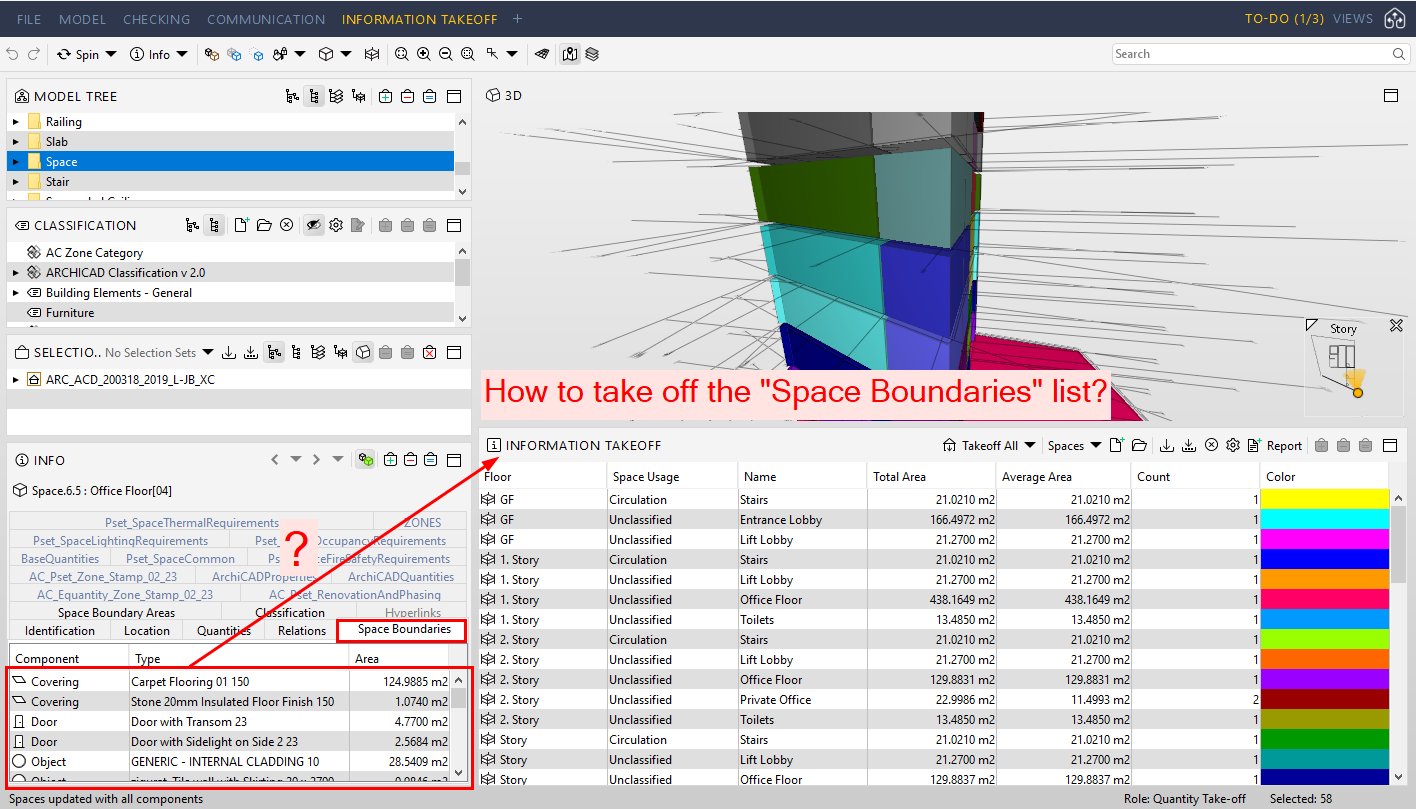
    How to do a Information TakeOff of the areas from “Space Boundaries” pset of spaces (no the “Space Boundary Area” pset) ?

    IN our internal research, we can do this:

    • We can do a ITO that list Spaces and his relation “reference” of the walls, floors, ceilings, and so on.
    • With this list of spaces, solibri can show the area of those elements (walls, floors, …) but is the area of the element (wall, etc…). But we need the area in touch between a space and the elements (and it’s exactly the information that is showed in “Space Boundaries” pset).

    I upload an image to explain it.

    Best regards,
    Xavier Coll
    EiPM
    Consulta_Spaceboundaries.png

    1 Reply Last reply
    0
    • MattiM Offline
      MattiM Offline
      Matti Solibrians
      wrote on last edited by Matti
      #2

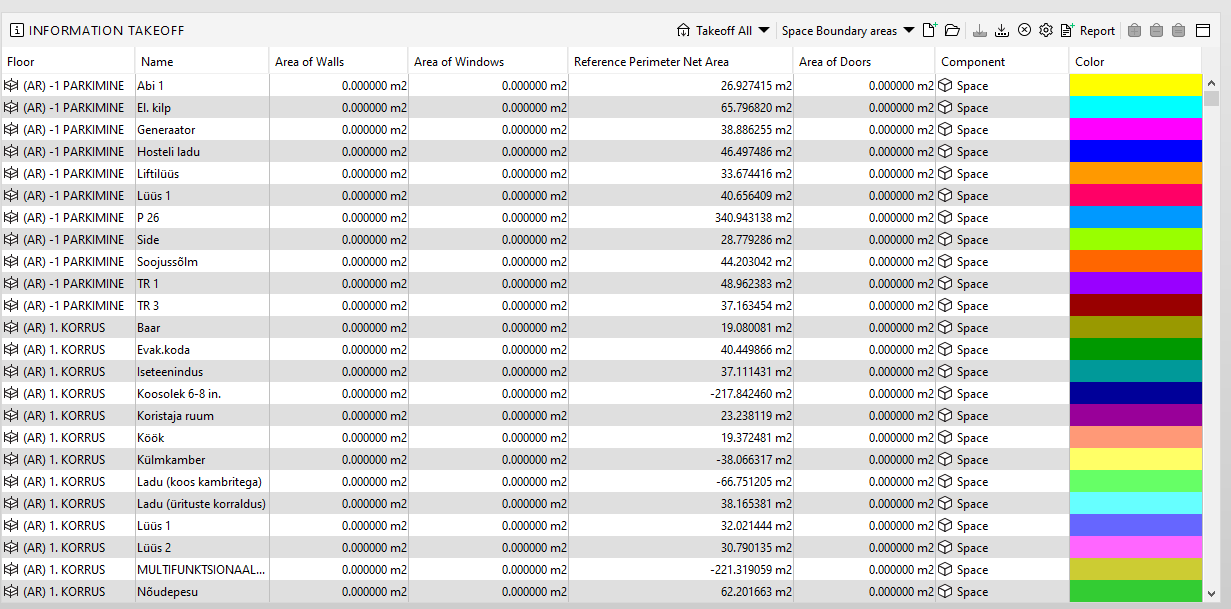
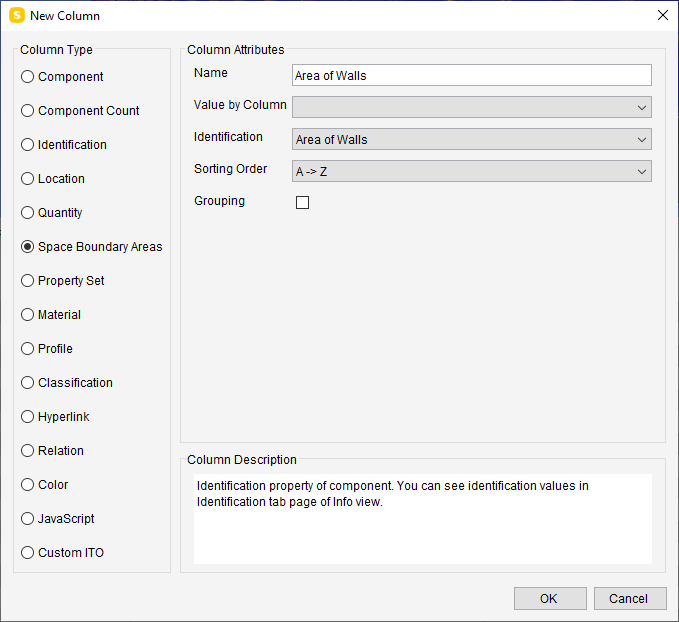
      There are two ways to do this in ITO. List spaces and use following ITO columns:

      1. Using space boundary areas column type:
      56f3268f-b327-4e36-bbeb-bca7a28ea40e-image.png

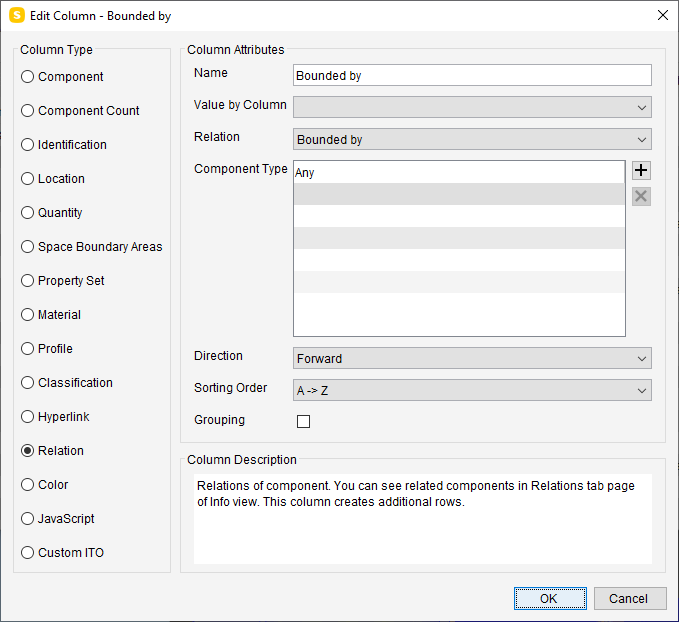
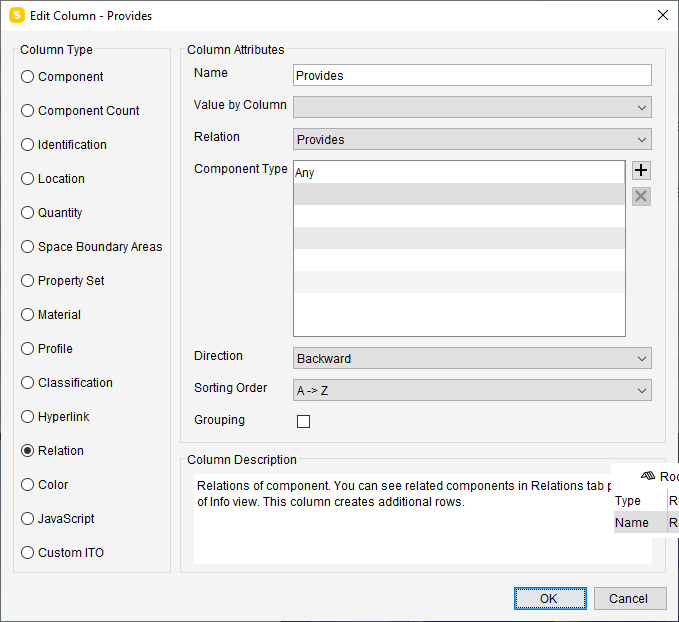
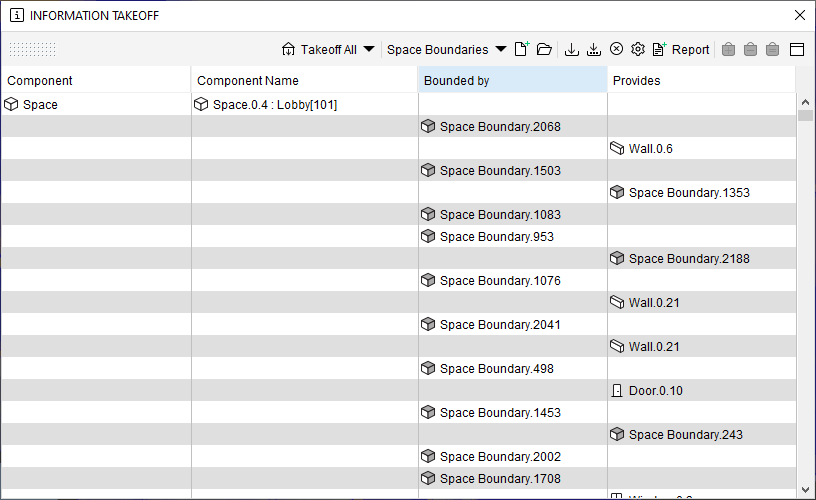
      1. Using two relation columns:
        [0_1584717314103_Space Boundaries.ito](Uploading 0%)
      6c03b439-daf3-41d3-be0e-4e4401389286-image.png
      081c3ed5-caba-48ae-aacd-0216f917f9dd-image.png
      0bf722f9-7b5e-4f5b-af77-3f29b2af3446-image.png

      1 Reply Last reply
      3
      • XavierX Offline
        XavierX Offline
        Xavier
        wrote on last edited by
        #3

        Thanks a lot @Matti-Kannala ! It works for me

        1 Reply Last reply
        1
        • L Offline
          L Offline
          lraimo
          wrote on last edited by
          #4

          I cant get it to work. What am I doing wrong?
          My result
          853d1b74-acda-4476-89ae-5259a43d6462-image.png

          1 Reply Last reply
          0
          • L Offline
            L Offline
            lraimo
            wrote on last edited by
            #5

            Seems that problem in somewhere in IFC model because in another model it is working.

            1 Reply Last reply
            0
            • S Offline
              S Offline
              Sander E
              wrote on last edited by
              #6

              Thanks, this works for me to.

              But is there a way to get not emty cells?
              Now I have can’t do anything with the m2 in Excel.

              fddddb69-3663-4649-862c-2c22d8c4a216-image.png

              JSNJ 1 Reply Last reply
              0
              • JSNJ Offline
                JSNJ Offline
                JSN
                replied to Sander E on last edited by JSN
                #7

                @sander-Eikelboom Not really without having all the references you need. Anyhow you could use Power Query to postprocess and format your lists accordingly in Excel I guess …

                1 Reply Last reply
                0

                Copyright © 2025 Solibri Inc. | Powered by NodeBB

                • Login

                • Don't have an account? Register

                • Login or register to search.
                • First post
                  Last post
                0
                • Categories