Skip to content
  • Categories
Collapse
Solibri Society Forum
  1. Home
  2. General Discussion
  3. Component Comparison - Identify components only with GUID - Wrong classification?

Component Comparison - Identify components only with GUID - Wrong classification?

Scheduled Pinned Locked Moved General Discussion
1 Posts 1 Posters 132 Views
  • Oldest to Newest
  • Newest to Oldest
  • Most Votes
Log in to reply
This topic has been deleted. Only users with topic management privileges can see it.
  • I Offline
    I Offline
    ingo.schmidt
    wrote on last edited by
    #1

    Re: Component Comparison - Identify components only with GUID - Not working correctly?

    Hi there,

    I am trying to compare 2 models and as a result I want to see wich components were added, removed or modified.
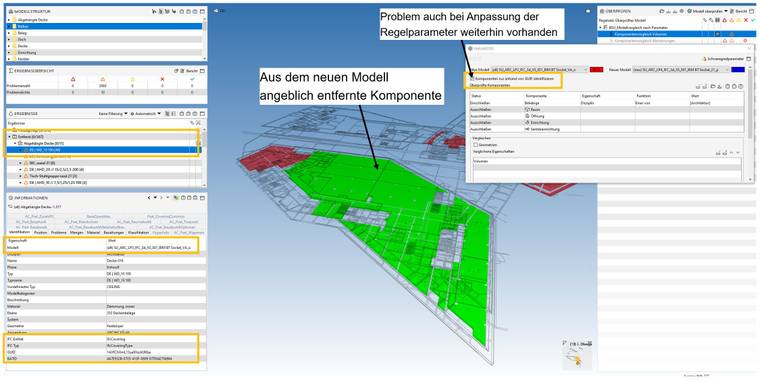
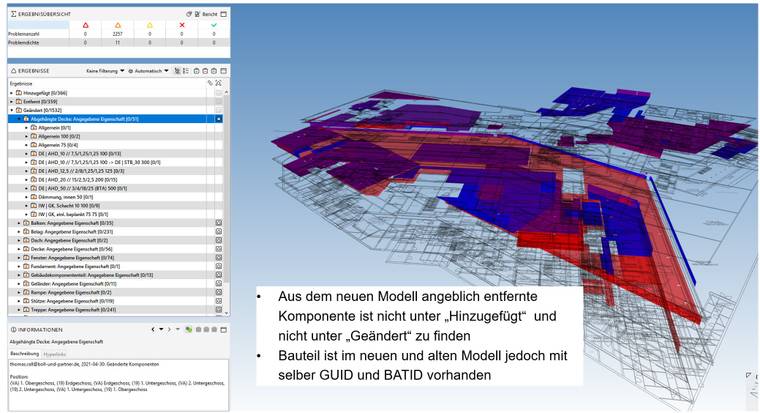
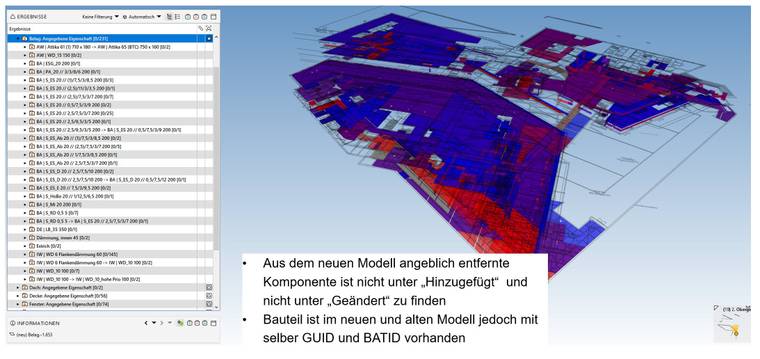
    When I run SOL/206/2.2 actually modified components only show up in the results as removed and not as modified (they are not showing under added either).

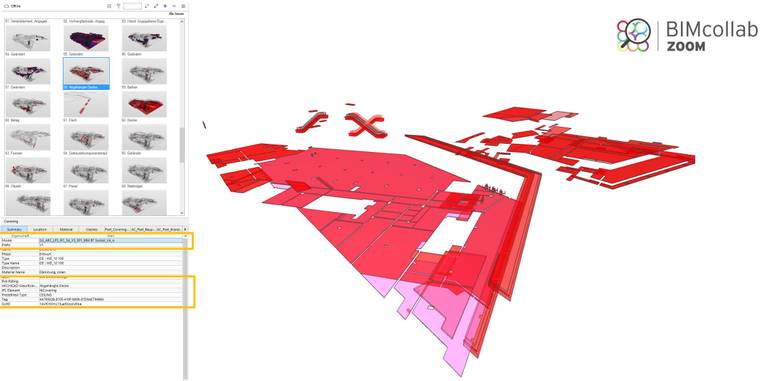
    As the components are in the old an in the new model (same GUID) an the volume or anything else has changed I would expect the component to be classified as modified.

    Am I missing something here?
    I hope someone can clarify.
    Cheers Ingo

    removed:
    removed.jpg

    modified1:
    modified1.jpg

    modified2:
    modified2.jpg

    component in old model:
    componentOld.jpg

    component in new model:
    componentNew.jpg

    1 Reply Last reply
    0

    Copyright © 2025 Solibri Inc. | Powered by NodeBB

    • Login

    • Don't have an account? Register

    • Login or register to search.
    • First post
      Last post
    0
    • Categories