
Dimension comparison errors in rule 231/1.6
-
To pick out components, right now ducts, that are oriented either vertically or horizontally, it is sometimes necessary to use a rule that checks the component’s horizontal vs. vertical dimensions.
(Actually, what would be useful for this is to have access to the positioning coordinates of the component, the X-axis there mostly seems to correspond to the vertical/horizontal alignment…)For this I use rule 231/1.6, checking if the component Bounding Box Height is larger than the Bounding Box Length (seems like Length is automatically set to the larger horizontal bounding box dimension) - which presents the following issues:
-
The rule seems to have problems with units - if in Settings - Units the value is “Meters or Millimeters” (which is the default, I guess), values over 1 meter seem to get compared in meters to millimeters (say, BBHeight of 1,2m to BBLength of 400mm gets reported as the BBLength being the larger dimension). Changing the units setting (to just one unit) corrects this behaviour, but surely the rule should recognize the units of the compared dimensions, and correct for them?
-
When the two dimensions are very close (say +/- a millimeter in difference) or equal, the rule erraneously reports them as being unequal. When I’ve set the comparison to check for values “larger than”, the results should obviously omit values that correspond to “equal to”. This can easily double the number of results.
-
-
Hi @pejotu ,
Have you tried using classification to do this? There it is also possible to use the bounding box dimensions:
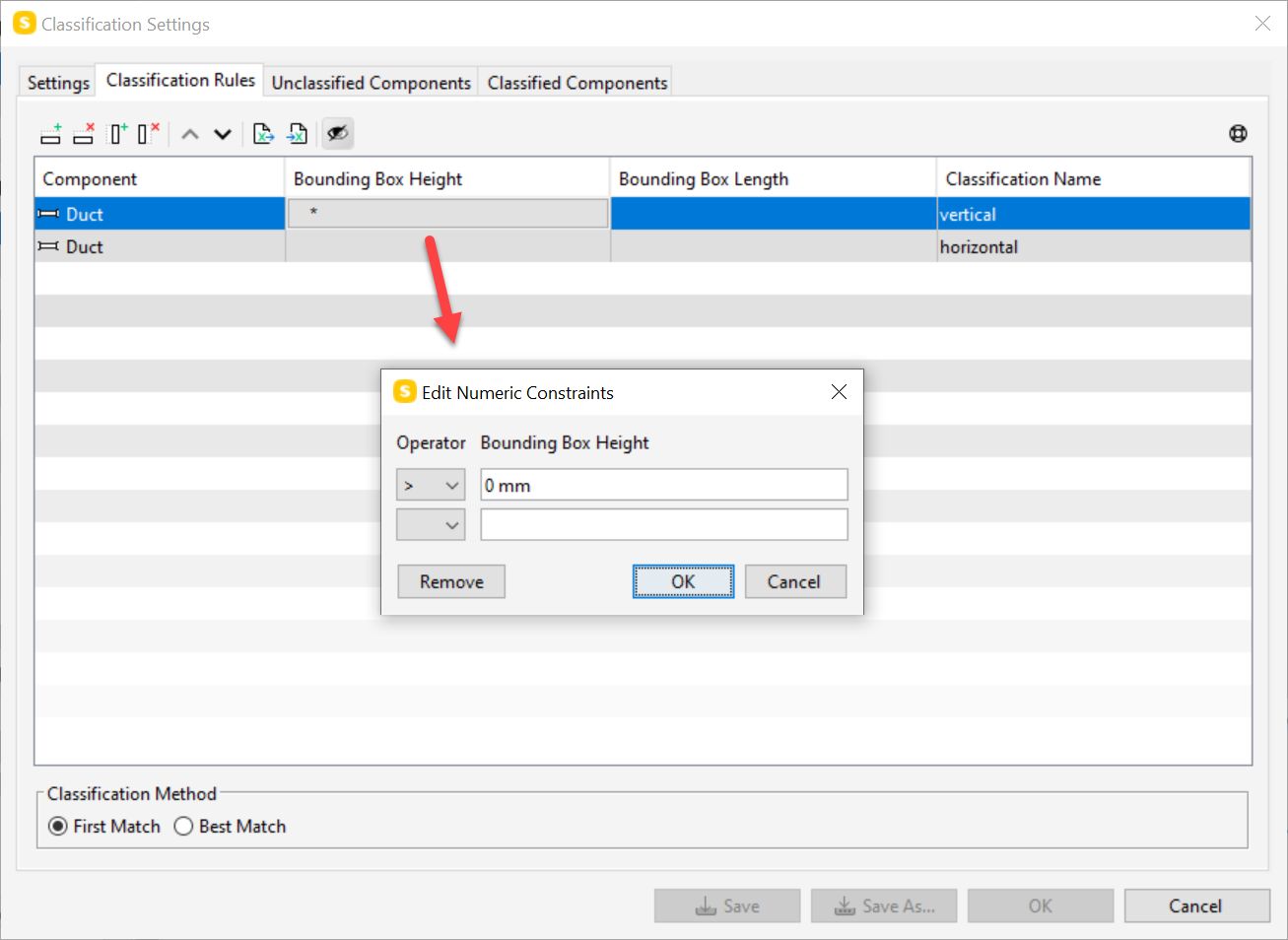
ideally this information would come from the authoring tool but unfortunately that is rarely the case. Also if you have the duct size exported under some property set this can be useful when comparing to the bounding box dimensions.
Anyways, we need to check in more detail how the rule behaves in the situation you described with the units.
-
@lauri-luoma Thank you, yes, I make a lot of use of classifications, and also the duct dimensions from component properties (still, this may not always be available, and I’ve come across some unit problems even there).
However, being a heavy user of classifications in many aspects, I find building a classification for something so simple as Bounding Box dimensions overkill. The classifications also all require some processing time at model update, which gets multiplied when the HVAC models are split into separate IFCs per storey. The above rule itself processes this very quickly, when set up correctly, and only at the moment necessary for running the checking, which seems optimal…
But perhaps disabling classifications, or loading them automatically on demand, is something you are thinking about for future releases (I can of course manually unload/load these at the time of checking, but that again is unnecessary steps in the workflow).


Copyright © 2025 Solibri Inc. | Powered by NodeBB