
Rule 9/3.1 --> what did I wrong?
-
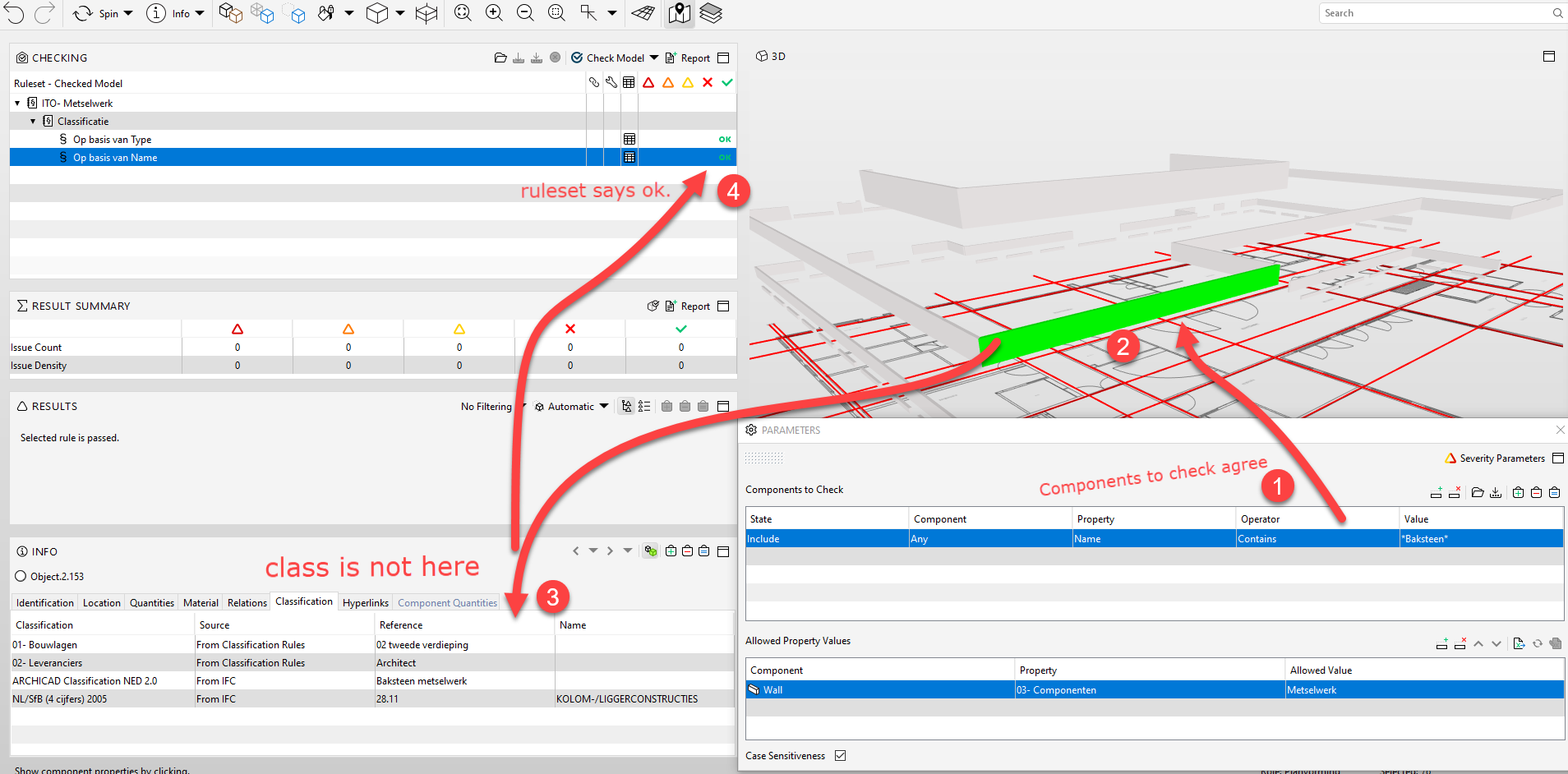
I used the role 9/3.1 to check if all components with bricks used in the classification.
The results in the rol is ‘ok’ , but it is not!
What is giong wrong here? -
@sander-Eikelboom
Did you use a gatekeeper in top of the rule tree?
If you did, try to remove it and check again.Did you use 9.12?
I discovere a few weeks ago, when you use a gatekeeper in 9.12, the rules after the gatekeeper gives a false positive OK. When i delete the gatekeeper, the rules do it right again.
I reported this bug and @Solibrians are working on it, but it is very sensitive to errors.
When you don’t discover this bug, and you trust on the outcom of the ruleset, there can al lot of things go wrong. -
@sander-Eikelboom
What if you fill in the classification as the property, and the allowed property the material “baksteen”
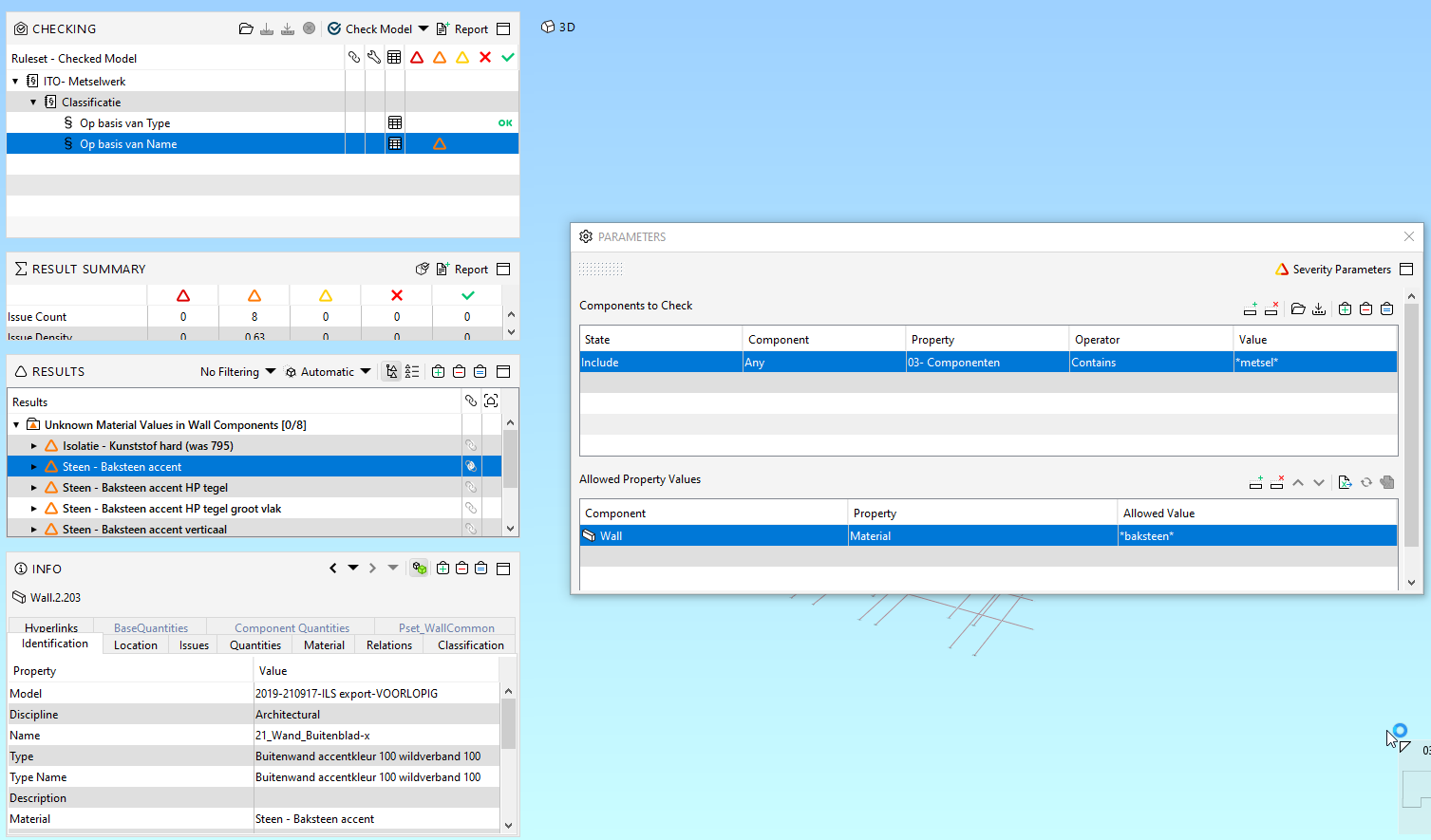
-
Thanks for the answers.
@Harmen-Jorritsma , I have solibri 9.12, but its not a gatekeeper.
@BvanDalsum, If I fill in the de classification as a property, the rule works, but it is not result I want.The problem in this case is that we have a classification ‘metselwerk’ (brickworks) and with this classification we generate a Information takeoff.
Last weak we discovered a difference in the ITO and the manual calculation. After some searching we saw that the classification was not full with ‘metselwerk’.
So after that we make a checking rule. This checking rule is for all architects. And we see a lot of names for metselwerk.Anyway, in the maintime I used another ruleset (230). And I and I reported to our retailer (kubus Netherlands).
I’ll keep you posted when I know more.
-
@sander-Eikelboom I send you a response to your e-mail on why the rule is not working.
Summary for whom is interested: With the original setup none components were checked. I looked like rule 9 requires a component match for both Components to Check and Allowed Property values.
In this specific case is therefore the solution to add a row to the allowed property values for the component type “object”.



Copyright © 2025 Solibri Inc. | Powered by NodeBB