
Connecting to BIM360 with Solibri using Desktop Connector
-
Hi there,
Is anybody using Solibri connecting with IFC files that are stored on Autodesk BIM360 using the Desktop Connector?
- is updating IFC’s working properly?
Because in Desktop Connector the path to the files is personal (C:/user/username/ACCDocs…) other people are not able to update the Solibri model when new IFC’s are available. Does Anybody have a solution for that?
Is anybody also storing the SMC file on BIM360? Does that work and what happens when more people are trying to open the SMC on the same time?
Any feedback / tips and tricks are welcome.
Kind regards.
Jeroen Koomen
-
Hey Jeroen,
I use the Desktop Connector to update and save my SMC file directly to BIM360/ACC.
In the update Models settings, I set all my IFC files to Prompt, when a IFC file updates on BIM360/ACC I get a prompt form Solibri, and I load the new version.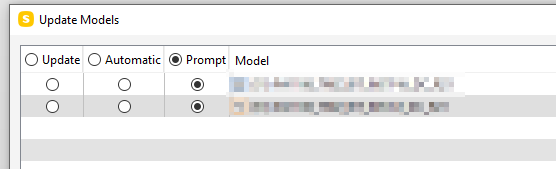
This all worked fine for me until Autodesk updated their Desktop Connector to version 15.1.0.1587, now Solibri can’t read the file locations, and this all doesn’t work anymore.
I am waiting for an update for Solibri or the Desktop connector and hope this problem is solved.Groeten Edwin.
-
You can not work with more than one person in a SMC file, this doesn’t change on BIM360.
You don’t get a warning when more then one person is editing the file. I think the last person how selects save will be the last version on BIM360.
Because you can’t work with more then one person in a SMC file we have multiple SMC files, mostly user specific.
We would really like a work sharing like Revit for Solibri, this would make live easier.


Copyright © 2025 Solibri Inc. | Powered by NodeBB